Hostinger Reach includes a native voice input feature that transcribes your spoken words into text, so you can dictate your email content instead of typing it out.
For an overview of what else Hostinger Reach can do, see The AI email marketing tool.
Use voice input to dictate email template
- Open Hostinger Reach dashboard.
- Click the microphone icon next to the prompt field.

- Speak your email idea or content aloud.
- Click Done to stop recording and transcribe your dictation into text.

- Click the send icon to generate your campaign plan from the transcribed text.

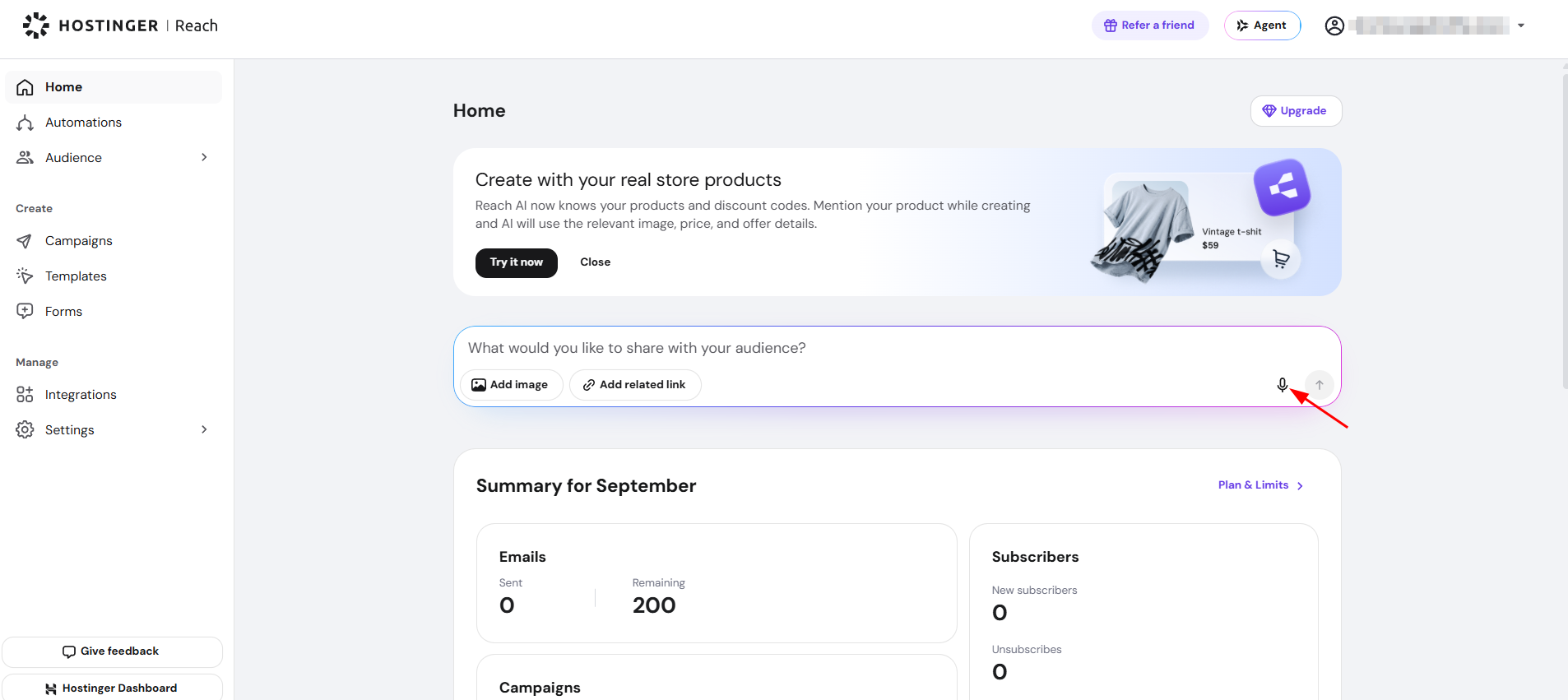
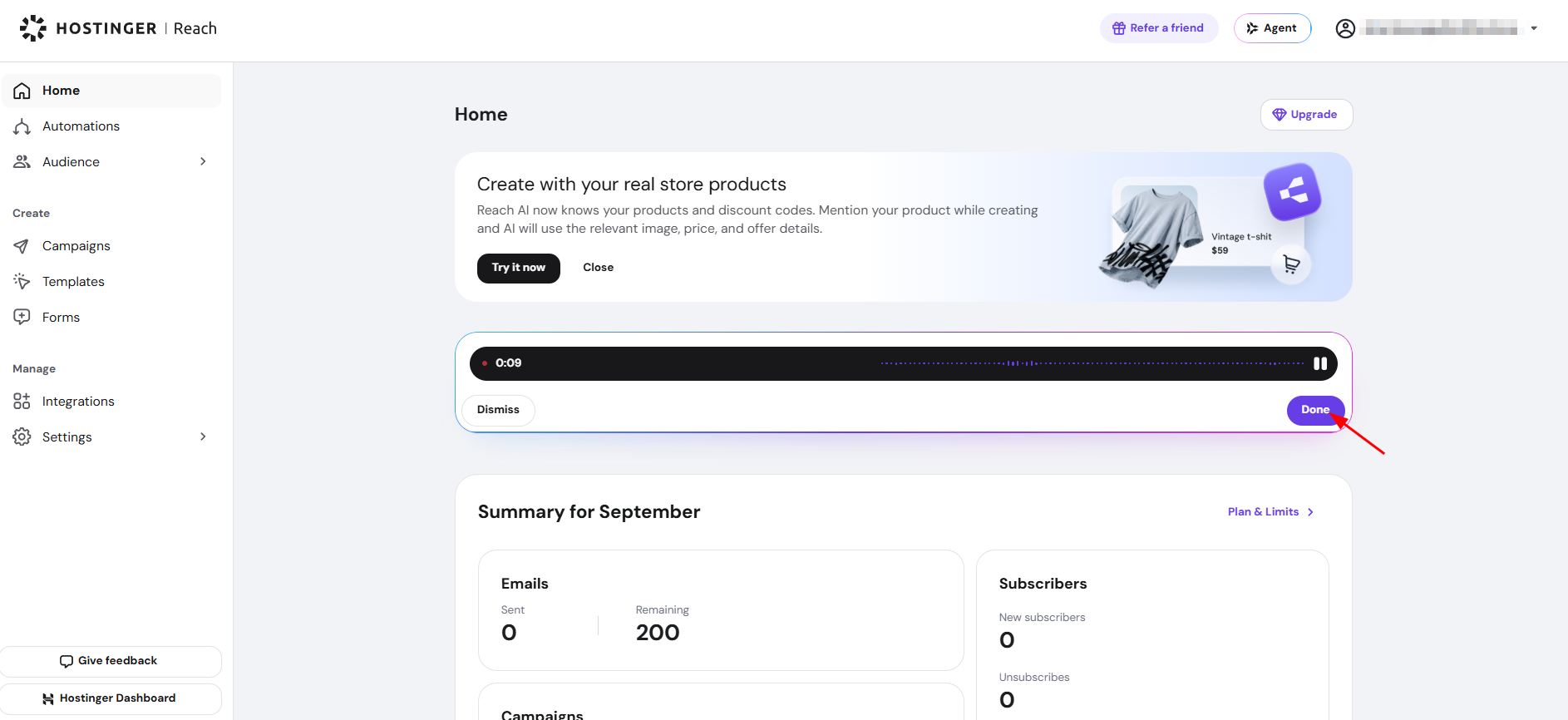
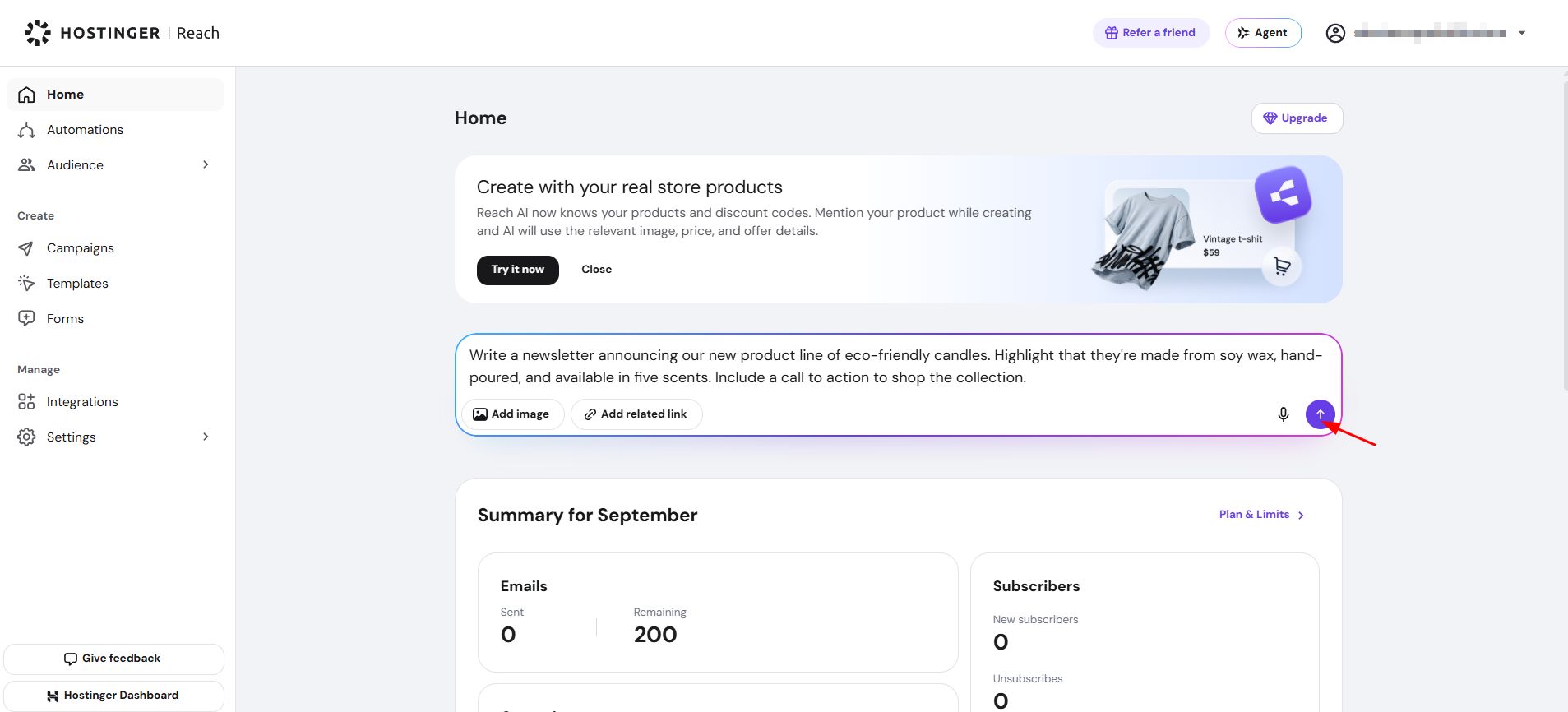
Hostinger Reach transcribes your spoken words into text and uses it to generate a campaign plan, including details about the campaign, the template used, and the target audience for your email. Click Make changes to edit any part of the plan, or click Create campaign to proceed with the plan as generated.
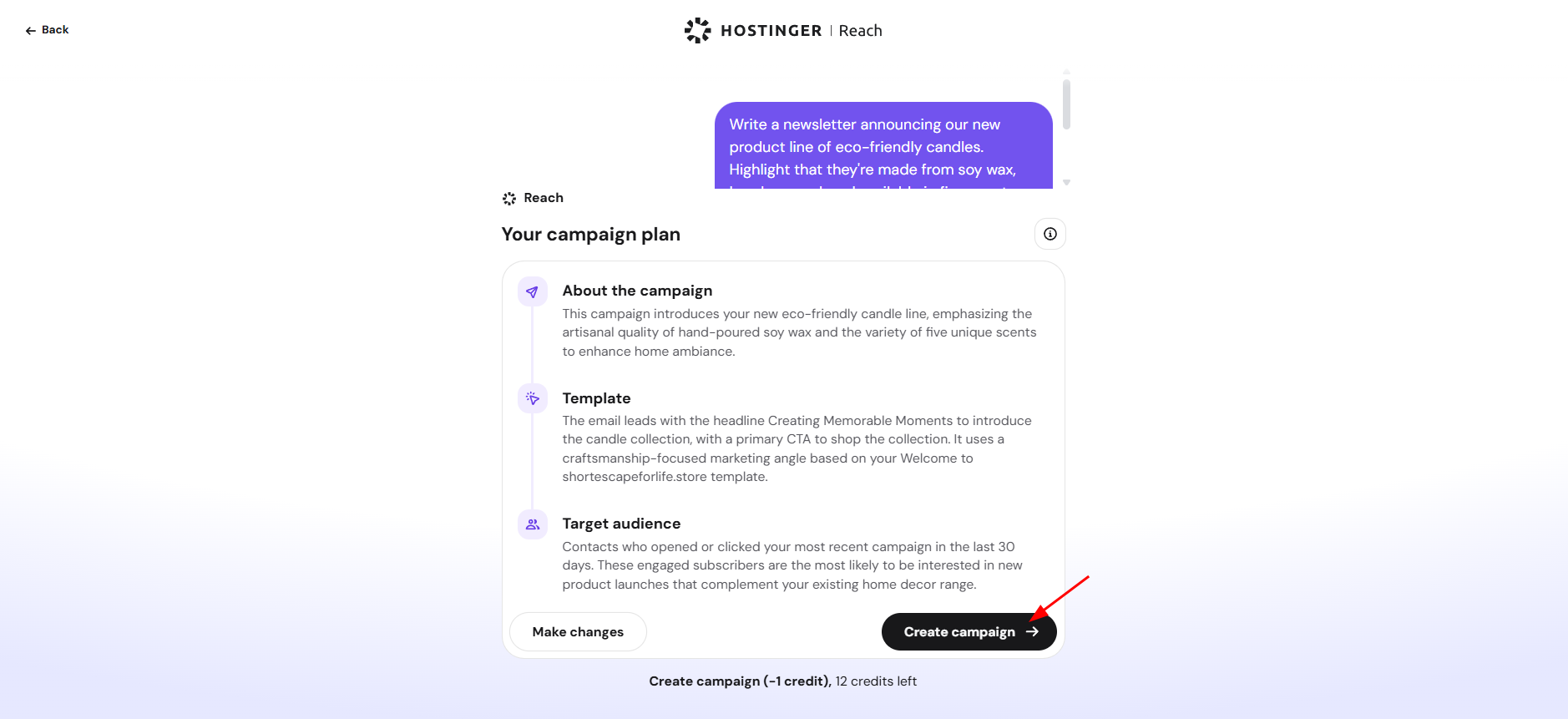
Your dictated email idea now generates a full campaign plan in Hostinger Reach, ready for you to review or create.
See How to create full campaign draft with AI for how to review, adjust, and create your campaign from the generated plan.