Upgrade a hosting plan at Hostinger to get more resources for a growing project, from either the Websites or Billing section of the Hostinger dashboard. Upgrades for web and cloud hosting plans take effect immediately, and your files, emails, and databases move to the new plan automatically.
You can’t directly upgrade a Web or Cloud hosting plan to a VPS. To use a VPS, you’ll need to purchase a VPS plan separately and then migrate your website content manually.
Agency hosting also doesn’t support direct upgrades. You’ll need to purchase an Agency plan separately and then move your websites using the Clone Website tool, which is available with Agency plans only. Please note that your IP address will change when moving to an Agency plan.
Option 1 – From the Websites section
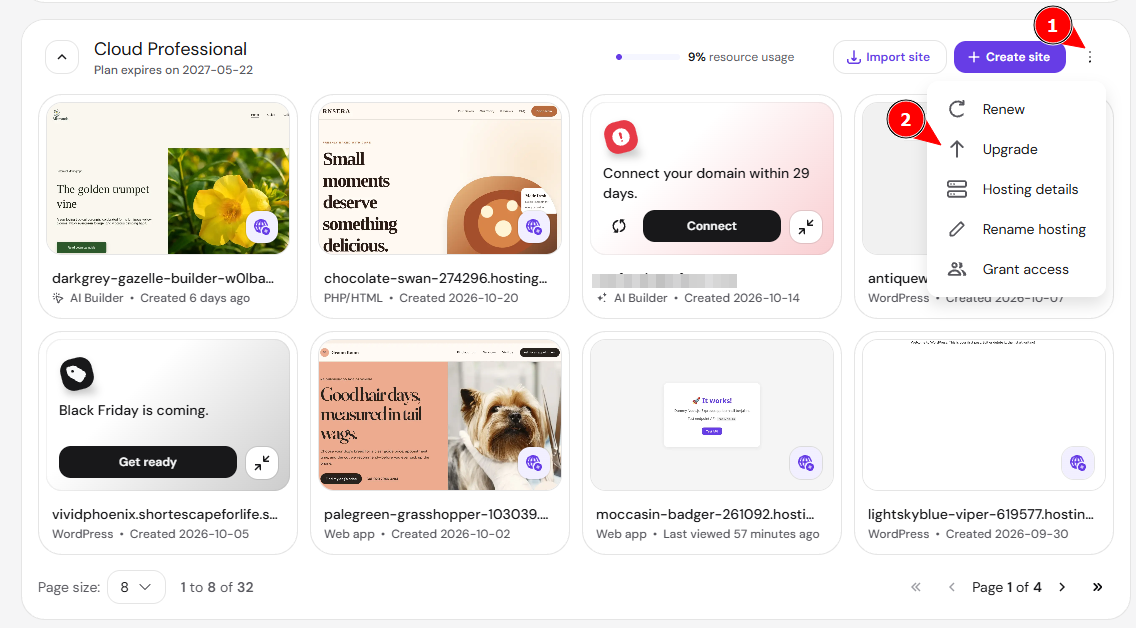
In your Hostinger account, go to the Websites section, click the options button (⋮) next to the name of your hosting plan, and select Upgrade:
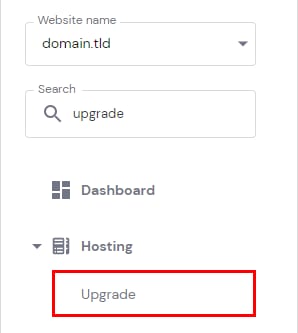
Alternatively, you may hover over your website in the Websites section and click Manage site. Then, search for Upgrade on the left sidebar and click on it:
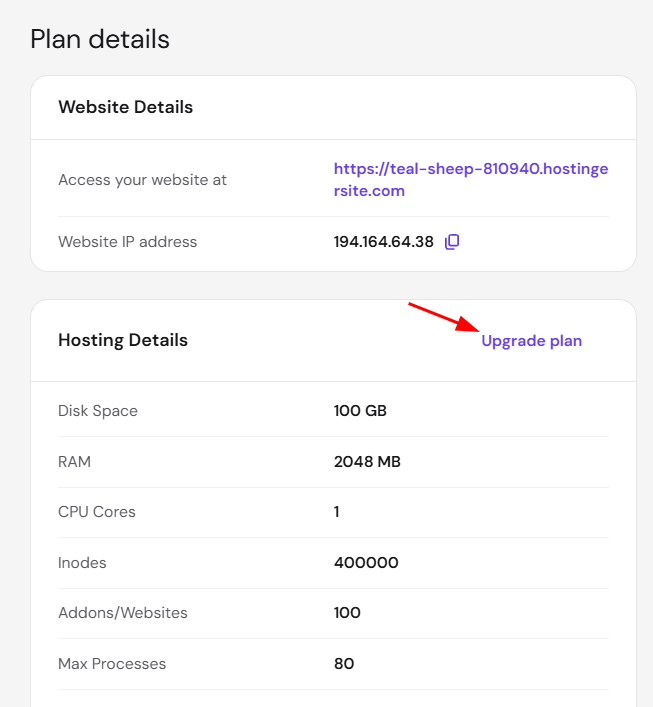
Or, search for Plan details and click on Upgrade Plan:
If your website is created with Hostinger AI Builder or you are upgrading a VPS, you can do so from the Billing section
Option 2 – From the Billing section
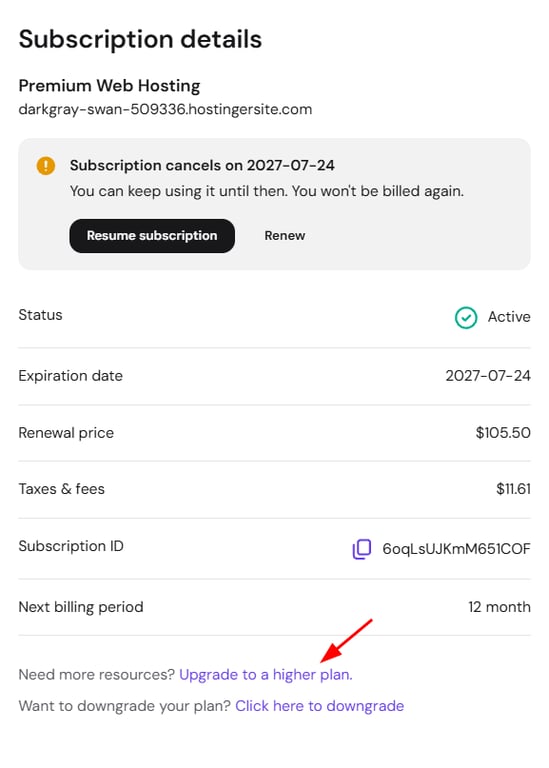
In your Hostinger account, go to Billing → Subscriptions, and click Manage next to the hosting plan in question to open the subscription details. Once there, click Upgrade to a higher plan:
On the upgrades page, select your new hosting plan from the dropdown list –you can compare the increased resources side by side. Next, click on Complete upgrade payment to proceed.
If upgrading from Web to Cloud hosting, you will also get a new IP address. For more details about the upgrade, refer to this guide: What happens after upgrading a hosting plan?
Once the upgrade payment is completed, your hosting plan gets the increased resources of the new plan right away.
NOTES
-
Upgrades are not available for the Cloud Enterprise plan. Alternatively, you can consider migrating to a VPS.
-
Upgrades take effect immediately.
- To move to a lower-tier plan instead, see How to downgrade a Hostinger hosting plan.