Downgrade a Hostinger hosting plan to a lower tier from Billing → Subscriptions in the Hostinger dashboard when your current plan offers more resources than you need. The downgrade applies immediately, your expiration date stays the same, and the unused difference is credited back as a refund.
Before you start
- Ensure your resource usage does not exceed the limits of the target plan.
- The downgrade applies only to the selected hosting plan; other purchased services in the account remain unaffected.
How to downgrade your hosting plan
To downgrade your hosting plan, follow these steps:
- Go to Hostinger dashboard → Billing → Subscriptions.
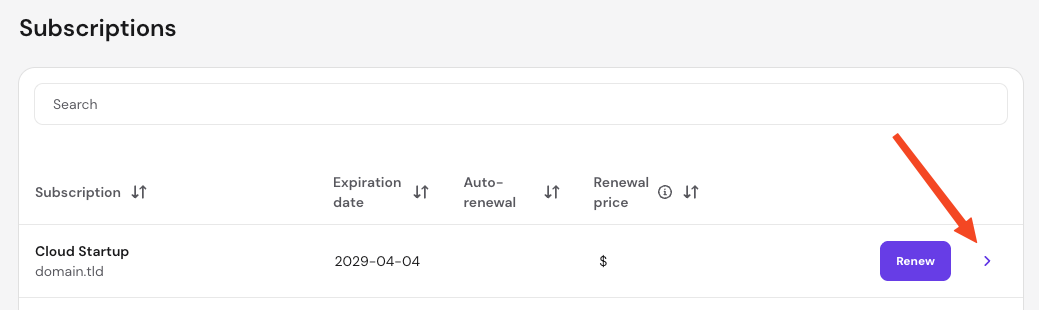
- Locate the hosting plan you wish to change and click the arrow (❯) to manage the subscription.
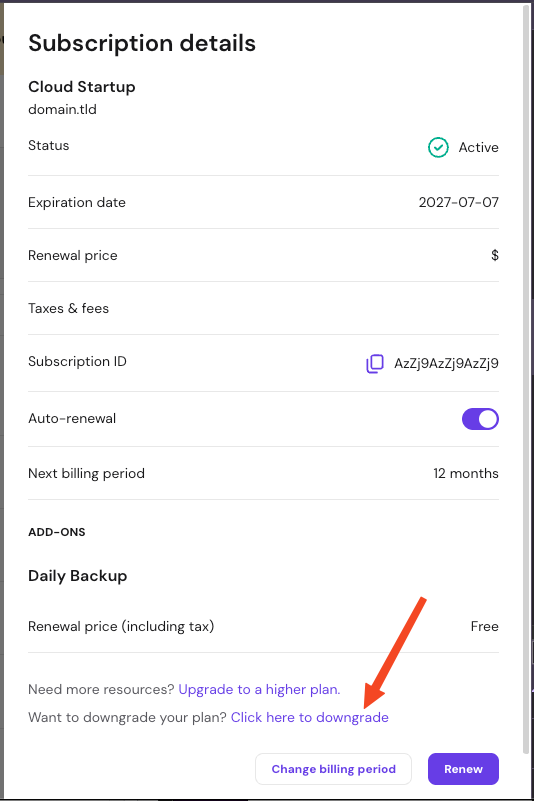
- Click on the Downgrade option.
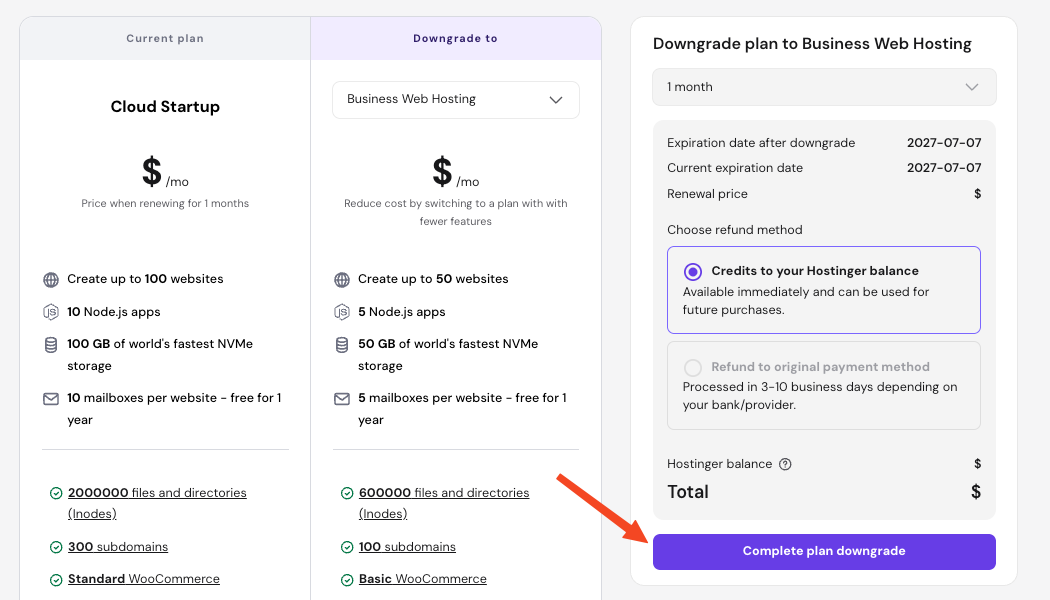
- Review the available hosting plan options by clicking on the dropdown below Downgrade to. If enabled, you may change the billing cycle and select a refund method.
- Confirm the selection by clicking Complete plan downgrade.
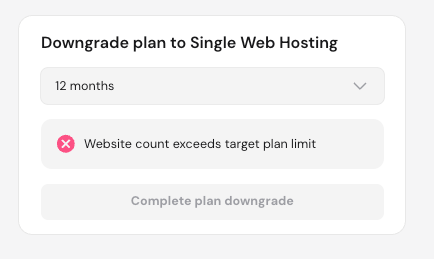
If a downgrade is not possible to the selected new plan, a notification explaining the reason appears and the button to downgrade is disabled.
Hosting plan changes after downgrading
When processing a hosting plan downgrade, the system applies the following logic to your account.
- Billing cycle: The expiration date of your current plan remains the same. The downgrade applies immediately to your current billing period.
- Proration credits: The system calculates the price difference based on the unused portion of your higher-tier plan. This prorated amount is credited back as a refund.
- Resource adjustment: Your plan’s resource allocations (such as storage, bandwidth, or website limits) drop to the target plan’s thresholds immediately upon confirmation.
After the downgrade, your hosting plan runs on the lower tier’s resources, and the prorated credit for the unused portion of your previous plan is refunded.
NOTE
- If the entire credit amount is automatically consumed by active account adjustments, your remaining added balance will be zero.
- To move to a higher-tier plan instead, see How to upgrade a hosting plan at Hostinger.