Show visitors a Coming Soon page while you continue working on your Hostinger AI Builder manual mode website before it’s ready for public view. Visitors trying to access any other part of your site are redirected to this page while it’s active, keeping your website hidden from public view.
Enable Coming Soon mode
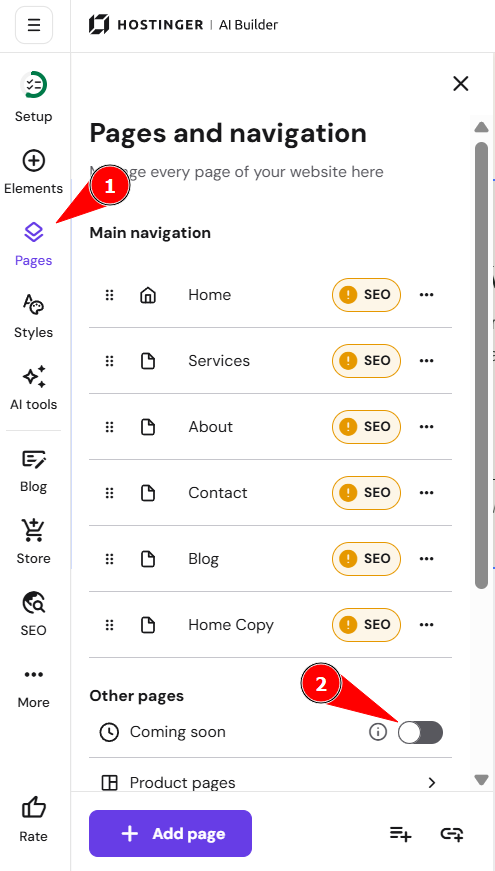
You can toggle and edit the custom “Coming Soon” page by following these steps:
- Go to AI Builder.
- Click Pages
- Select the Coming Soon section.
- Click the toggle to enable it:
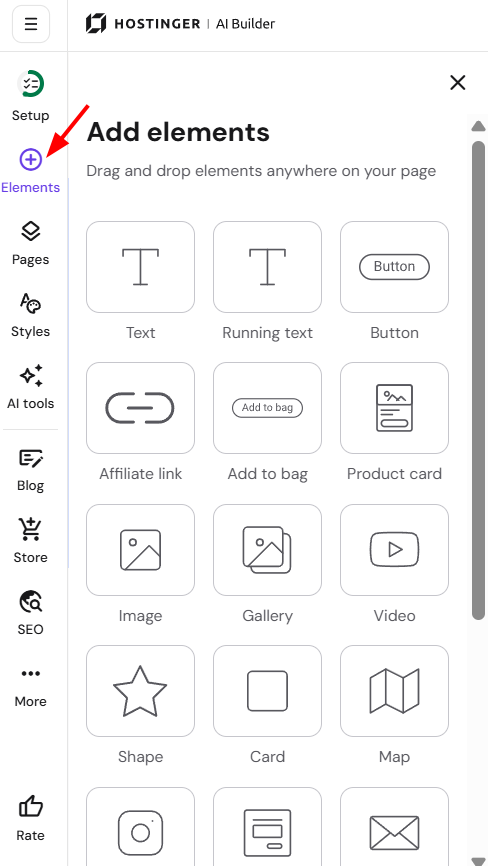
The default “Coming Soon” page includes text elements and social media icons, but you can customize it by adding other elements, such as a contact form:
After making your changes, click Publish button to apply them to the live version of your site.
While ‘Coming Soon’ mode is active, your site will have a ‘No-Follow’ tag, preventing search engines from indexing it. To make your site visible to search engines like Google, simply toggle the switch off near the Update/Go Live button. Your site will then be displayed normally to all visitors.