Upload the required documents for Indonesian domains in the Domains section of Hostinger dashboard to activate them. Documents must be digital copies in PDF format, and verification takes 1–3 working days.
The following .id domains require specific documentation:
-
.co.id
-
.web.id
-
.sch.id
-
.or.id
-
.ac.id
Steps to upload Indonesian domain requirements
-
Log in to Hostinger dashboard and go to the Domains section.
-
Find the domain you want to verify and click Manage.
-
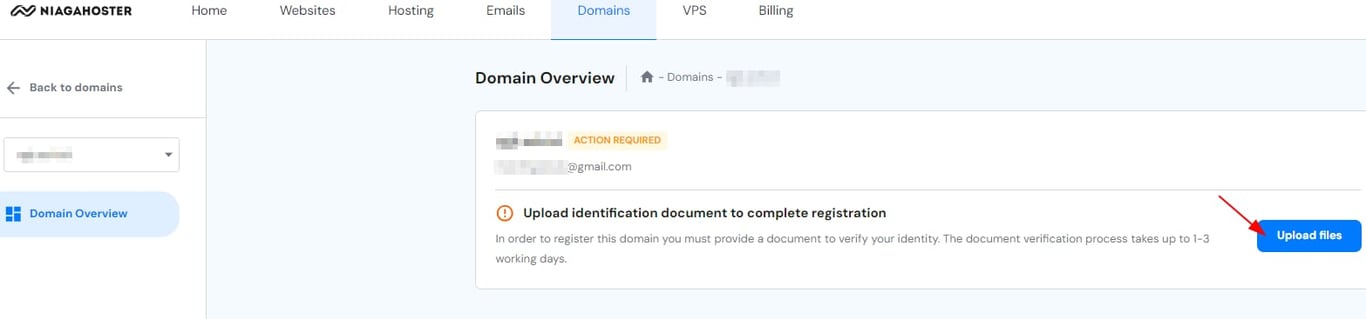
In the Domain Information section, click the Upload button:
-
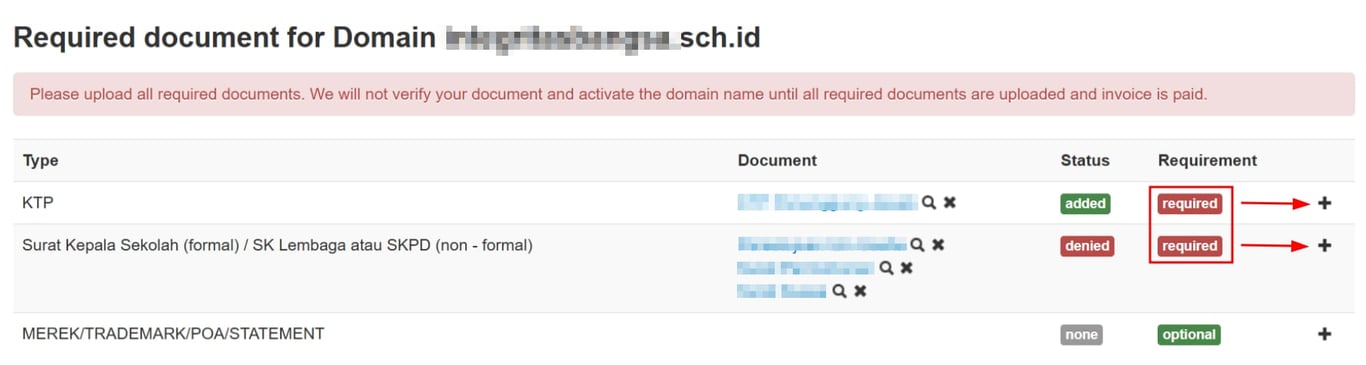
Complete the documents marked “Required” and make sure to upload clear and legible documents.
-
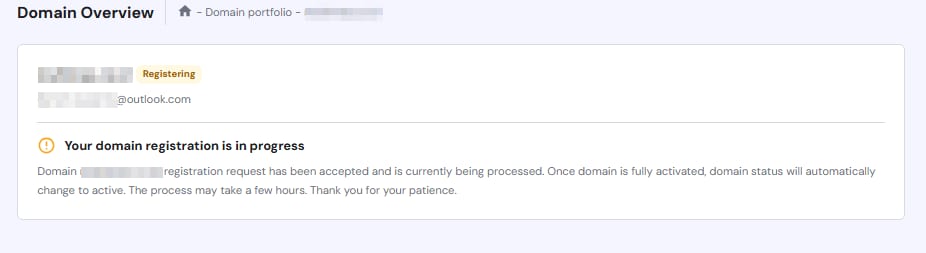
Once uploaded, the status will change to Registering. You only need to wait for the document verification process which takes 1-3 working days.
-
If a document has been rejected, please check the registrant’s email to confirm the reason for rejection and correct the document according to the validator’s directions.
The registration of your Indonesian domain is fully handled by the registrar, Pengelola Nama Domain Internet Indonesia (PANDI). You may check Requirements to register .id domains to see the list of documents needed for approval. For requirements that apply to all domains, see Domain registration requirements at Hostinger.