After creating the migration request, check your website migration status in Hostinger dashboard to see whether your request is pending, in progress, completed, or needs attention.
How to check your migration status
To check the Migration status:
-
Click Home → click Websites section and click Migrations:
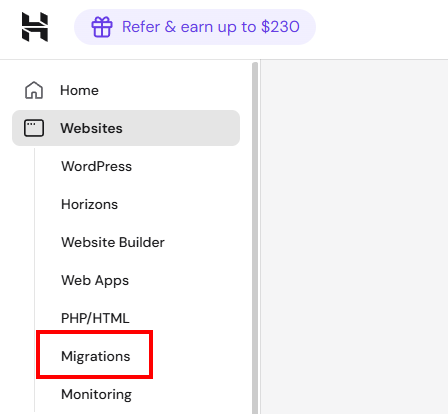
There you’ll find the Migrations list, where you may check the migration status.
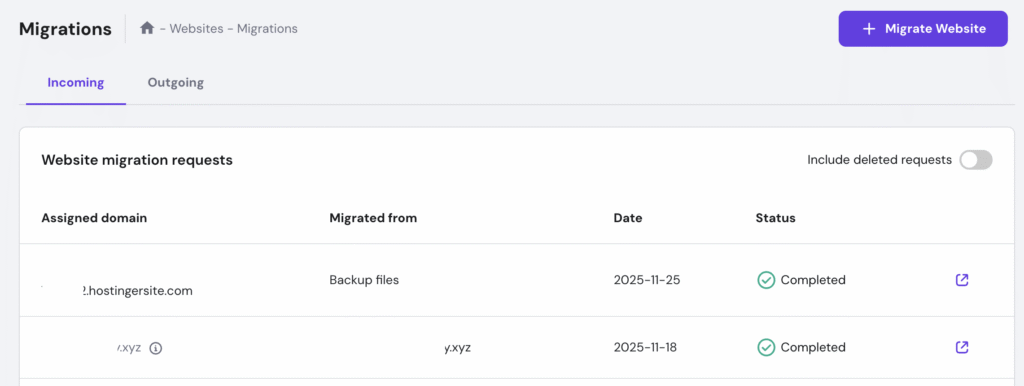
Migration Statuses
Here is a list of possible statuses and what they mean:
|
Status |
Meaning |
|
Pending |
The request is created. |
|
Updated |
The request is received and pending process. |
|
In progress |
Migration has started. The estimated time may vary — you can track the current status in the Migrations section and you’ll receive an email once it’s complete. |
|
Completed |
Migration is completed successfully. You should receive a confirmation email and can now proceed with pointing the domain to Hostinger. |
|
There was an issue during the migration attempt. Click Learn more for more information and the next steps. You will also receive this information via email. |
|
|
Deleted |
Migration request was deleted |
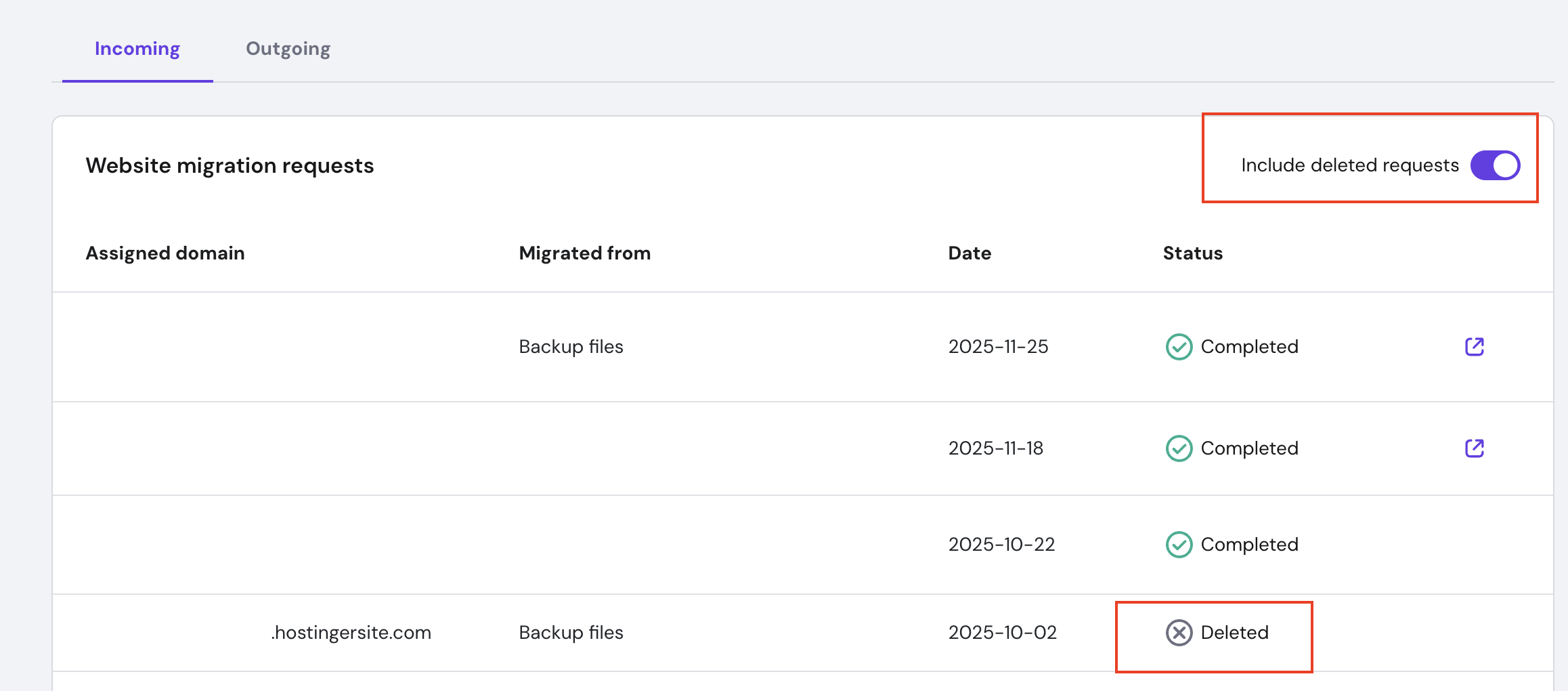
How to check deleted migration requests
- Click Home → click the drop-down under the Websites section, click Migrations, and use the toggle filter to show deleted requests:
Additional Resources
-
While your website is being transferred, you can start exploring Hostinger dashboard.
-
Learn how to migrate email services to Hostinger 💡