Hide elements and sections from the desktop or mobile version of your Hostinger AI Builder manual mode website.
Hide an element
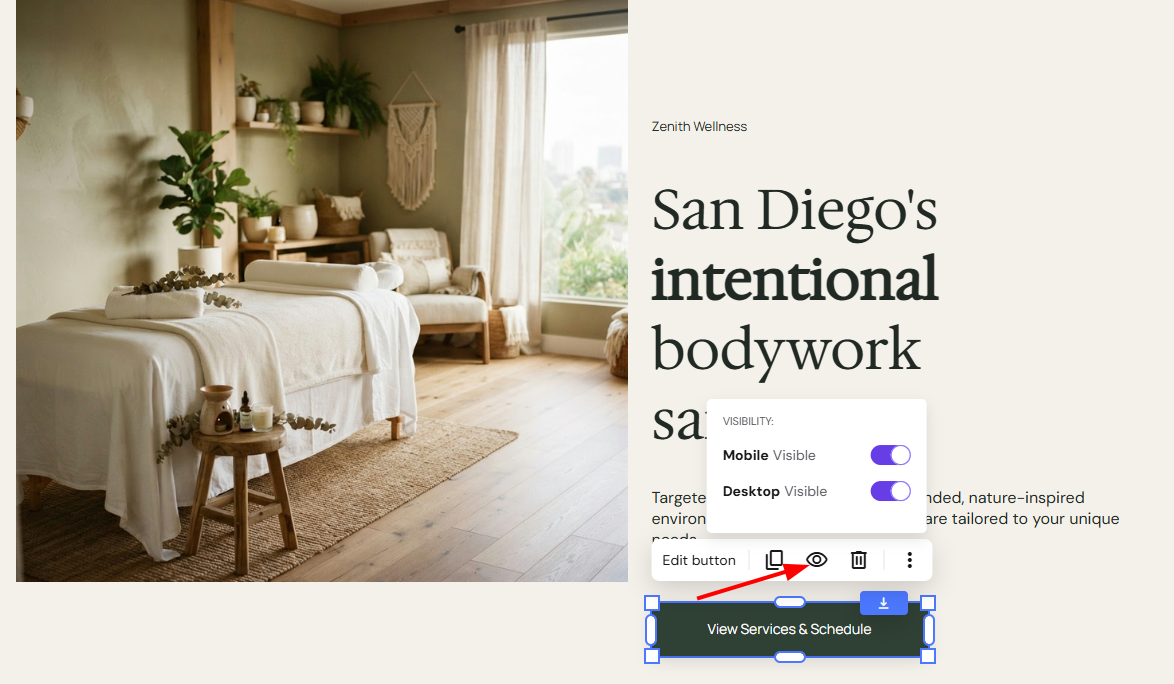
To hide an element, click on it and then click on the eye icon:
You can do the same with all except the following sections:
-
Footer
-
Online store (single product and product list sections)
-
Blog
-
Blog post header
Hide a section
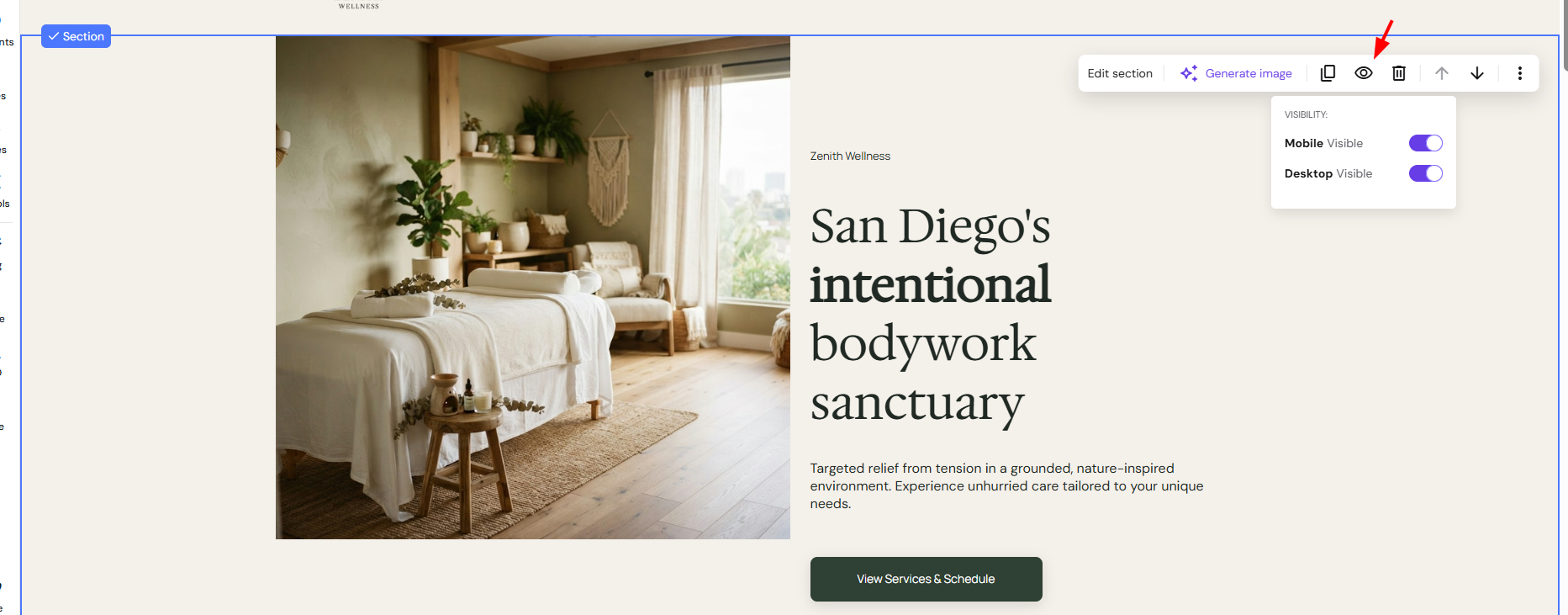
Click on a section, and then click on the eye icon:
You may even duplicate an element or section and have one version visible on desktop and another one visible on mobile. This way, you get more freedom when styling the content on desktop and mobile individually, as some settings normally apply to both desktop and mobile.