Boleto is a delayed payment method popular in Brazil. To complete a transaction with Boleto, clients receive a voucher stating the amount to pay for services or goods. Clients then have three days to pay: they can do that at authorized agencies or banks, ATMs, or online bank portals.
It usually takes up to 3 business days for Boleto payments to be completed. The funds will be available for payout in two business days after payment confirmation. Learn more: Boleto payments.
Availability
-
Available for merchants in Brazil
-
Supported currency: BRL
-
Available for clients in Brazil
-
The order value must be at least R$5.00 and no more than R$49,999.99
Set up Boleto
To offer the Boleto payment method, you first need to enable Stripe payments in your Hostinger Ecommerce Store Manager. Once you do that, follow the steps below:
- Open Hostinger Ecommerce Store Manager. Go to Settings → Payments → Manage Stripe and open your Stripe account.
- In your Stripe account, go to the payment methods settings.
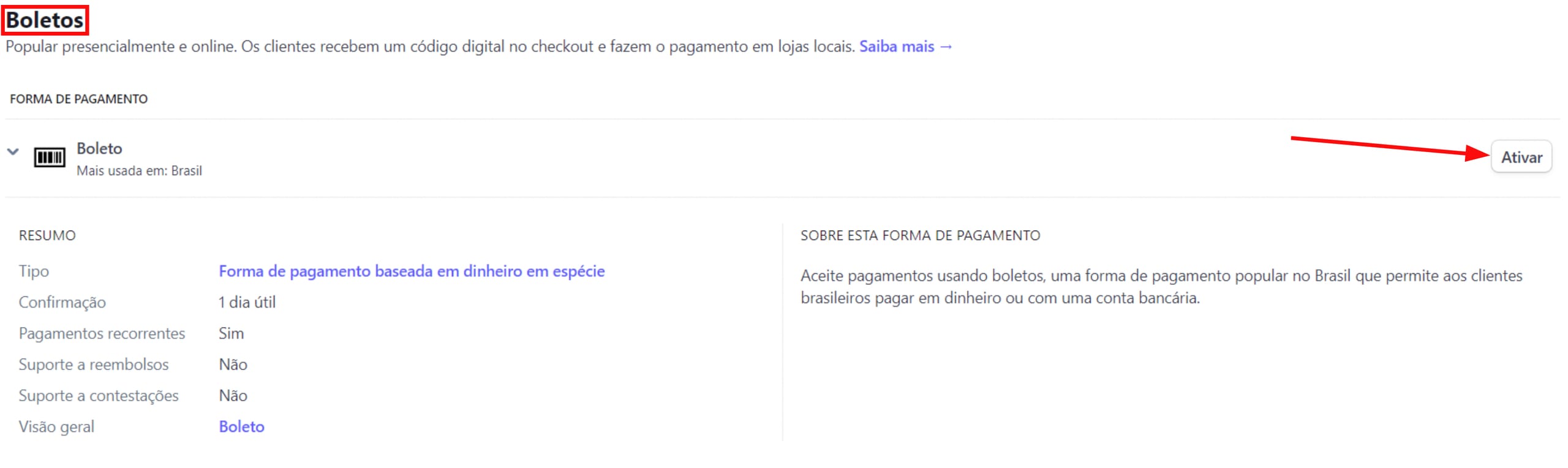
- Scroll down to the Vouchers (Boletos) section, and click Turn on (Ativar) next to Boleto:

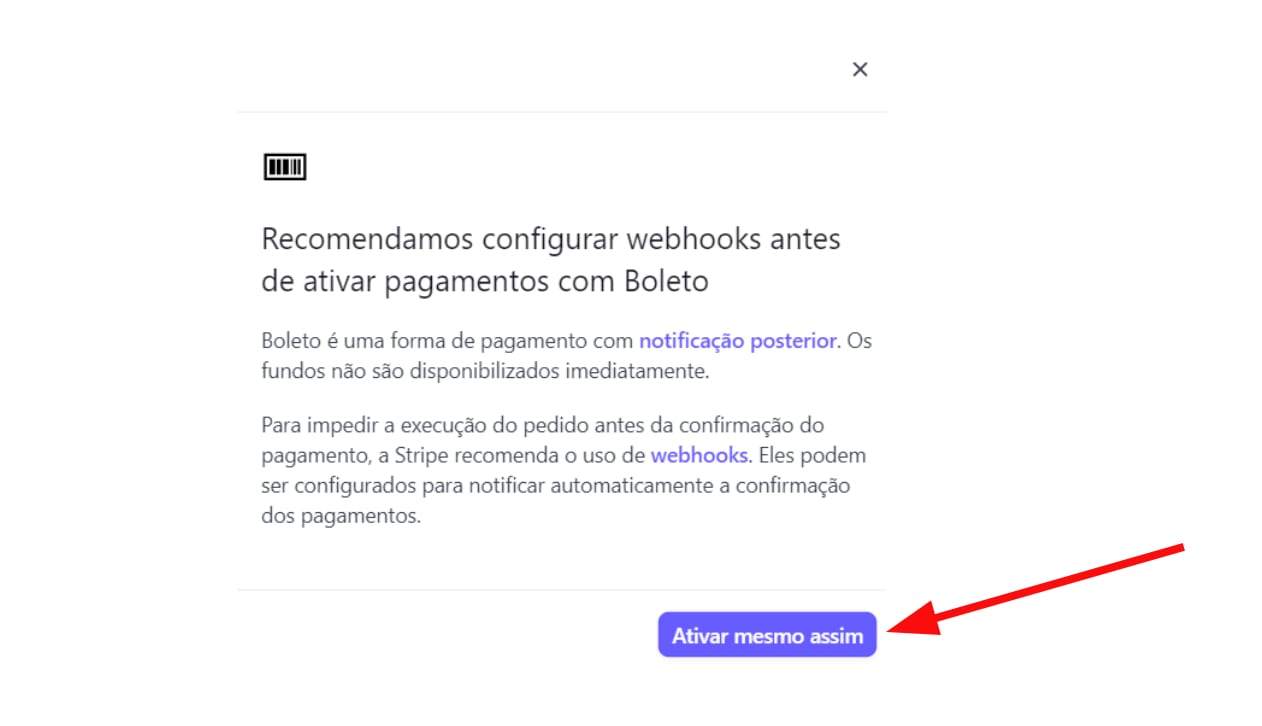
- Finally, in the pop-up, select Turn on anyway (Activar mesmo assim):

This payment method will be automatically suggested for your clients in Brazil.