Change the featured image of a blog post in Hostinger AI Builder manual mode. The featured image displays alongside the blog post title and description when sharing your article on social media.
Change the featured image
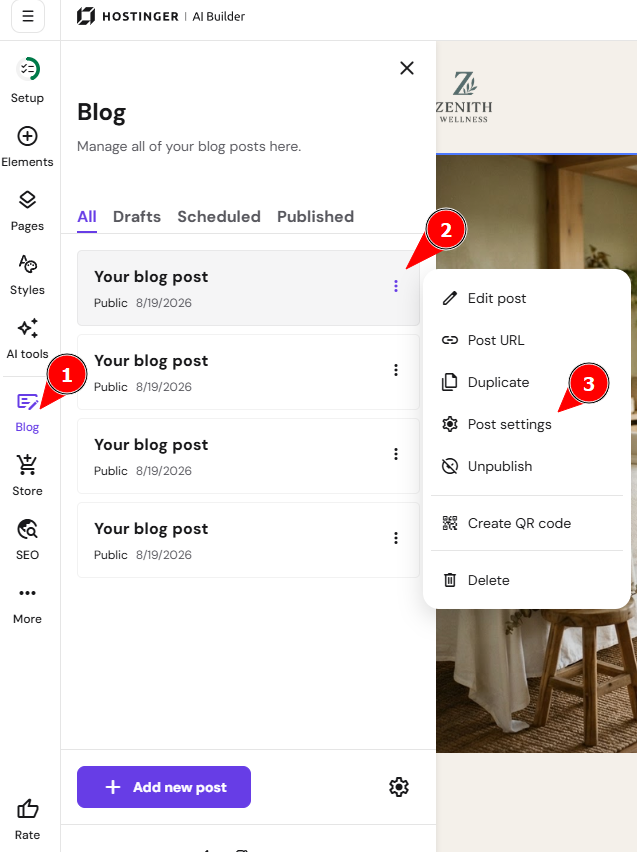
- Within the editor, expand the blog management panel on the left and find the blog post you want to edit.
- Click on the ellipsis button ⋮ and open the settings:

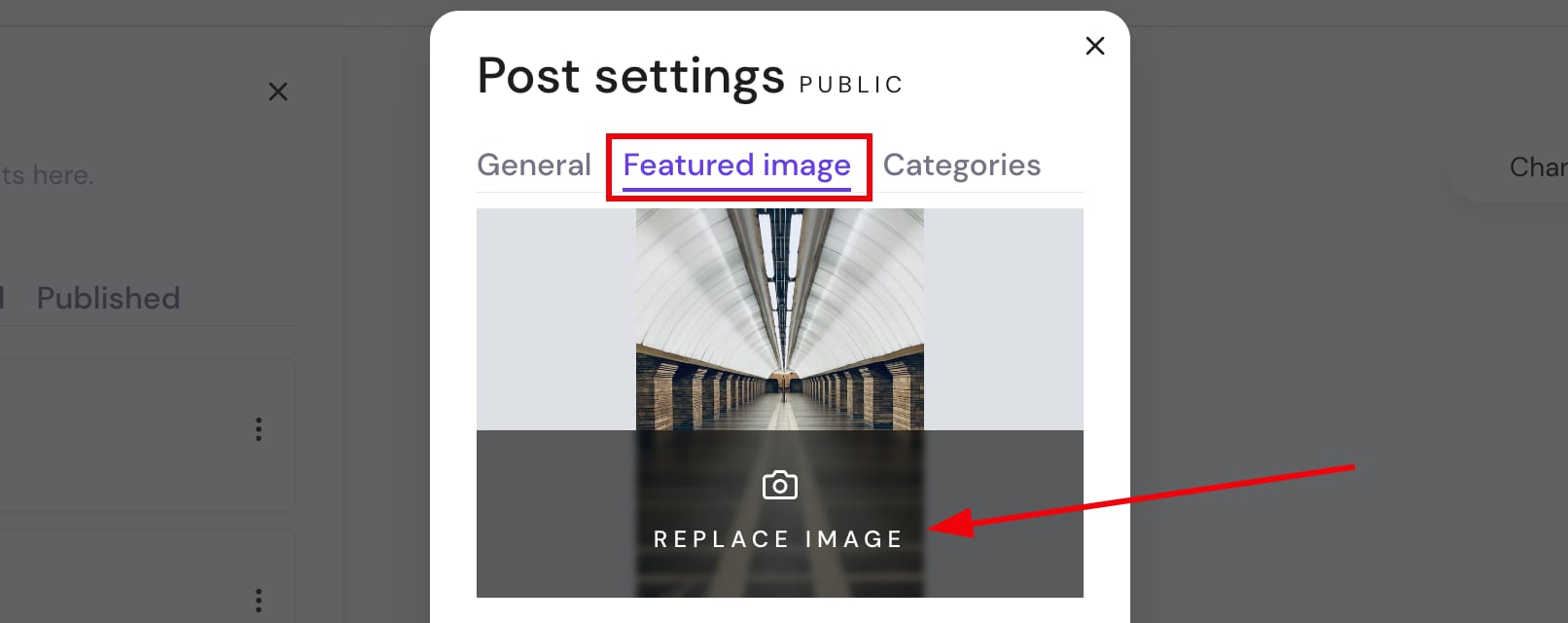
- Open the Featured image tab and click Replace image

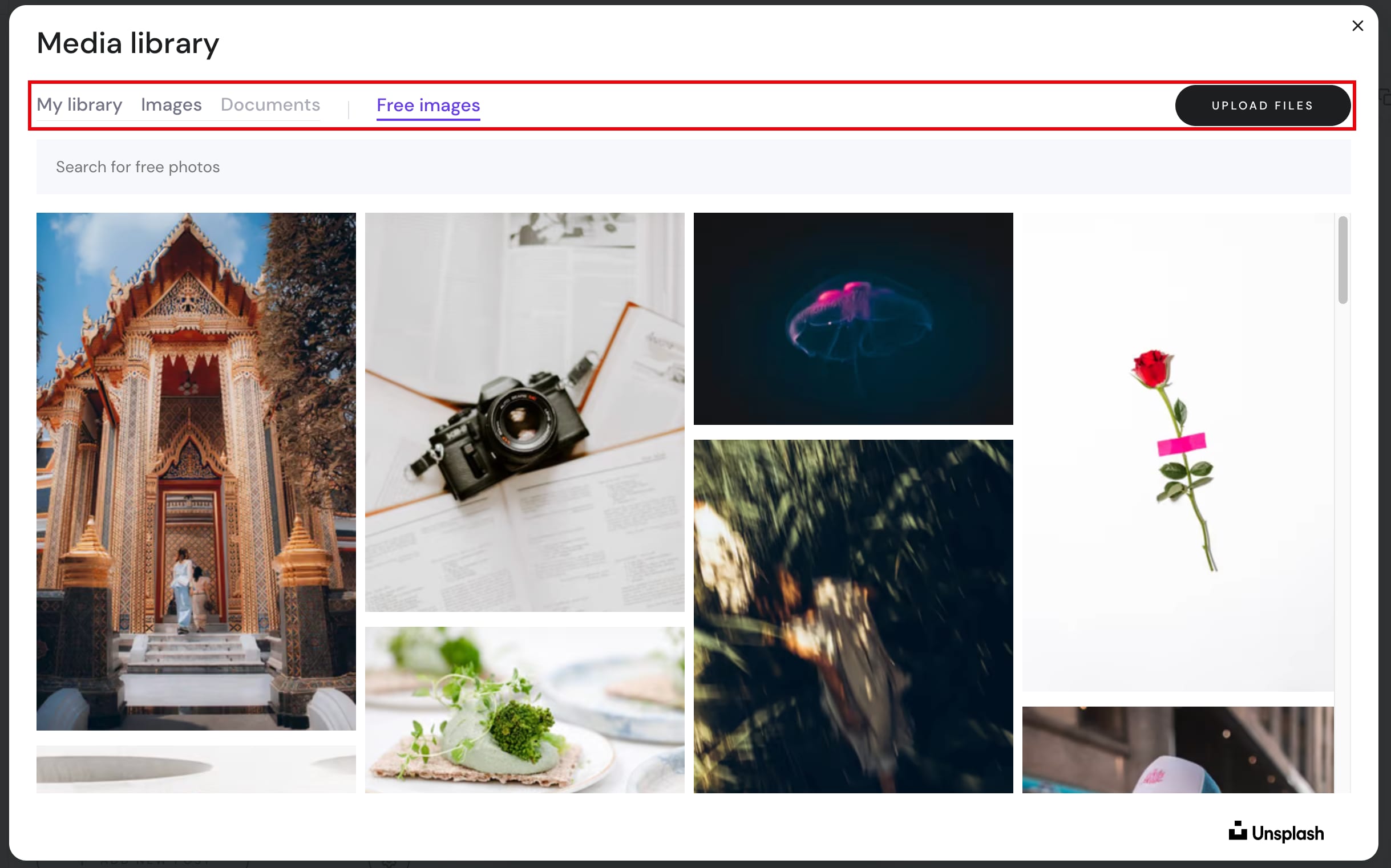
- Select an image from your media library, browse free images or upload your own:

- Finally, save the changes and update your website.
Your blog post now displays the new featured image when shared or viewed.
NOTES
-
The recommended aspect ratio for a blog post cover image is 5·3 (width·height)
-
Learn more about managing blog settings