Schedule a blog post to publish at a specific time in Hostinger AI Builder manual mode, so you can write posts in advance.
Schedule a blog post
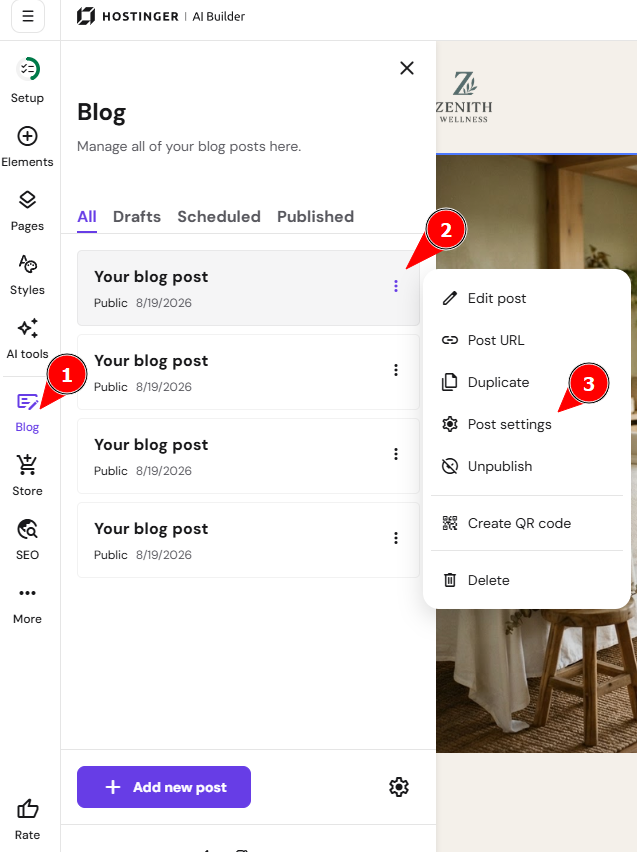
- Within the editor, open the blog management panel on the left and find a post that you want to schedule.
- Click on the ellipsis button ⋮ next to its title.
- Open the blog post settings:
- In the General tab, scroll down a bit and toggle the Schedule post button. Then, select the preferred date:
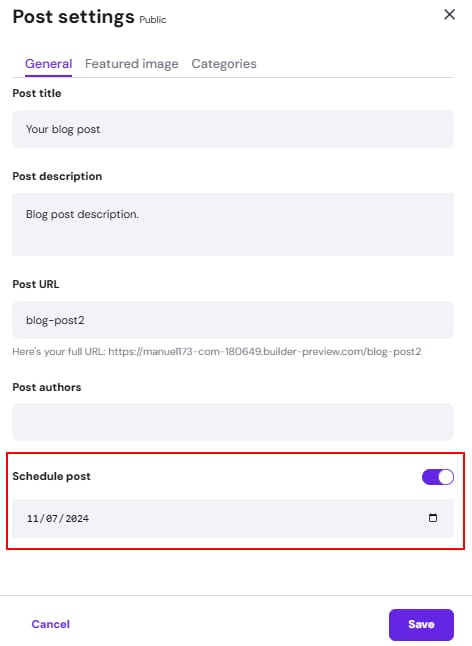
- Finally, save the changes, and update your website.
You can find all scheduled blog posts in the blog management panel’s Scheduled section:
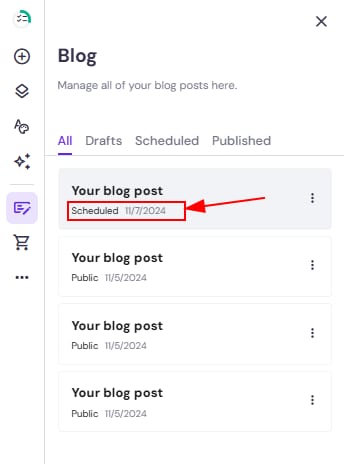
Your blog post is now scheduled and will publish automatically at the date and time you selected.