Edit a blog post in Hostinger AI Builder manual mode at any time from the blog management panel.
Edit a blog post
Within the website builder, expand the blog management panel on the left. Then, simply click on a blog post you want to edit:
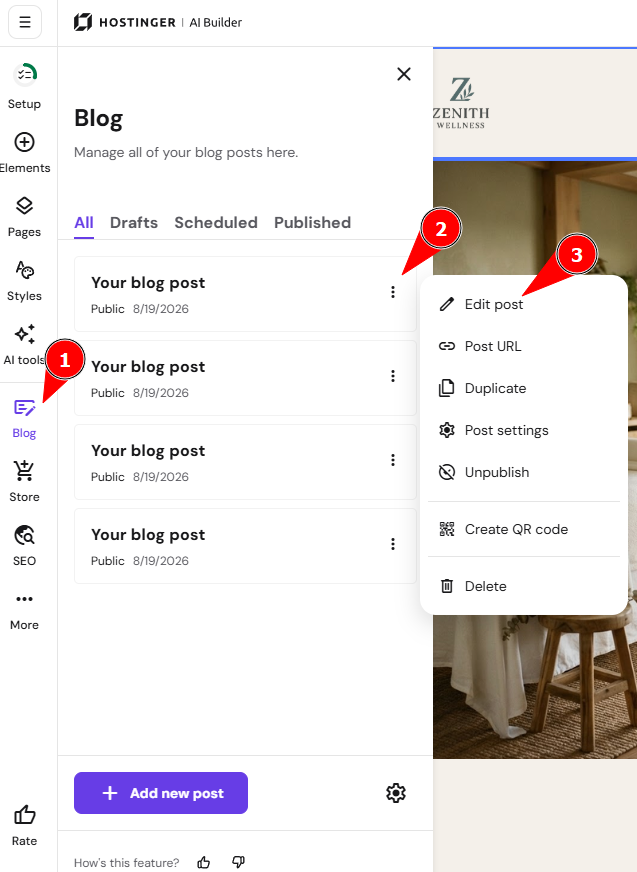
Once you make any edits, remember to update your website for the changes to reflect online.
NOTES:
-
If your blog posts are not visible on your website, it might be that you forgot to add a blog section to any of your website pages
-
Learn more about managing blog settings