Verify your domain ownership by Facebook’s request when linking your Meta page with your Hostinger AI Builder manual mode website, by adding a meta tag to your website’s source code.
Verify your domain
- Within Hostinger AI Builder, access the website’s integrations settings.
- Find the Custom code field, and insert the given verification code there:

- Save the changes and update your website. Then, verify your domain on Facebook’s end.
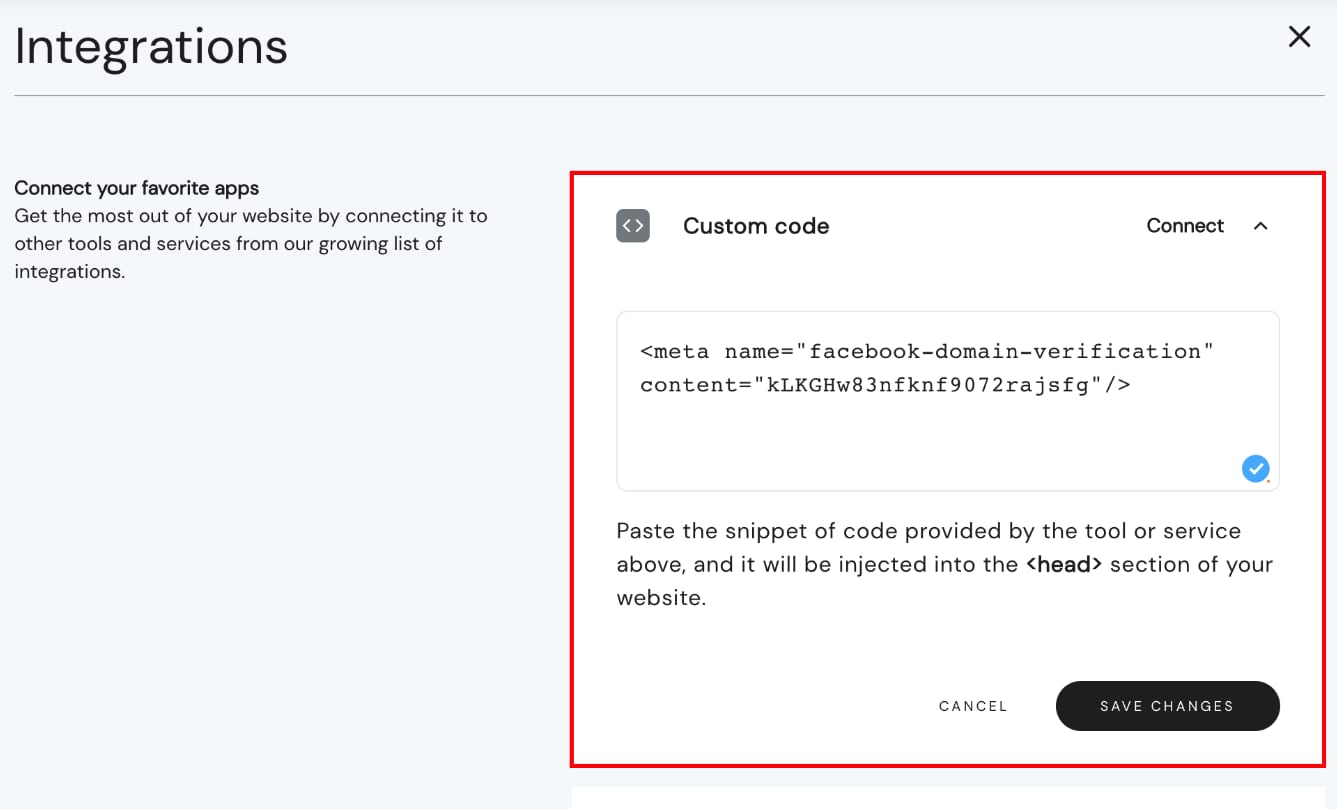
In the Custom code field, you can paste as many codes as you need, paste one below another, and don’t paste a code in the middle of another code.
If you choose the DNS verification method, create a TXT record this way: How to Manage TXT Records in Hostinger dashboard.
Your domain is now verified for Facebook once you complete verification on Facebook’s end.
See How to create Facebook Pixel events for other details about setting up events to track visitor actions.