At Hostinger, we have two professional email hosting plans: Business Starter and Business Premium. If you have either of these email plans and wish to get additional mailboxes, follow the steps below:
If you’re using the Hostinger Free Email included with your Web or Cloud hosting plan, check this article instead: How to Create and Manage Email Accounts. If you use the Business Email free trial included with your Web or Cloud hosting plan, upgrade the trial first. You can add more mailboxes after the upgrade. See How to upgrade a Hostinger Email plan.
How to add mailboxes
-
To add mailboxes for the same domain:
-
Navigate to the Emails section of Hostinger dashboard and click on anywhere next to your domain name
-
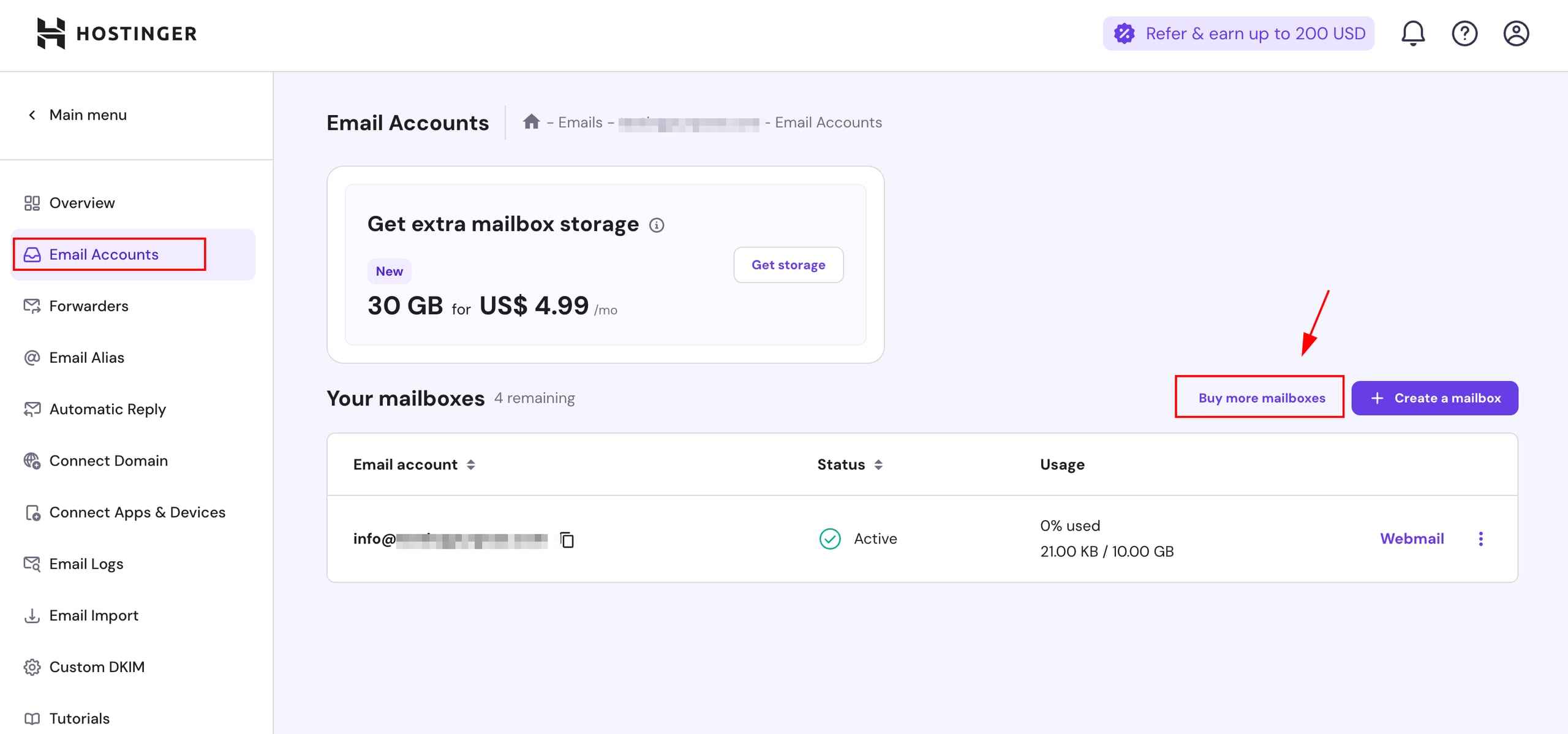
Click on Email Accounts and then Buy more mailboxes
-
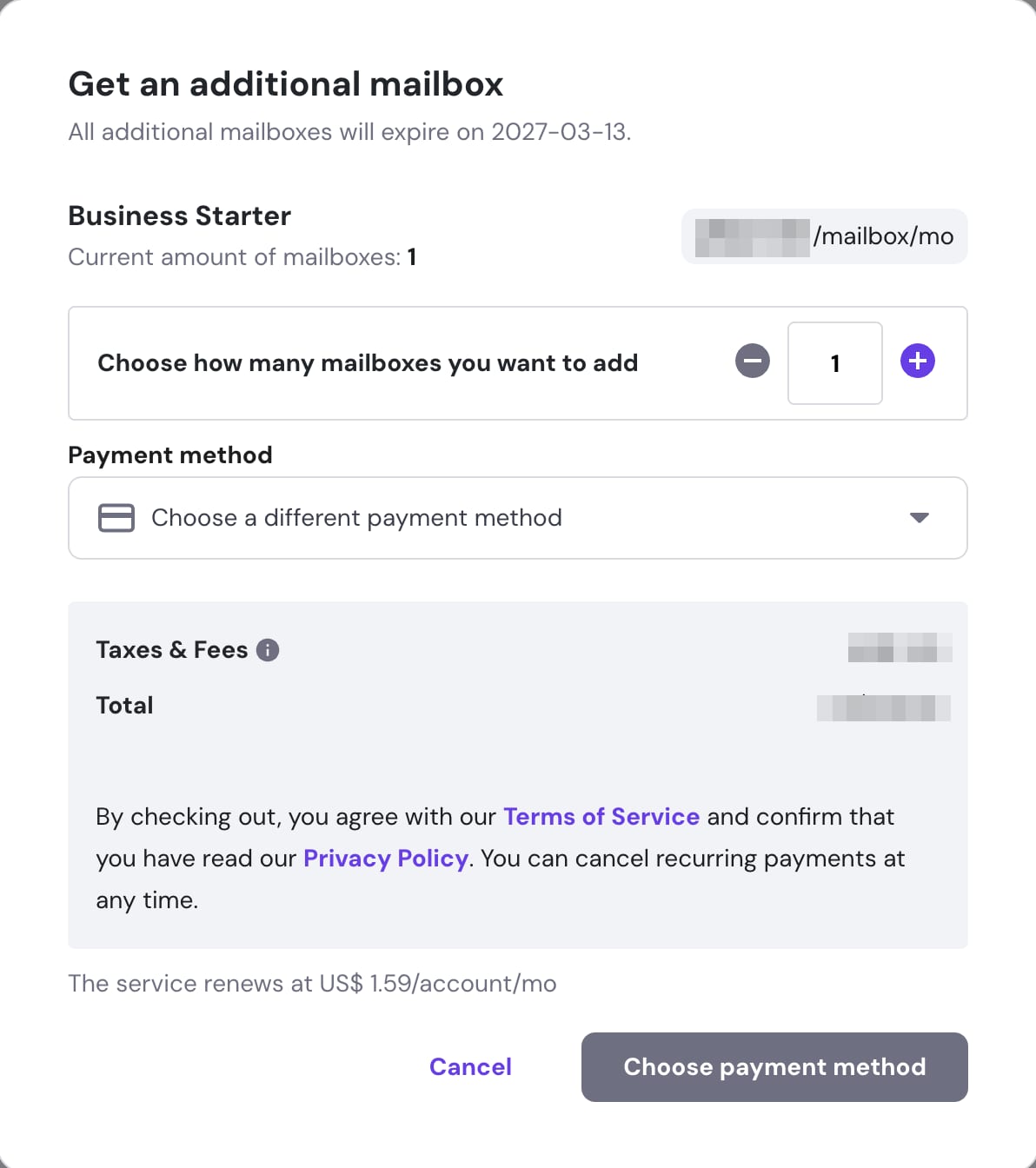
You will be presented with a pop-up window where you will be able to choose how many email accounts you want to add and purchase them with just a few clicks:
-
-
To add mailboxes for a different domain, you will need to purchase a separate email plan, as each email plan can only be associated to one domain.
How is the additional mailboxes price determined?
When you purchase additional mailboxes, all your email accounts must have the same expiration date. This means you can’t have different billing periods for each mailbox.
The cost of each extra mailbox is determined by your email plan’s expiration date, following this formula:
Additional mailbox price = [ (Number of months purchased × Monthly price) / ( Full plan time ÷ Time left until plan expiration) ] × Number of extra email accounts
Here’s how it works:
- On March 1st, you purchase one email account for one year.
- Six months later, on September 1st, you buy one more email account. You pay for the remaining six months only, which is half of the 12-month price of one mailbox. Both mailboxes expire on March 1st of the next year.
- If you buy an additional mailbox on the day the plan starts, you pay the full-term price for that mailbox.
Now you know how to add more mailboxes to your Hostinger professional email plan.
NOTE
- An email alias is an alternative name for an existing mailbox, not an additional mailbox. See How to set up an email alias with Hostinger Email.