Object Cache reduces database load on your Hostinger WordPress website by storing frequently accessed data in memory. Enable it through Hostinger dashboard to speed up how quickly your site retrieves and displays content.
What is Object Cache?
Object Cache speeds up your WordPress website by storing frequently accessed database information in memory, reducing the number of times your site needs to query the database directly.
Object Cache works for images as well as some parts of your website’s content.
This feature is available for Web Business hosting plans or greater.
Get a full explanation of what object cache is and how it improves your site’s performance:
How to enable Object Cache
The Object Cache feature is enabled by default once you install the LiteSpeed Cache plugin for your WordPress website.
To do that, follow these steps:
- Go to the Websites section of your Hostinger account, and click on Dashboard next to your WordPress website in question.
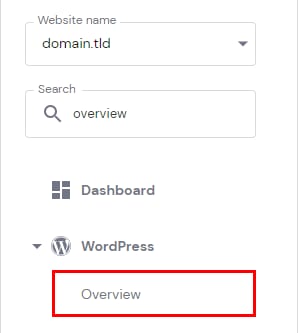
- Search for WordPress Overview in the sidebar, and open that section:

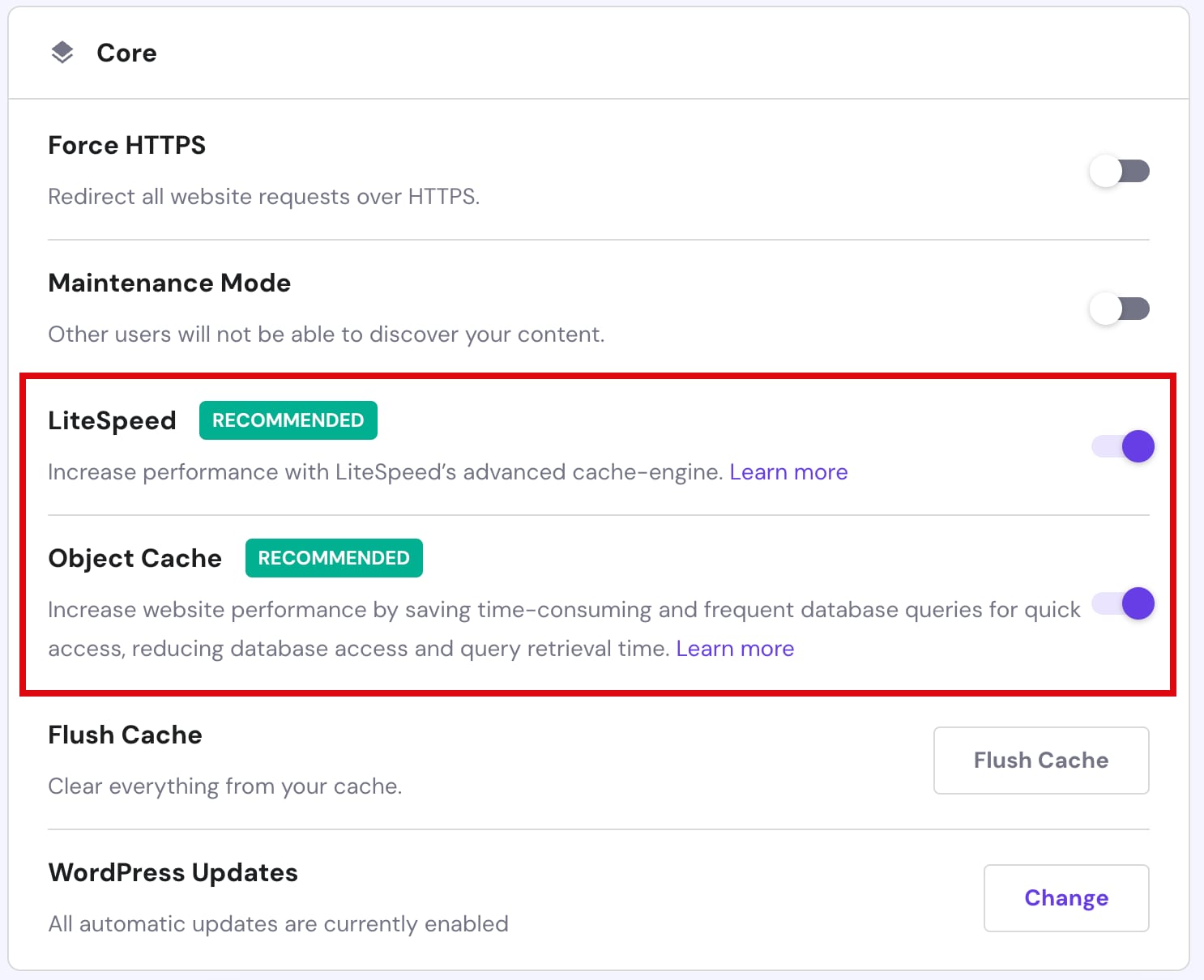
- Once there, enable the LiteSpeed feature, and Object Cache will be enabled automatically, too:

If your current hosting plan does not include Object Cache and you are interested in this feature, consider upgrading your plan.
NOTE
-
If you are actively developing your website, we recommend disabling any caching so you can see changes instantly
- See How to clear the LiteSpeed Cache at Hostinger to clear the cache manually