Connect to your hosting using SFTP in Hostinger to transfer website files over an encrypted SSH connection on port 65002. SFTP is available on Premium and higher hosting plans, which include SSH access. Connect with FileZilla through Quickconnect or the Site Manager.
Step 1 – Preparations
First, make sure that:
-
You have enabled SSH access.
-
You have installed the client version of FileZilla on your device
Step 2 – Connecting
You can easily connect to SFTP by following one of the options below:
Option 1 – Direct access
Open FileZilla and fill in the Quickonnect section with the configuration you got from the SSH Access section:
-
Host: FTP IP from SSH Access section
-
User: FTP/SSH Username
-
Port: 65002
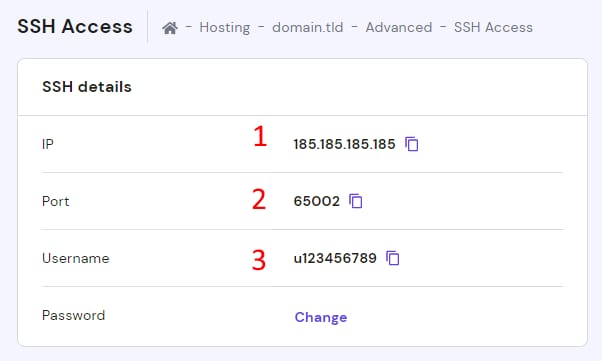
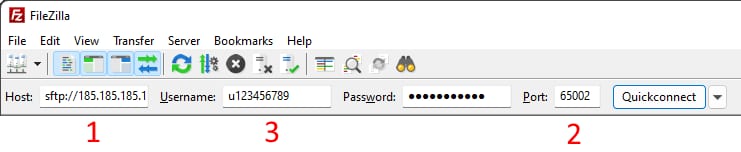
Click on Quickconnect – and you will be connected to FTP server.
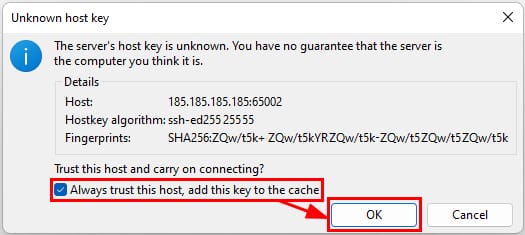
If you encounter an Unknown host key message, compare the fingerprint in the message with the matching Host key fingerprint on the SSH Access page in Hostinger dashboard. If the values match, mark the checkbox for Always trust this host and click OK:
Option 2 – Site Manager
Unlike Direct access, with Site Manager, you are able to save your previous connection details, as well as change the encryption type.
Open Site Manager in FileZilla:

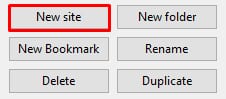
Click New Site:
Select SFTP connection:
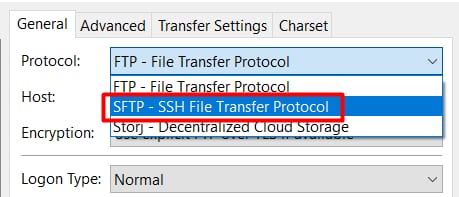
Set the configuration you got from SSH Access or Remote Access section:
-
Protocol: SFTP – SSH File Transfer Protocol
-
Host: FTP IP from the FTP Accounts section (for example, 185.185.185.185)
-
Port: 65002
-
Logon type: Normal
-
User: FTP/SSH Username
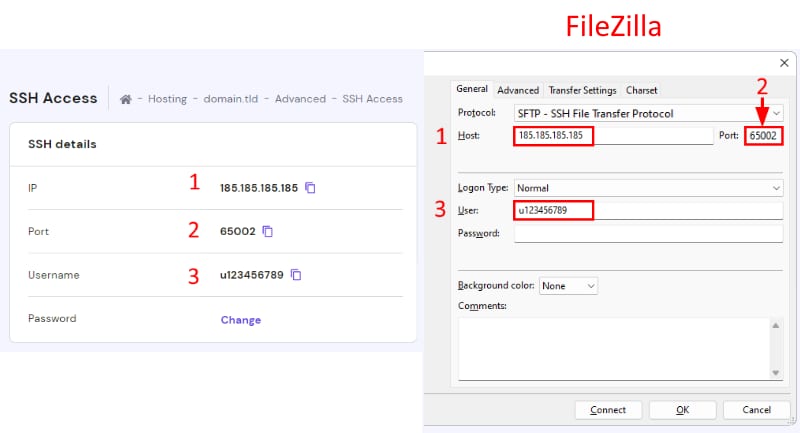
Click on Connect – and you will be connected to the server.
Your FileZilla connection now uses SFTP, so your website files transfer over an encrypted connection on port 65002.
NOTES
-
The SFTP/SSH password is the same as the FTP password of your main domain. If you are not sure about the exact value, you can set a new password for both FTP and SSH or create an SSH-only password
-
To connect over standard FTP on port 21 instead, see How to connect to your hosting using FTP in Hostinger.
- If you use Agency Hosting, follow How to connect to your hosting plan using SFTP in Hostinger instead, since SFTP is turned on from the Remote access page.