Change your Hosting Account’s PHP version at any time in cPanel.
Change your PHP version
Your Hosting Account’s PHP version can be changed at any time, in order to do that simply access your cPanel → Software section → Select PHP Version:

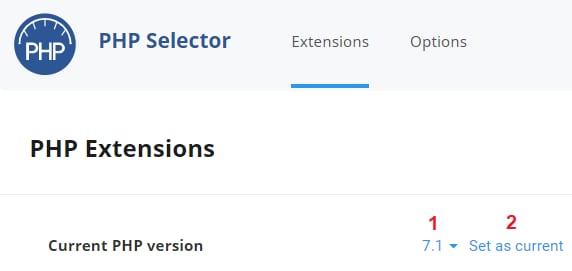
On the newly opened page, you can select the PHP version you wish to use and click on Set as current:
That’s it! Now you know how to change your PHP version 😊
NOTE:
-
If you’re changing PHP version to resolve an upload or file-size error, see how to increase upload max filesize / PHP values on cPanel.