If you’re looking to launch an eCommerce website, Hostinger offers a wide selection of scripts that you can install in just a few clicks.
Install via Auto Installer
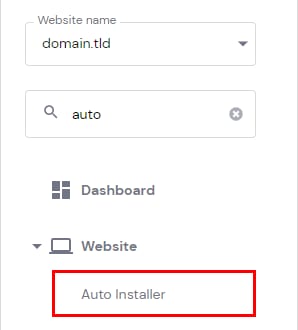
To get started, go to Hostinger dashboard Websites page → Dashboard next to your site → Website → Auto Installer on the sidebar.
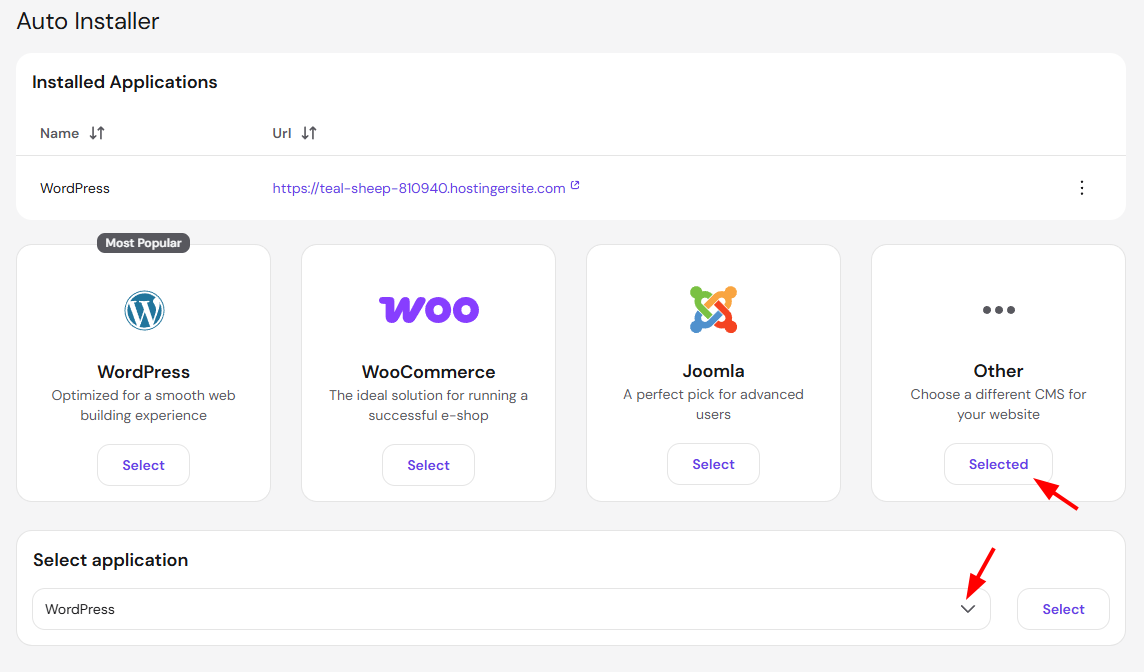
Select Other, and use the search bar to find the popular eCommerce scripts, such as PrestaShop, Abante Cart, osCommerce, and many more.
Use WooCommerce on WordPress
See how to make an eCommerce website with WordPress and WooCommerce step by step:
If your script isn’t available
If your desired script isn’t available in the Auto Installer, you can install it manually via SSH on Premium plans and above if your plan meets the script’s resource requirements. Some scripts require additional permissions or server-level access that aren’t available on shared or cloud hosting plans. In such cases, using a VPS is recommended.