When using email at Hostinger, you can be sure that our servers already have the most advanced spam blocking tools installed, in addition to the standard anti-spam measures such as SPF, DKIM, and blacklist checking.
Block senders using Allow/Block lists
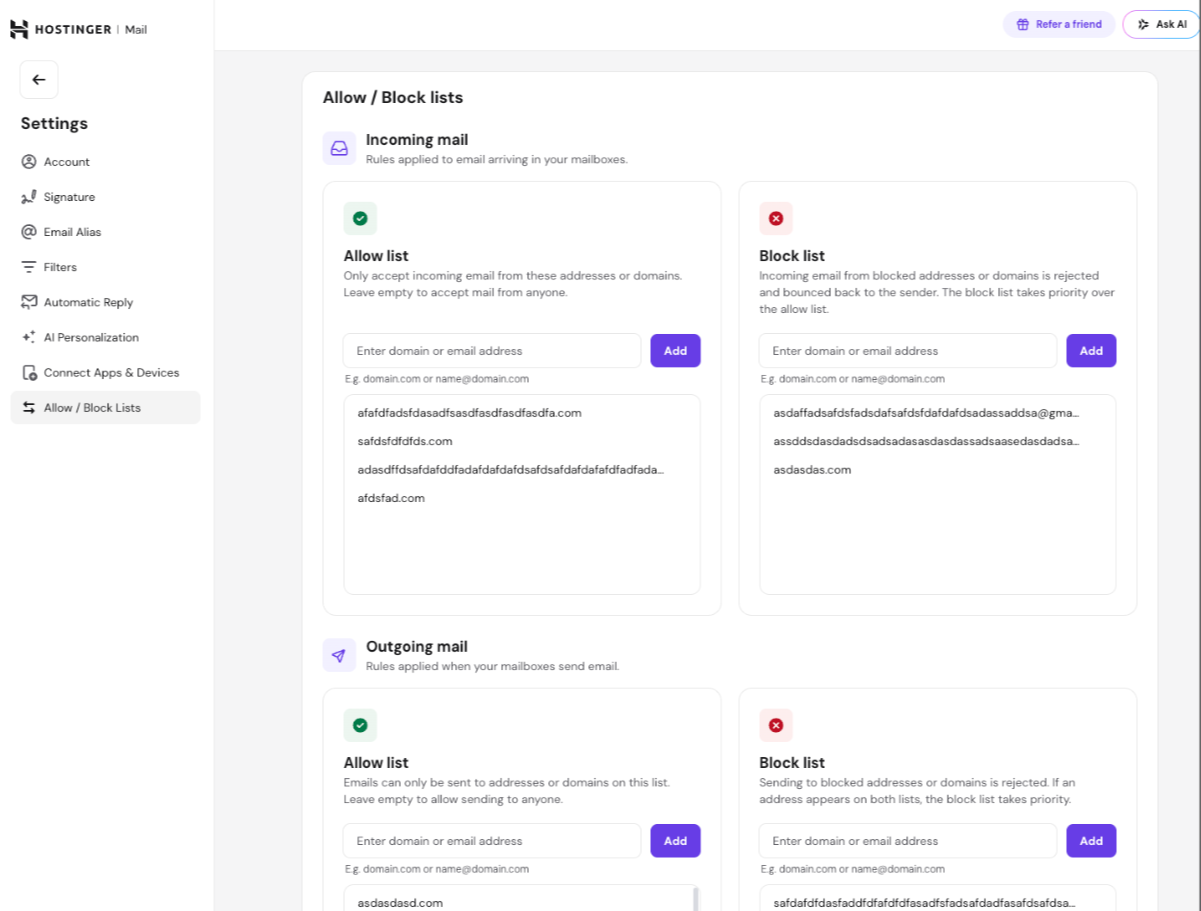
You can block incoming email from specific addresses or domains using Allow/Block lists, available in both Webmail and Hostinger dashboard:
- In Webmail, go to Settings → Allow / Block Lists.
- In Hostinger dashboard, go to Emails → Mailboxes next to the email you want to set up → Agentic Mail → Allow / Block lists.
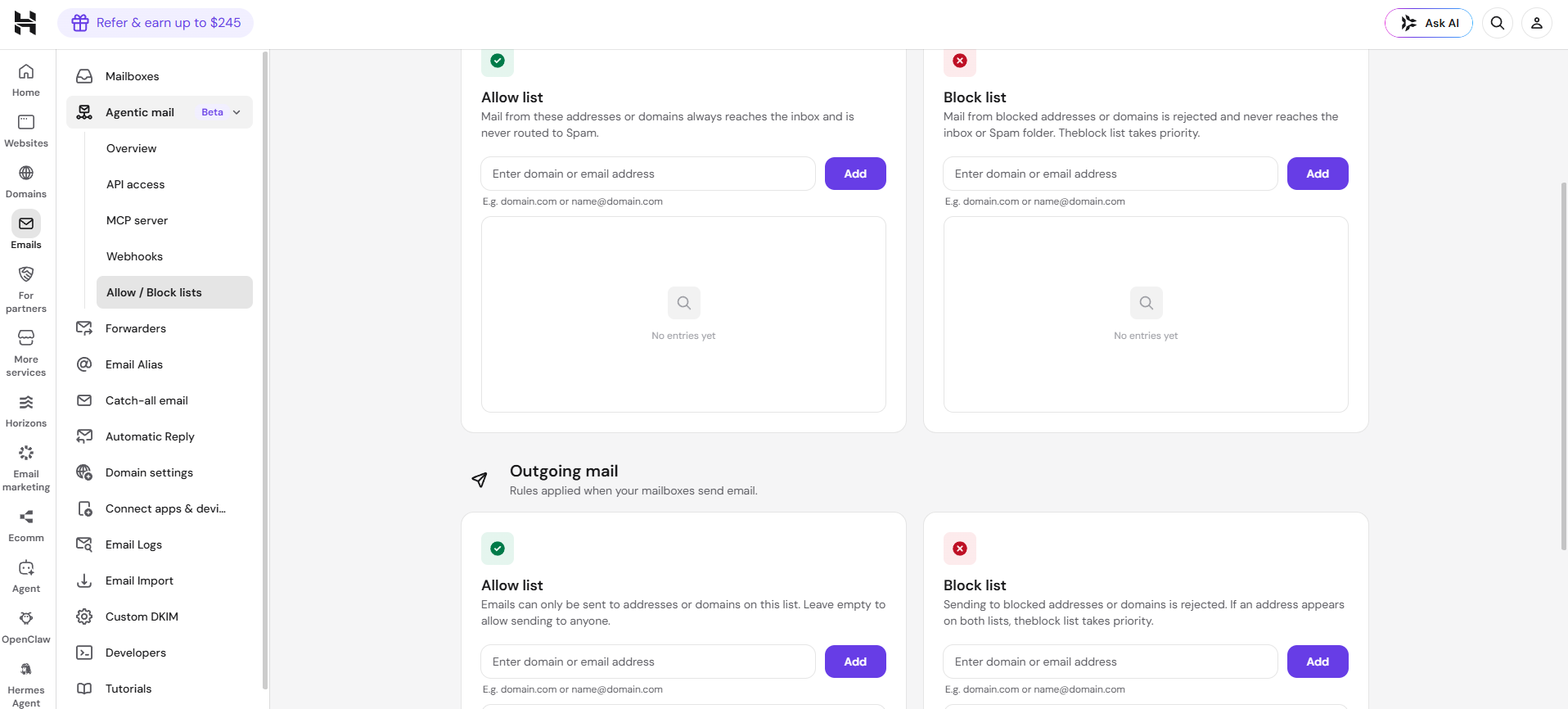
Mail from blocked addresses or domains is rejected and never reaches the inbox or Spam folder.
You can also add addresses or domains to an allow list so mail from them always reaches the inbox and is never routed to Spam. The block list takes priority if an address appears on both lists.
Filter unwanted emails
If you are still receiving some unwanted messages, you can simply prevent them from reaching your inbox by creating an email filter.
You can create and manage email filters from Webmail by following this detailed guide:
With an email filter, you can define a specific sender and/or subject keywords identified as spam, as well as automatically move the emails to Trash or Spam.