The Activity Log is a useful feature to verify the actions taken place in your hosting plan.
Access the Activity Log
To access it, navigate to Websites → Dashboard, search for Activity Log on the left sidebar, and click on it:

What the Activity Log shows
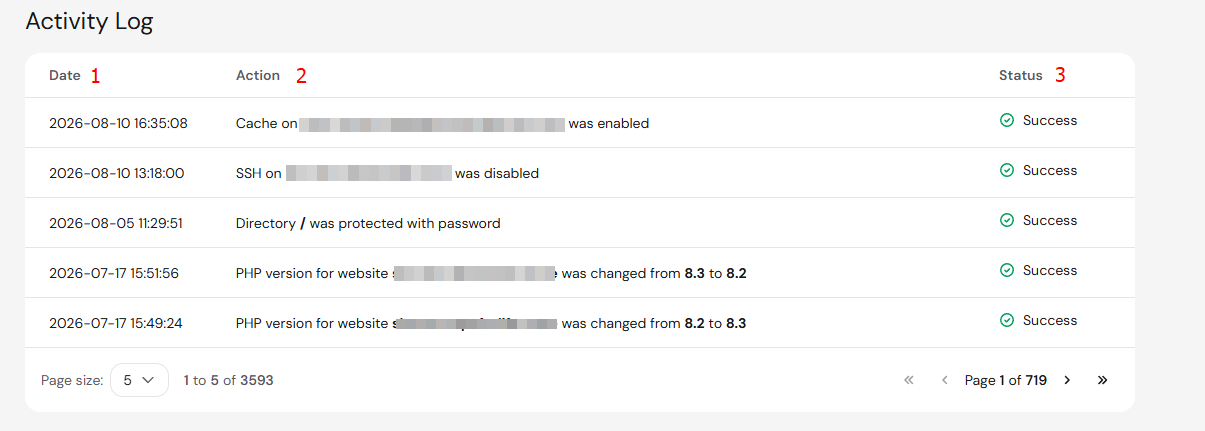
On either tab, you will find the following information:
-
Date – exact time when an action was performed
-
Action – the type of action
-
Status – the action status, if it succeeded or failed
You can also select more items to display per page on the list at the bottom:
That’s it, now you know how to check the registered actions on your hosting plan.