Customize the style of your Hostinger AI Builder manual mode website’s header section from the Style tab in the header settings.
Style the header
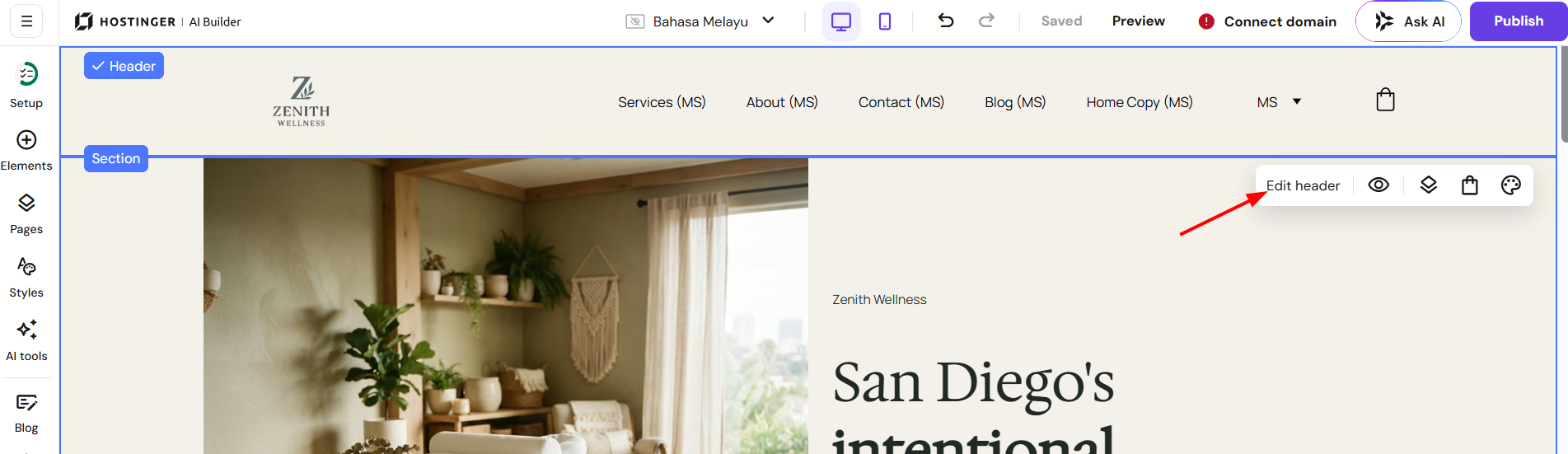
- Click header section.
- Click Edit header.

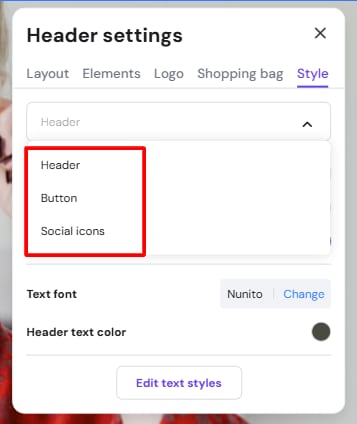
- Inside the header settings, on the style tab, you can change the style of the following (choose from the dropdown):
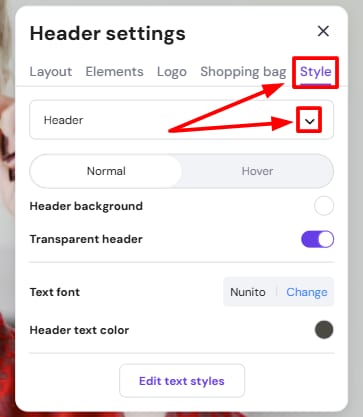
Header:
-
Transparent header: if you make the header transparent, it inherits the background of the below section
-
Text font
-
Text color: you can set two colors — regular and hover
-
To change the header text size, go to the global text style settings
Button:
-
Allow adding buttons to the header and customizing them
Social icons:
-
The toggle button to enable social media icons in the header
-
Add new links to your profiles on various social media platforms
-
Icon size
-
Icon color: you can set two colors — regular and hover
-
Learn more: How to Add Social Media Icons
You can also edit the hovering color for the header, button and social icons inside the Style tab, by choosing the option inside the dropdown
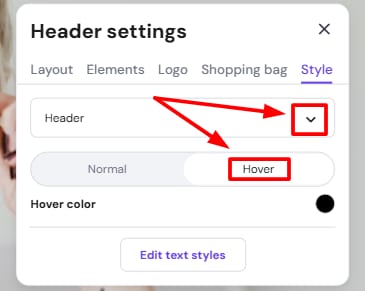
Your header now reflects your chosen style settings for text, buttons, and social icons.