Registering a .dk domain at Hostinger requires a valid tax (VAT or CVR) number and an email address you can access. You must also activate the domain through Punktum.dk within 4 days of purchase.
Requirements
To register a domain with the .dk extension at Hostinger, provide a valid tax number and an email address you can access. You must also activate the domain through Punktum.dk within 4 days of purchase, as described in the domain activation steps.
VAT Number
Providing a tax number is mandatory in all cases:
-
Individuals: a valid VAT number.
-
Companies: a valid VAT/CVR number, which can be verified using this tool: CVR search.
Domain activation
After completing the domain registration, the .dk domain registry will send an email to the address you provided. This email includes a username and password for the Punktum.dk platform. Follow these steps to activate your domain:
-
Log in to the Punktum.dk self-service area using the provided credentials.
-
Complete any required additional information, accept the terms and conditions and click on Confirm.
If you experience any issues logging in, please reach out to Punktum.dk via this form: Contact .dk.
If the domain is not activated within 4 days of purchase, it will be deleted. Refunds cannot be provided for domains that are not activated in time.
Changing or registering nameservers for a .dk domain
If you wish to point your .dk domain to Hostinger’s nameservers or existing nameservers with another hosting provider, you will need to update the nameservers via the Punktum.dk self-service area. Use the following URL in your browser, replacing DOMAIN.DK with your domain name:
https://selvbetjening.dk-hostmaster.dk/domain/DOMAIN.DK/change_name_server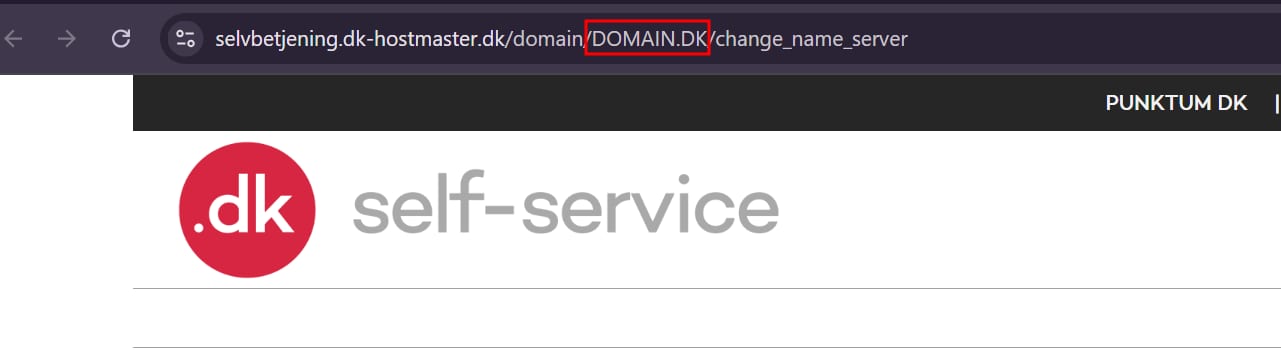
Using custom nameservers
To use custom nameservers or child nameservers with your domain, they must be registered before use. Follow these steps:
-
Log in to DK Hostmaster’s self-service panel.
-
Enter the required nameserver details with any additional information requested.
The registry will send a confirmation link to the email address provided in the technical contact details.
To check the current status of your domain and its nameservers, use the Search .dk domain tool.
If you encounter difficulties with registering custom nameservers, please reach out to Punktum.dk via this form: Contact .dk. Once you activate your .dk domain through Punktum.dk, you can manage its nameservers from DK Hostmaster. For requirements that apply to all domains, see Domain registration requirements at Hostinger.