How to buy hosting from Hostinger: A quick guide
Apr 26, 2025
/
By Matleena S. & Hasna A.
/
4 min Read

Whether you’re creating a website for the first time or migrating from another provider, a Hostinger hosting plan will ensure your site delivers the best user experience 24/7.
Fortunately, buying hosting from Hostinger is a breeze. In this article, we’ll guide you through each step and what to do after your purchase.
Why buy hosting from Hostinger
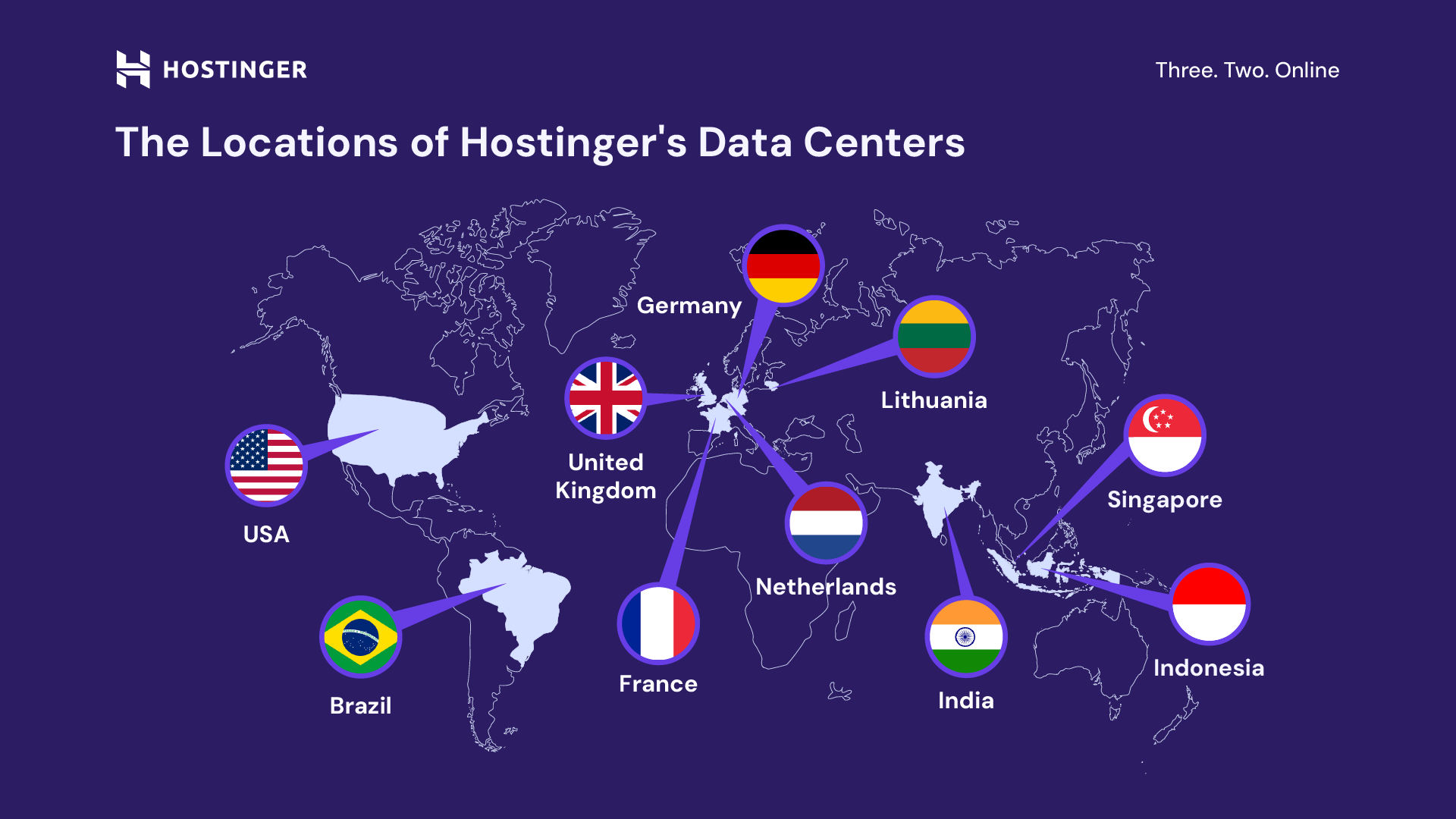
When choosing a web hosting provider, the key factors to consider are performance, security, reliability, and customer support. With Hostinger, here’s what you’re getting:
- Fast loading speeds. With cutting-edge LiteSpeed web servers and global data centers, run a high-performing website for visitors anywhere in the world.
- Top-notch security. Protect your website from cyberattacks with a malware scanner, DDoS protection, unlimited SSL certificates, and other security features.
- 99.9% uptime guarantee. Make sure your website is always up and running.
- 24/7 support. Our multilingual Customer Success team is always available via live chat to assist and answer your questions.
- Money-saving benefits. Our hosting plans come with a free domain, a website migration service, up to 100 custom email accounts, and an AI-powered website builder.
- 30-day money-back guarantee. Try any of our hosting plans risk-free.
Suggested reading
New to web hosting? Check out our articles on what is web hosting and how to host a website to learn more.
How to buy hosting from Hostinger in 4 steps
Follow these simple steps to buy a hosting plan for Hostinger and get your website up and running in no time.
1. Choose your hosting plan
Go to Hostinger’s website, find the hosting plan you want to purchase, and select Choose plan.

If you don’t know which hosting plan to choose yet, you must first identify your goals, needs, and budget. Here’s an overview of Hostinger’s top hosting types and what they’re best for:
- Web Hosting. Share a server with multiple websites and users. Best for small-to-medium personal blogs, business websites, and online stores.
- Cloud Hosting. Uses a network of servers for maximum performance, stability, and security while still being easy to manage. Ideal for medium-to-large business websites and online stores.
- Managed WordPress Hosting. Optimized for WordPress users, it comes with WordPress-specific features like LiteSpeed acceleration, automatic updates, a vulnerability scanner, and an object cache.
- VPS Hosting. A virtual server that runs independently from other projects on the same physical server. Best for advanced users who want full control over their hosting environment.
Suggested reading
Still not sure which hosting plan to go for? Check out our in-depth guide on how to choose a hosting plan.
2. Select the hosting period
After choosing a plan, you will be redirected to your Cart to select the hosting period.
You can buy our hosting for a 1-month, 12-month, 24-month, or 48-month period. Choosing the longer periods will save you more money in the long run.
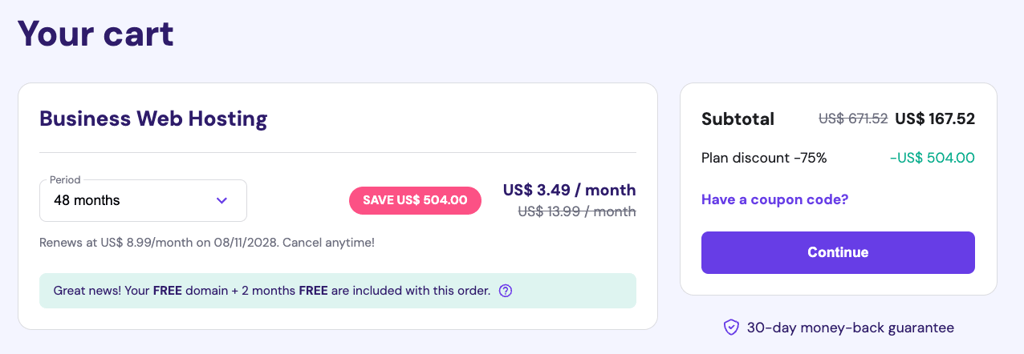
You can change your billing cycle anytime through hPanel. If you decide to upgrade your plan, we will add the remaining subscription length to the new plan.
3. Create a Hostinger account
Once you’ve chosen the subscription length, you will be asked to create a Hostinger account. But if you already have an account, Log in instead.
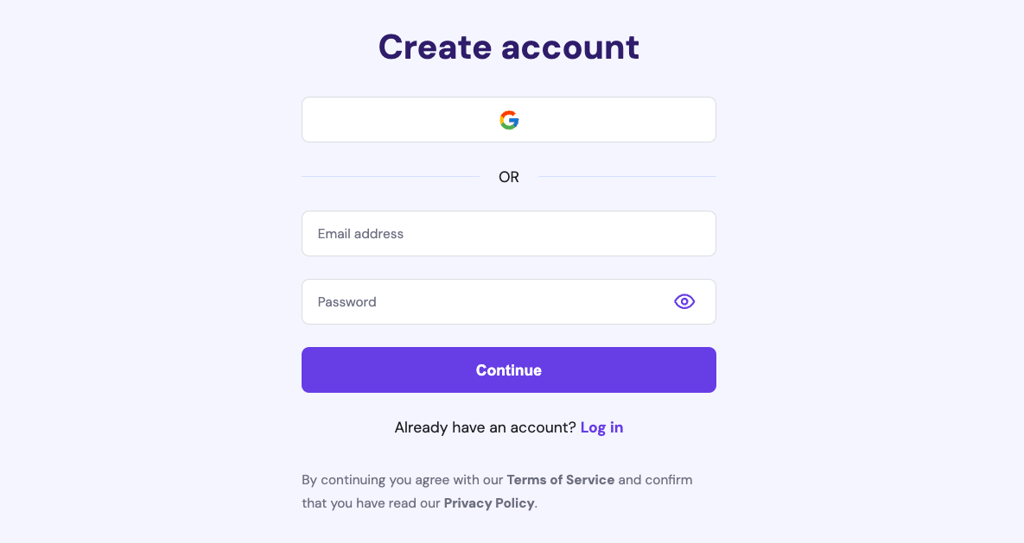
4. Make the payment
Enter your billing address and check the order summary to make sure everything is as it should be.
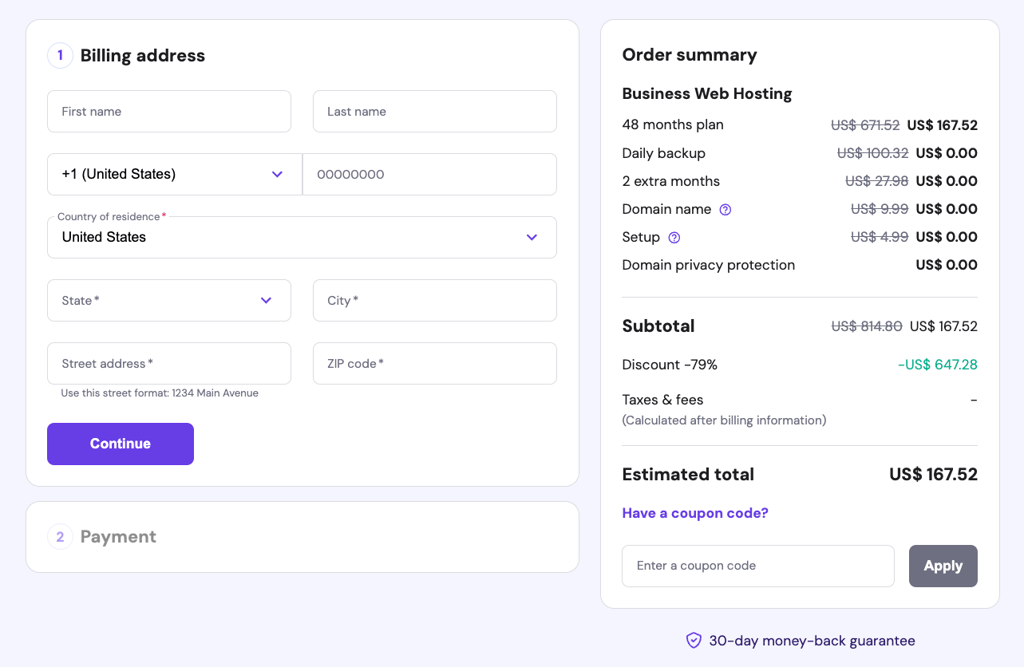
Next, complete the Payment using your preferred payment method. The available options will depend on your region, but generally, we accept cards (debit, prepaid, and credit), PayPal, and eWallets (Google Pay, Apple Pay, and AliPay).
What to do after buying hosting from Hostinger
After securing your purchase, you will be redirected to Hostinger’s onboarding. You can choose whether to Create a website or Migrate a website.
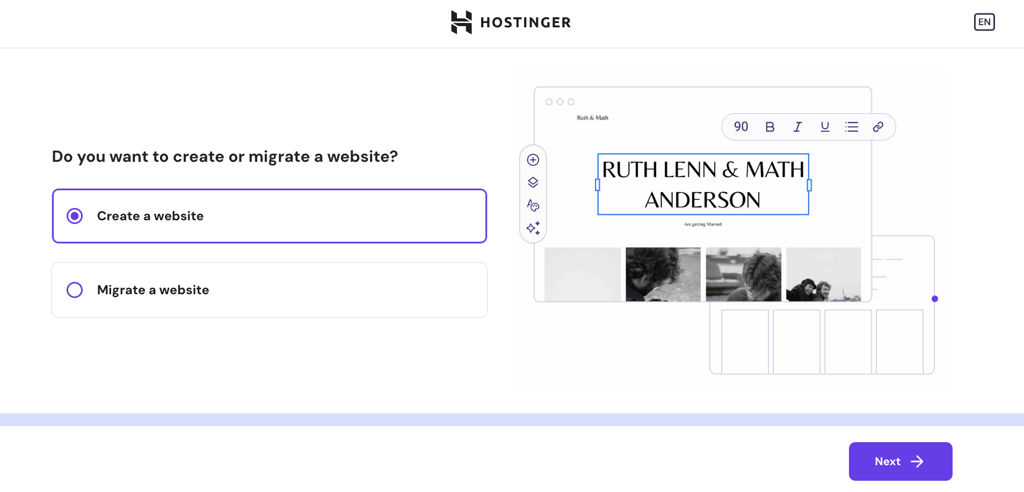
Create a website
If you want to create a new website, the next step is to choose between WordPress or Hostinger Website Builder as the platform.
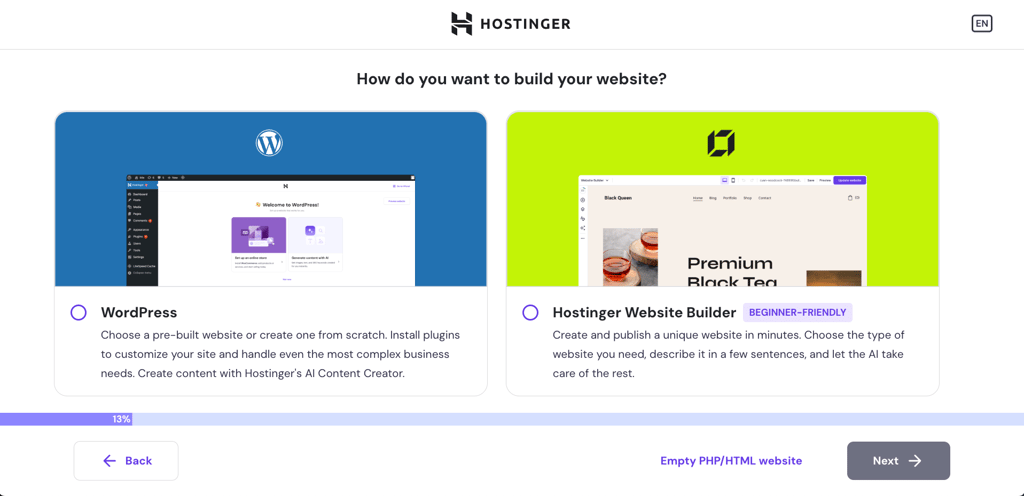
WordPress is the better choice for users who want a high level of customization and control over their website, while Hostinger Website Builder is perfect for beginners who want to quickly launch a website in minutes.

Whichever option you choose, follow the onboarding steps until it’s completed. Then, you can start customizing your website further.
Suggested reading
Still torn between these two website platforms? Read our in-depth comparison of Hostinger Website Builder vs WordPress.
Migrate your website
If you already have a website, you can migrate it from your current provider to Hostinger for free. After selecting Migrate a website, follow the onboarding flow, starting with entering your website’s URL.
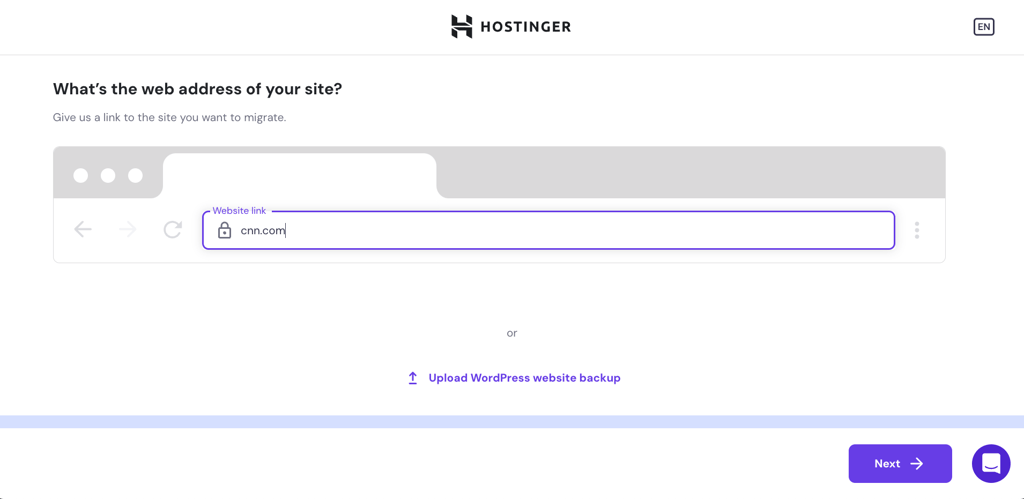
After finishing all the steps, wait up to 48 hours for the migration to be completed. Once your website is fully moved to Hostinger, you will be notified via email.
Suggested reading
Check out this article for a more detailed guide on how to migrate to Hostinger.
Conclusion
Hostinger offers high-performance, reliable, and secure hosting plans for any web project. Fortunately, buying hosting from us is quick and simple:
- Choose your hosting plan. Consider your goals, needs, and budget to choose the most suitable hosting type for you.
- Select the hosting period. The longer the period, the bigger the discount and the more money you can save in the long term.
- Create a Hostinger account. If you already have a Hostinger account, feel free to log in instead.
- Make the payment. Enter your billing address and pay using your preferred method.
After securing a Hostinger hosting plan, follow the onboarding instructions to create a new website or migrate your existing one.
How to buy hosting from Hostinger FAQ
Is Hostinger good for web hosting?
Hostinger uses the latest technology to offer fast, secure, and reliable hosting with a 99.9% uptime guarantee, 24/7 access to our Customer Success team, and a 30-day money-back guarantee. Check out our migration cases to learn more about our clients’ experience with us.
Can I change my Hostinger hosting plan?
Yes, you can upgrade your hosting plan anytime through hPanel, and your data will be automatically transferred to the new plan. However, if you want to migrate to VPS, you must transfer the site files manually.
Does Hostinger offer a free domain name with its hosting plans?
Yes, we include a free domain name with all plans purchased for a period of 12 months or more.
All of the tutorial content on this website is subject to Hostinger's rigorous editorial standards and values.

Matleena is a seasoned Content Writer with 5 years of content marketing experience. She has a particular interest in emerging digital marketing trends, website building, and AI. In her free time, Matleena enjoys cups of good coffee, tends to her balcony garden, and studies Japanese. Follow her on LinkedIn

Hasna is passionate about tech, culture, and the written word. She hopes to create content that helps people succeed on the web. When not writing, rearranging, or polishing sentences, she enjoys live music and overanalyzing movies.


Comments
2 responsesOctober 31 2024
I want to buy 12 month plan
November 06 2024
That's great to hear! If you're ready to get started with a 12-month plan, head over to Hostinger's website to choose the plan that best fits your needs :D