Web hosting: What it is and how it works

Web hosting is a service that makes your website accessible online. When you purchase hosting, you rent space on a server – a powerful computer that stores your website’s files (HTML, CSS, images, databases) and remains connected to the internet 24/7.
Here’s how it works: when someone visits your website (whether they clicked a search result, followed a link, or typed your URL directly), their browser sends a request to your server. The server then delivers your website’s files to their browser, which renders the pages on their screen. This process typically happens in milliseconds.
Shared hosting is the most affordable option, where multiple websites share one server’s resources. VPS hosting gives you dedicated resources within a virtual partition on a shared server. Dedicated hosting provides an entire physical server exclusively for your site. Cloud hosting distributes your site across multiple connected servers for better uptime and scalability.

How does web hosting work?
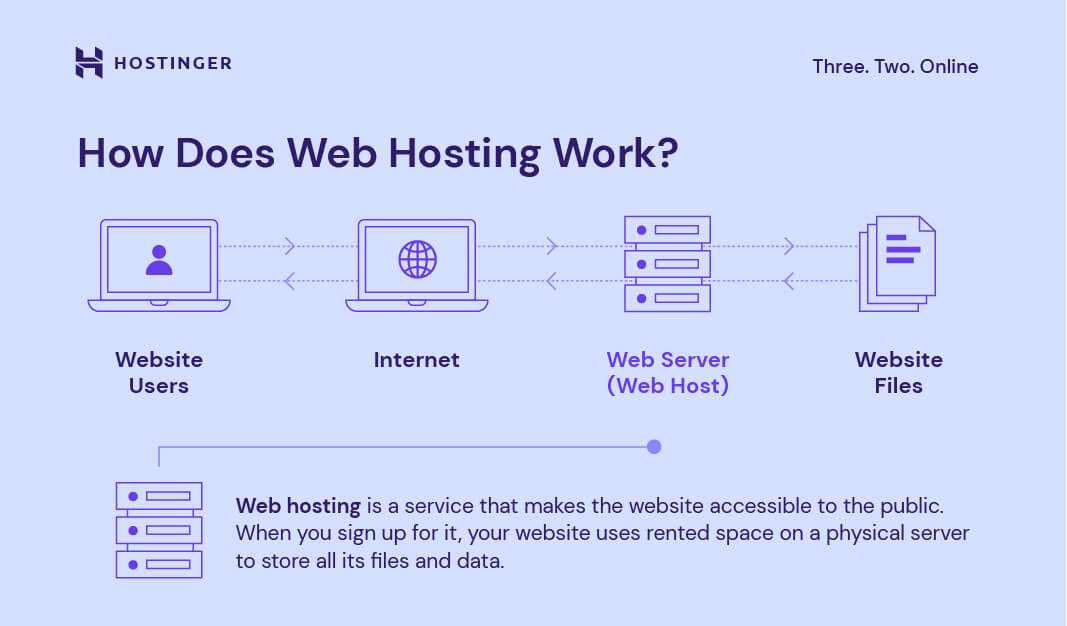
Web hosting works by providing a server to store your website’s files and deliver them to visitors on demand. Here’s the process: when someone visits your site (whether through a search result, link, or direct URL), their browser sends a request to your web server. The server retrieves and sends the necessary files, and your website loads on their screen within milliseconds.
A server is a powerful physical computer that runs continuously and stays connected to the internet 24/7, keeping your site accessible at all times. Think of servers as specialized computers designed to store websites and respond to visitor requests instantly – your website lives on one of these servers so anyone can access it anytime, from anywhere.
Can I create my own web server?
You can create your own web server, but it requires advanced technical knowledge and cost to buy a personal server. This means setting up and configuring everything yourself – the hardware, networking equipment, server software, and security systems. On top of that, you’re responsible for all ongoing maintenance, updates, and troubleshooting, which can be time-consuming and complex.
Why using a web host is simpler
Using a web hosting provider removes all the heavy lifting. Your host manages the server setup, performance, updates, and security, so your website runs smoothly without you having to handle the technical details. They also offer tools, support, and monitoring that make hosting a website far easier and more reliable than doing it on your own.

Types of web hosting services
Hosting providers offer various plans to suit different needs – whether you’re running an ecommerce store, a high-traffic blog, or a small business site. Each hosting type differs in terms of resources, performance, control, and price.
Here are some of the most popular hosting plans:
Shared hosting
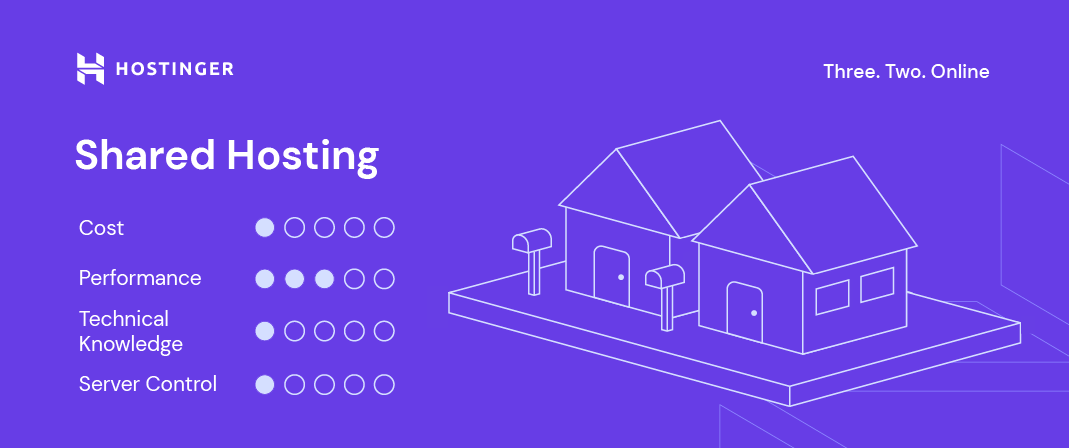
With shared hosting, multiple users share the same server resources, including memory, processing power, and storage space.
Because of its simplicity and affordability, shared web hosting is an excellent solution for small businesses and personal websites that don’t require advanced configuration or higher bandwidth. Hence, shared hosting is an excellent choice for beginners who need inexpensive website hosting to start.
Pros
- Cost-effective, ideal for small-scale websites
- Technical expertise is not required
- Pre-configured server options
- No need to take care of maintenance and server administration
Cons
- Minimal access to server configuration
- Increased traffic on other websites can affect your website’s speed
Virtual private server (VPS) hosting
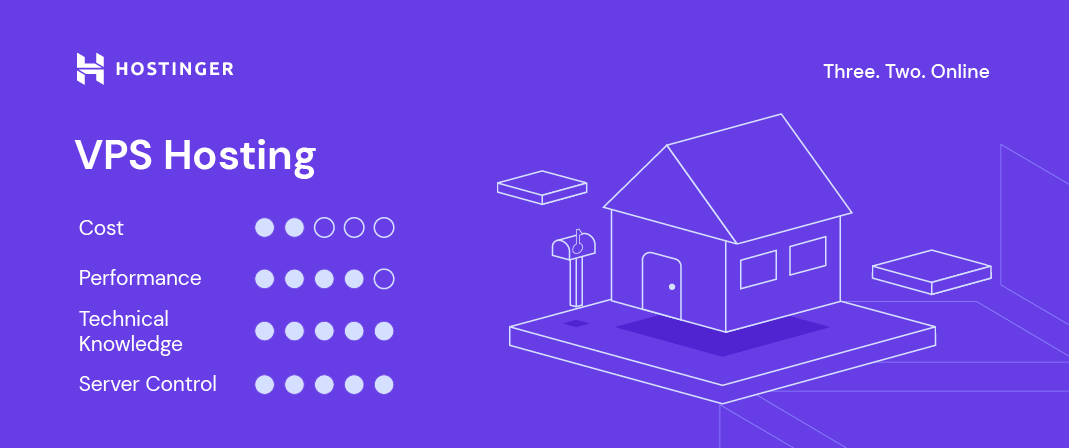
With a VPS, your website also shares a physical server with other users, but the web host creates a virtual partition for each user. In short, a site hosted on a virtual private server gets an allocated amount of resources.
Medium to large sites, ecommerce stores, and large blogs with a rapidly growing number of visitors will benefit the most from VPS hosting.
Pros
- Dedicated server space
- Increased traffic on other websites has no impact on your site’s performance
- Root access to the server
- High customizability
Cons
- Users need technical expertise to manage it
- Even though it’s relatively affordable, some users may have to hire a developer to manage the virtual server, increasing the overall costs
Cloud hosting
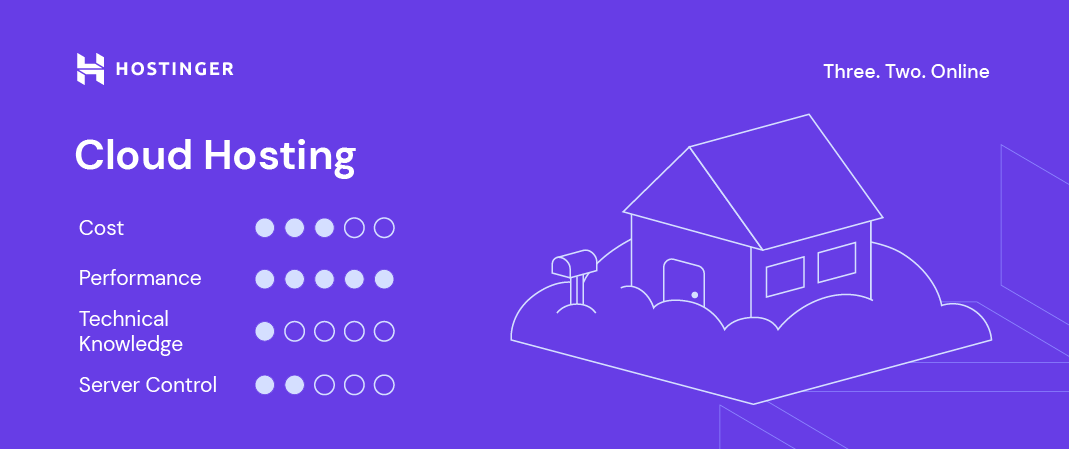
This web hosting solution uses several virtual servers to host sites. So, if one server experiences high traffic or a problem, the remaining ones will take over and maintain the website’s operation.
Since cloud-based web hosting relies on a cluster of web servers to function, businesses with multiple websites and large-scale sites like ecommerce shops benefit the most from it, as it provides little to no downtime.
Pros
- Reduced likelihood of downtime and hardware failure
- Uses load balancing to handle high traffic and prevent DDoS attacks
- Scalability – your website is not limited to the resources of a single server
Cons
- Root access is not always provided
- It is more expensive than VPS and shared hosting
Managed hosting for WordPress
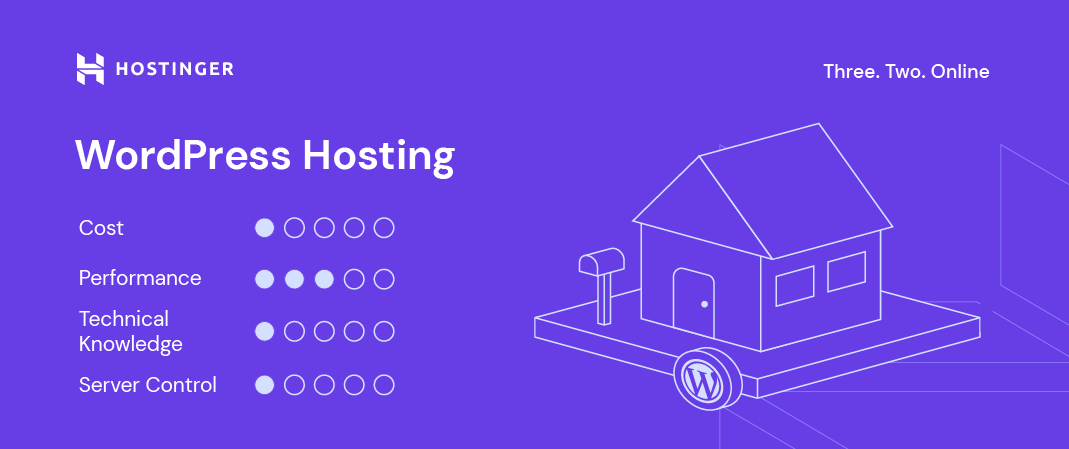
This is a type of tailored web hosting service, providing a WordPress-optimized server environment to help your site load faster and minimize potential issues.
Other types of web hosting still work for websites based on this popular content management system (CMS), but WordPress-optimized hosting plans come with features such as pre-installed software and themes, plugins for core functions like caching and security, and other tools.
Pros
- Low cost and beginner-friendly
- Optimized performance for WordPress sites
- Customer support team trained in WordPress issues
- Pre-installed WordPress plugins and themes
Cons
- Not tailored for non-WordPress websites
Dedicated hosting
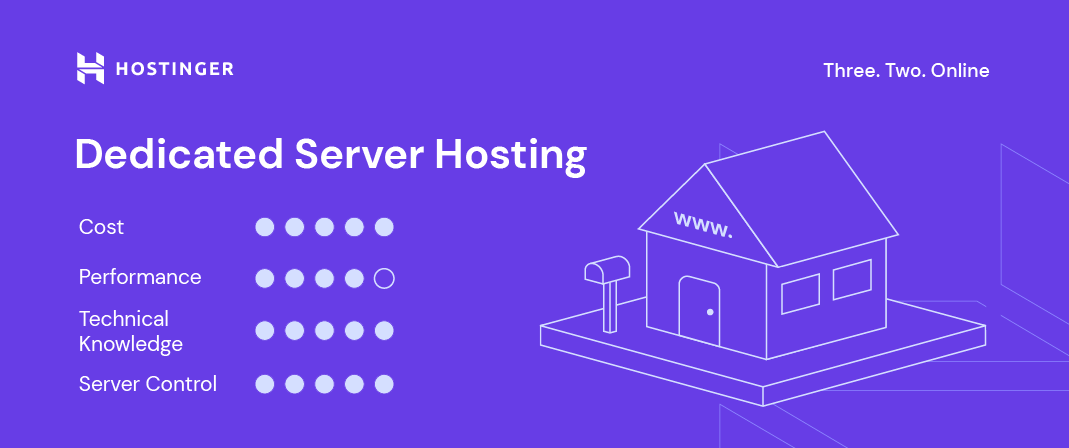
Dedicated hosting designates a physical server for each website. By opting for dedicated hosting, you can configure the server, select your preferred operating system and software, and tailor the entire hosting environment to your exact specifications.
Renting a dedicated server is just as powerful as having your own on-site server, but with the added benefit of getting professional support from your web host. Thus, dedicated hosting is ideal for large online businesses that deal with heavy traffic.
Pros
- Complete control over the server’s configuration
- High reliability
- Root access to the server
Cons
- High cost, more oriented towards large businesses
- Technical and server management knowledge is required
How to choose the best web hosting service provider?
When searching for the best web hosting provider, it is essential to ensure that it offers a range of services, enabling you to scale your site over time.
Ideally, you should start with the simplest hosting solution. As your website grows, you may want to consider migrating to a more advanced hosting solution with additional storage space, increased bandwidth, and other resources.
When evaluating potential hosts, prioritize those that offer a user-friendly control panel (like hPanel) for easier website management, alongside a solid uptime guarantee to maintain customer trust.
Beyond disk space and bandwidth, look for superior technical specifications and verify performance claims through online reviews. Most importantly, ensure the provider guarantees 24/7 customer support and robust security measures against malware and DDoS attacks, while offering value-added services like free SSL certificate and business email accounts.
➡️ Read our guide on how to choose a web hosting provider to dive deeper into each aspect you should consider.
What is the difference between web hosting and a domain name?
Web hosting is the service that stores your website’s files on a server, making your site accessible online. A domain name, on the other hand, is what people type into their browser (like yourwebsite.com) to access your site.
Here’s an easy way to think about it: web hosting is the house where your website lives, while a domain name is the street address that helps people find the house. You need both to launch a functioning website.
➡️ Learn more about how hosting differs from a domain name.
A domain name usually consists of a website name and a domain extension such as .com, .org, or .net. Beyond that, there are lots of other options and new domain names like .xyz, which are among the most popular alternatives today.
A domain and a hosting account can be purchased from the same provider or a different one. Many hosting companies, including Hostinger, offer domain registration as well.
To get started, decide on a domain name and check its availability.
Domain Name Checker
Instantly check domain name availability.
If your domain registrar and hosting provider are not the same company, you must point the domain name correctly for your website to be accessible.
Alternatively, buying a hosting plan that includes free domain name registration is a much simpler and more affordable solution.
Can I host my website for free?
Yes, you can host a website for free, but it’s not an ideal solution for anything serious or long-term. Most free hosting providers come with very limited storage, slow performance, no custom domain support (you’ll get a subdomain instead), and minimal security. Your site may also display ads you can’t control, and customer support is very limited or nonexistent.
Free hosting is generally suitable only for small personal projects, testing, learning, or simple static pages. If you want to run a professional website, use your own domain name, handle more traffic, or ensure good speed and security, a paid hosting plan is a far better and more reliable option.
How much does it cost to host a website?
The cost of hosting a website can range anywhere from free to hundreds of dollars per month, depending on the type of hosting and the features you need.
Shared hosting is the most affordable option, typically costing $2-10/month. This is enough for personal sites, small blogs, and small business websites.
Managed hosting for WordPress sits in the middle, charges around $3-25/month, and includes optimized performance, backups, and maintenance.
If you need more power and flexibility, VPS hosting usually ranges from $10 to 100/month, while dedicated hosting can cost $80-300+ a month.
Check out our full breakdown of web hosting costs, where we explain not only hosting fees but also the additional expenses you may need to plan for.
All of the tutorial content on this website is subject to Hostinger's rigorous editorial standards and values.

Domantas leads the content and SEO teams forward with fresh ideas and out of the box approaches. Armed with extensive SEO and marketing knowledge, he aims to spread the word of Hostinger to every corner of the world. During his free time, Domantas likes to hone his web development skills and travel to exotic places.

Comments
December 24 2018
Thanks for sharing this great post! I'm a complete newbie at web hosting stuff and this is exactly what I needed ;)
September 30 2021
It's very good tutorial you make it .thanks
March 09 2022
Thanks ! Planning to join as a hosting agent. This is what I needed for the interview. keep up the good work ..
October 08 2021
This was super helpful and informative thank you!
December 10 2021
Very helpful and informative i am deeply greatful
December 11 2021
Have to admit that this is a pretty good tutorial!! I found my hosting provider by checking what others use in my city, and it turns out most use a local provider because the servers are located in the same state and therefore the websites load fastest. Not something I thought of, but if you have a local business, probably not a bad idea. You can check it like this (https://bhnd.io/hostinger.com/) even though Hostinger seems to hide behind the Cloudflare CDN :)
December 14 2021
Hey Adrian, that's an awesome tool - looks like it checks the nameservers and reports back the company that owns them!
January 17 2022
Knowledgeable Article. A lot of things came to know. Really useful Article. Thanks. Rajesh Dalvi.
January 18 2022
Happy to hear!
January 19 2022
Thank you for knowledge
March 07 2022
Well done, interesting information.Thanks
March 09 2022
The article is too nice it is fully informative and very useful for all people who want to know about web hosting. Thanks for sharing this type of post
April 09 2022
The article is too nice it is fully informative and very useful for all people who want to know about web hosting.
April 12 2022
Happy to know you're enjoying it :)
June 02 2022
Vry informative nd helpful .the differences have been briefly explained.