How to make a website in 8 steps
Sep 25, 2026
/
By Justina B.
/
8 min Read
Anyone can make a website from scratch, and the right way to do it depends on what you need – from AI-powered builders that generate pages for you to flexible platforms like WordPress that let you customize every detail. Making a website means picking a platform, registering a domain name, and adding content worth visiting, and none of it requires coding.
The right approach depends on what you’re building. A freelancer launching a portfolio has different needs than someone opening an online store or starting a blog. But the core process is the same.
- Decide how you’ll build it. Website builders, WordPress, and custom code each suit different goals and skill levels.
- Claim your web address. Pick a short, memorable domain name that represents your brand.
- Set up hosting for your files. A hosting plan keeps your site accessible 24/7. Website builders handle this automatically.
- Customize your design. Start with a template and adjust colors, fonts, and layout to match your brand.
- Create your core pages. Put together a homepage, about page, and contact page, then add a products, services, or blog page depending on what you do.
- Write and add your content. Use clear copy, quality images, and video to show visitors exactly what you offer.
- Make your site easy to find. Use the words your customers actually type into Google in your page titles, headings, and text.
- Review everything, then go live. Test links, forms, and loading speed across devices before you hit publish.
1. Pick a building platform
To pick a building platform, match it to your skill level and the level of control you need. Choose a website builder for quick no-code setup, a content management system (CMS) like WordPress for deeper customization, or custom code for full control over every detail.
| Type | What is it? | Recommended platforms |
| Website builder | A visual, drag-and-drop tool with built-in hosting and templates. No coding required | Hostinger AI Builder, Wix, Squarespace |
| Content management system, or CMS | A flexible platform that uses themes and plugins for customization. Requires separate hosting | WordPress, Joomla, Drupal |
| Custom development | A site built from scratch by developers. Full control over design and functionality, but requires technical expertise and a bigger budget | HTML/CSS/JavaScript, React, or frameworks like Laravel |
A website builder is the fastest path to a live site, especially if it’s your first one. Pick a template, swap in your own text and images, and publish. Hostinger AI website builder creates that starting point for you – describe your project in a few sentences, and it generates a full site draft with pages, images, and copy already in place.
WordPress gives you more flexibility at the cost of a steeper learning curve. You’ll install it on a hosting account, choose a theme, and add features with plugins – contact forms, online stores, and booking systems. There’s a plugin for almost anything you’d want a website to do, which is part of why WordPress powers a large share of the web.
The choice between a website builder and a CMS comes down to how much control you need over every detail.
Custom-coded websites make the most sense for complex projects with unique requirements that existing platforms can’t handle. Expect to hire a developer and budget for ongoing technical maintenance.
2. Get a domain name
Register a short, memorable web address that people can easily type into their browser to find you. Think bluepotcafe.com rather than the-blue-pot-cafe-and-bakery-nyc.com. Keep it to two or three words that are easy to spell and relevant to your brand.
Numbers and hyphens are harder to remember and easy to mistype, so skip them. The .com extension is still the most recognized, but alternatives like .store, .blog, or .io work well depending on your industry.
Use a domain search tool to check availability. When your first choice is taken, try a different extension or a slight variation before settling on a completely different name. Buying a domain name takes only a few minutes, and many hosting plans include one free for the first year.
Domain Name Checker
Instantly check domain name availability.
3. Secure website hosting
To secure a hosting plan, pick a provider, choose a plan that matches the size of the site you’re building, and connect your domain to it. Hosting stores your site’s files on a server and keeps them reachable around the clock. Think of it as renting space on a computer that’s always on.
Website builders include hosting in every plan, so your site is live and accessible the moment you publish. CMS-based and custom-built websites require a separate hosting plan.
Choosing a hosting plan starts with making sure you have enough storage for your files and images, plus the capacity to handle your expected visitor traffic. An SSL certificate and automatic backups matter just as much – one encrypts the data visitors send you, the other gives you a way back when something breaks.
A basic hosting plan covers the essentials at a lower cost, while managed WordPress hosting costs more but handles updates and security patches for you. As your site grows, you can upgrade to a more powerful plan for extra resources.
4. Design your website layout
How you design your website layout depends on the platform your site runs on. Website builders let you start with a pre-built template that matches your site type, whether that’s a portfolio, an online store, or a restaurant homepage, so you can customize from there.
WordPress and other CMS platforms work a bit differently: you pick a theme first, then adjust the layout with a page builder plugin. Either way, picking the right starting point for your platform saves you a lot of rearranging later.
Hostinger Website Builder sorts its website templates by category, so you can filter by industry and begin with a structure that your visitors already expect.
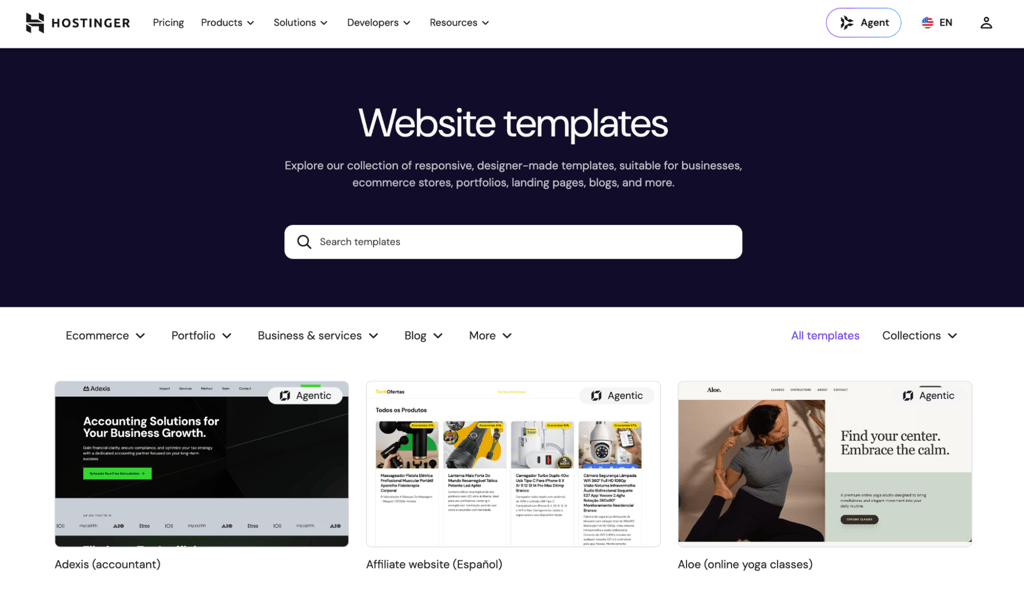
From there, make the template yours. Swap in your logo, choose two or three brand colors, and stick to one or two fonts across the whole site. Replace the placeholder images and text with your own content, and keep plenty of space between sections so the page doesn’t feel crowded.
As you build out each page, add a clear call to action. A Get Started button, an Add to Cart option, or a contact form all work well. Every page should make it obvious what the visitor’s next step is.
In WordPress and other CMS platforms, design works in layers:
- A theme sets the overall look and structure.
- The block editor handles page layouts.
- Widgets add elements like search bars to sidebars and footers.
- Plugins cover anything else, such as sliders or booking forms.
Our guide on how to use WordPress walks through how these pieces fit together.
5. Add essential pages
Build a set of core pages that tell visitors who you are, what you offer, and how to reach you:
- Homepage. Lead with a clear statement of what you offer, your strongest visual, and a call-to-action button like Shop Now or Get Started.
- About page. Share your story and what makes you different. A team photo, a short backstory, or a list of values all help build trust.
- Products or services page. Explain the problem your product or service solves, show it in action with photos or short demos, and add a clear Buy Now or Contact Us button.
- Contact page. A simple form with name, email, and message fields covers the basics. Add a phone number and embedded map if you have a physical location.
- Blog. Answer questions your audience is already asking and build search visibility over time. One well-researched post per week or every two weeks is enough – consistency matters more than volume.
- Privacy policy and terms of service. These are legally required in many jurisdictions. Website builders and CMS platforms offer templates that generate a starting draft based on your business details.
6. Fill your website with high-quality content
To fill your website with high-quality content, write clear, specific text for each page that tells visitors exactly what they need to know within the first few sentences.
Write the way you’d explain your business to a friend. A bakery owner, for example, would write “we bake sourdough, croissants, and custom cakes fresh every morning” rather than “we provide premium artisanal baked goods.” Specific, plain language builds more trust than corporate phrasing.
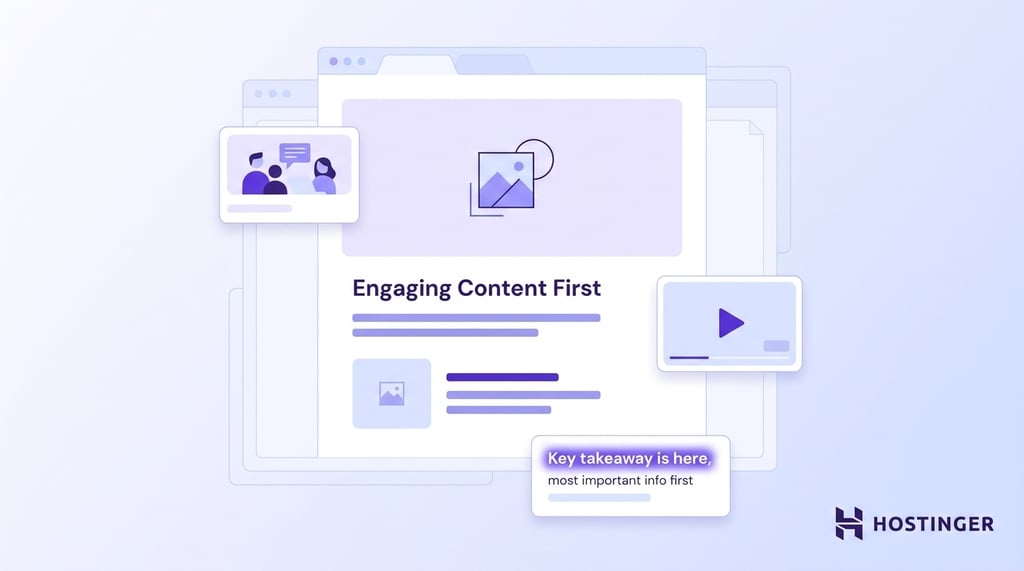
Use high-quality images that support your message, and compress them to avoid slowing down your site. Product photos, team images, and screenshots all add context that text alone can’t. Original photos beat stock images – visitors spot the difference, and a phone camera in good light is enough.
Video adds a layer that images and text alone can’t match. A short product demo, a behind-the-scenes clip, or a customer testimonial helps visitors picture themselves using what you offer. Keep clips short, and add captions so the content still comes across for anyone watching without sound.
Structure your pages so they’re easy to scan. Visitors skim headings, glance at images, and read the first sentence of each section before deciding to read more. Put the most important information at the top and keep paragraphs short.
7. Optimize for search engines
To build an SEO-friendly website, start by using the same words and phrases your audience types into search. You don’t need to be an SEO expert, and a few simple habits make a big difference.
Think about how someone would search for a business like yours. A wedding photographer in Austin, for example, would naturally mention “Austin wedding photographer” and “wedding photography packages” in their page titles, headings, and text. Use those same phrases on your site. Work them in naturally, though – repeating a keyword over and over reads badly and won’t improve your ranking.
Give every page a clear title and a short summary. These show up in Google search results and help people decide whether to click. Website builders and CMS platforms let you edit them in the page settings. Write them the way you’d describe your page to a friend, like “Austin Wedding Photography | Packages from $2,500.”
Link related pages on your site to each other. This helps visitors find more of your content and helps Google understand what your site is about. Finally, make sure your pages load fast on phones, since that’s where most visitors will arrive – compress images before uploading and skip plugins you don’t need.
8. Test and launch your website
Test your website by going through it as a first-time visitor would, then publish once everything works. Open it across different browsers and on your phone to catch anything that looks off.
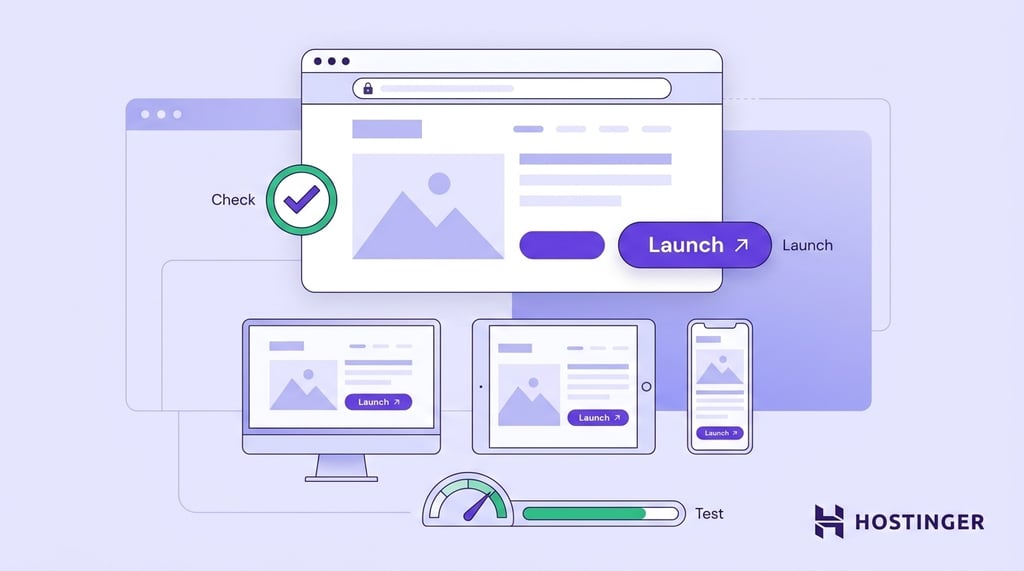
Click every link and submit every form. Run a test order through the entire checkout flow if you have a store. Proofread every page for typos, confirm that your images load properly, and check your loading speed with a free tool like Google PageSpeed Insights. Aim for pages that load in under three seconds.
Publish your site. Search engines, such as Google and Bing, will find your site on their own over time. To speed things up, create free accounts on Google Search Console and Bing Webmaster Tools, then add your site’s URL. After launch, check your site stats regularly to see which pages perform well and where you can improve.
Why should I build a website?
A website is the one place online that belongs entirely to you, and it does work that a social media profile can’t:
- Credibility. People expect to find a website when they search for a business. A professional site signals that you’re serious and established.
- Visibility. A website that ranks in search results brings in visitors who are actively looking for what you offer, without paying for each click.
- Sales and leads. Whether you sell products, book appointments, or collect inquiries, a website works around the clock to convert visitors into customers.
- Control over your brand. You decide the messaging, design, and user experience. There’s no character limit, no algorithm deciding who sees your content.
- Growth. A website scales with your business. Start with a few pages and add sections, products, or features as your needs evolve.
How much does it cost to build a website from scratch?
A basic website costs anywhere from $3 to $30/month when using a website builder or CMS with a standard hosting plan. That covers a domain name, hosting, SSL, and a set of templates or themes. With a CMS like WordPress, the software is free, but you’ll pay separately for hosting, a domain, and any premium themes or plugins.
A fully custom-built website designed by a freelancer or agency can range from $2,000 to $30,000+, depending on complexity and developer rates.
Domain renewals cost $10–$20/year on top of your hosting plan. Hosting providers set the first term at a lower price to get you started. For example, a plan that costs $2.99/month for the first year might renew at $7.99/month or more. Check the renewal rate before you commit.
How long does it take to build a website?
How long it takes depends almost entirely on the platform you choose, from under an hour with an AI builder to several months for a custom-coded site. With an AI-powered website builder, you can have a working draft in under an hour. Customizing the design, adding your content, and fine-tuning the details takes a few hours to a couple of days.
A CMS-based website requires more setup. Plan for one to two weeks for a straightforward site with five to 10 pages, and several weeks for more complex projects.
A custom-coded website has the longest timeline. It can take anywhere from four weeks to several months for design, development, testing, and launch.
Don’t wait until everything feels finished. A realistic view of how long it takes to create a website helps you plan, but the short version is this: start with the basics, get your site live, and improve as you go.
All of the tutorial content on this website is subject to Hostinger's rigorous editorial standards and values.

Justina is a Content Writer passionate about marketing, with a background in social media and customer success management. She also loves reading books, traveling and exploring new places as well as cooking, and trying out new recipes. Follow her on LinkedIn.