9 WordPress Amazon Affiliate plugin options to make money
Aug 26, 2025
/
By Aris S. & Marco C.
/
11 min Read
The Amazon Affiliate Program lets WordPress website owners generate passive income by featuring products in their content. While you can do so using text links, there are more effective ways to market the products.
A WordPress Amazon affiliate plugin lets you feature Amazon products using images or tables, making them more appealing. Many also offer features that simplify various tasks, including tracking total clicks or revenue.
Since there are various options, this WordPress tutorial will explore the nine best Amazon affiliate plugins to help you make an informed decision. We have assessed them based on features, prices, and usability.
9 best WordPress Amazon Affiliate plugin options
In this section, we will list the nine best WordPress plugins for Amazon associates and their key features. Read on to learn more about which one suits your needs best.
1. Hostinger Amazon Affiliate Connector

Hostinger Amazon Affiliate Connector stats:
- Rating: 4.9/5
- Best for: streamlining affiliate product integration on WordPress sites
- Prices: free with Hostinger Business web hosting and any of the cloud hosting plans
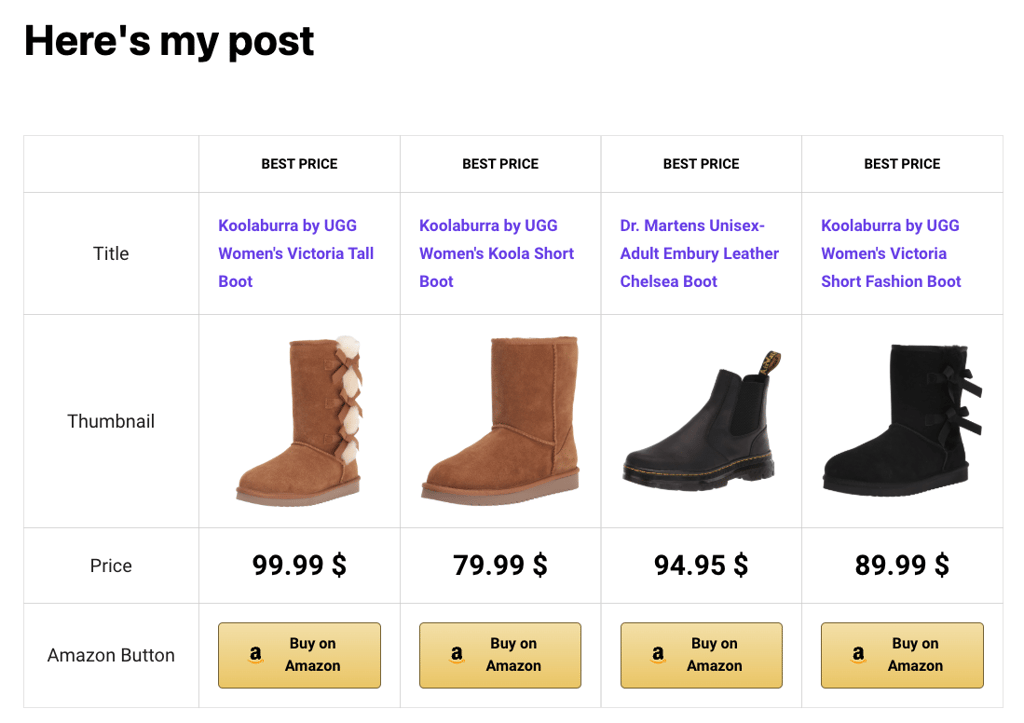
The Hostinger Amazon Affiliate Connector plugin makes it easy to add Amazon products or affiliate links to your WordPress posts. It connects with Amazon’s API to automatically import and update product prices and descriptions.
Simply choose Affiliate marketing site during onboarding at Hostinger, and we will automatically install the plugin for you.
From the WordPress admin dashboard, connect your Amazon Associates account to the plugin by entering your country of origin and tracking ID. Then, Add the Link Amazon product(s) block to a page or post to feature products and earn commissions when visitors make purchases.
Key features
- Multiple product views ‒ show products as a single item, a list, or a comparison table.
- Integration with AI Website Builder for WordPress ‒ instantly create a website and populate it with affiliate links.
- Automatic item updates ‒ ensures visitors see up-to-date product information and pricing to guarantee accuracy and maintain trust.

2. Amazon Affiliate WordPress Plugin (AAWP)

AAWP stats:
- Rating: 4.8/5
- Best for: creating a visually appealing and responsive affiliate product display
- Price: starts at €49/year
Amazon Affiliate WordPress Plugin (AAWP) is a one-stop plugin for affiliates. Its features simplify the entire promotion process, from creating the product displays to monitoring your revenue.
Users can create product comparison tables, individual item boxes, and best-selling lists to make the product more compelling. To insert Amazon affiliate links, you can use the custom WordPress Gutenberg block.
This feature-rich plugin integrates with the Amazon Affiliate API to update product details on your website automatically according to the marketplace data. It is also mobile-friendly, allowing the box and image size to self-adjust based on the user’s screen size.
AAWP also flags Amazon Prime articles, allowing you to earn extra commissions from the affiliate program when referring a new member. It offers event tracking, but only when using Google Tag Manager or Google Analytics.
Key features
- Google Accelerated Mobile Pages (AMP) support – enables your product boxes to run on AMP content to speed up the page load speed.
- Custom code – lets developers add PHP WordPress hooks to modify the plugin behavior and CSS to alter the affiliate content appearance.
- Caching – stores product information locally to reduce the number of API calls, improving your website loading speed.
- HTTPS/SSL – supports data delivery over an encrypted protocol to protect users’ personal information.
3. AzonPress
AzonPress stats:
- Rating: 4.7/5
- Best for: improving affiliate link conversion and engagement
- Price: starts at $31/year or $199/license
AzonPress is an ideal option if you want an affordable Amazon affiliate plugin with comprehensive features. It offers similar functionalities to AAWP but at a lower price.
For example, this premium plugin provides customizable templates for displaying Amazon affiliate products in comparison tables, lists, or images. However, users must add the links using shortcodes since it doesn’t offer a custom block.
AzonPress provides various widgets that help improve conversion rates. In addition, it has lifetime licenses with unlimited support and update periods, unlike other premium Amazon affiliate WordPress plugins.
This plugin’s downside is its lack of code-based customization for developers. While you can edit the templates using CSS, it doesn’t support a PHP function and WordPress hook.
Key features
- Multi-API support – offers Zero-API that lets you integrate your WordPress site with various affiliate platforms, including Amazon, Etsy, Walmart, and eBay.
- Marketing widget blocks – provides reusable blocks for showing a call-to-action button, star ratings, and product feature notifications.
- Simple product tables – lets users insert products into tables directly from Amazon by searching their identification numbers.
- Visual customization options – allows users to edit the templates’ layout, change the button appearance, and add CSS for visual customization.
4. ThirstyAffiliates

ThirstyAffiliates stats:
- Rating: 4.5/5
- Best for: tracking and reporting affiliate link performance
- Price: freemium, starts at $99.60/year
ThirstyAffiliates is an affiliate plugin that offers minimal visual customization. Despite the limitation, it provides robust tracking capabilities and simple link management.
For example, you can monitor the number of clicks, link performance by category, and geolocation reports. Moreover, this plugin lets you integrate Google Analytics for more comprehensive tracking.
After installing this plugin, select New Affiliate Link, insert your destination URL, enter a title, and click Save Link. Then, add affiliate links to your post using the Affiliate block. Despite the unintuitive user interface (UI), the creation process is simple.
While ThirstyAffiliates offers a free version, features like Amazon Associates API support and CSV report exporting are only available in the premium plans.
Key features
- CSV exporter – exports all your affiliate links and their performance reports as a CSV file for simpler analysis and manipulation using spreadsheets.
- Auto-cloaking – automatically masks your affiliate links to hide the tracking ID, improving trustworthiness and simplifying management.
- Automatic keyword linking – links your affiliate URLs to all matching keywords, helping you monetize older content quickly.
- Link scheduling – sets the active period and the redirection URL for your affiliate links after the old one expires.
5. WZone
WZone stats:
- Rating: 4.5/5
- Best for: managing affiliate links on WooCommerce websites
- Price: starts at $49/license
Integrating with WooCommerce, WZone is one of the best affiliate plugins for Amazon associates running an online store. It offers various features that help improve your conversion rate and sales.
For example, the cross-selling module lets you show two products often purchased together. You can also feature Amazon reviews and import coupons to your site, enticing visitors to buy the items.
WZone offers in-depth reporting using the Amazon Product Advertising API to ensure accurate data. It lets you track metrics like the number of products in the cart, the amount of views, and total earnings.
However, this WooCommerce Amazon affiliate plugin lacks a free version. In addition, it uses extensions to add new features, slowing down updates since developers must release the patches separately.
Key features
- Dropshipping – lets store owners sell products on their websites while Amazon handles the shipping.
- Amazon synchronization – refreshes product details automatically upon user interaction or on schedule using cron jobs.
- Direct checkout – automatically redirects customers who purchase products on your site to the Amazon checkout page to streamline the transaction process.
- Built-in debugger – provides a console showing the Amazon Associates API call to help you check for data mismatch.
6. Pretty Links

Pretty Links stats:
- Rating: 4.3/5
- Best for: managing and cloaking links
- Price: freemium, starts at $99.60/year
Pretty Links is a general affiliate plugin that lets users efficiently create and manage links on their websites. It can check all URLs, including their categories, creation date, clicks, and health metrics, through the WordPress dashboard.
For more effective affiliate link management, you can group URLs based on categories and tags. Pretty Links’ admin area also supports bulk action, making the editing process more efficient.
This Amazon affiliate WordPress plugin allows you to display product boxes, but you must create them manually. It takes time if you have many items, but its intuitive user interface helps simplify the process.
In addition to the built-in reporting feature, this plugin integrates with Google Analytics and MonsterInsights. That said, site owners must import products and update the information manually since Pretty Links doesn’t support Amazon API.
Key features
- Centralized admin area – displays all links with their statuses, tags, categories, creation date, redirection types, slugs, and click counts on a single dashboard.
- Link health – runs a weekly scan to identify dead links or redirection issues, enabling you to fix issues immediately.
- Custom slug – automatically generates editable slugs to shorten and cloak your affiliate links.
- Advanced redirects – offers three redirect types and Dynamic Redirects, which lets you lead visitors to specific pages based on their locations, time, or devices.
7. Auto Amazon Links

Auto Amazon Links stats:
- Rating: 4.2/5
- Best for: inserting affiliate links in large multi-page websites
- Price: freemium, paid plan starts at $47.98/license
Auto Amazon Links is the best plugin for users looking for flexibility and customization. Users can modify the product display layout using code and customize call-to-action buttons via the UI to improve their website’s visual appeal.
Developers can also create a layout using the provided Auto Amazon Links template, so there’s no need to start from scratch. Moreover, you don’t need to update product details manually as this plugin uses Amazon API.
Formerly known as Amazon Auto Links, this plugin stands out due to its various methods to insert links, including using shortcodes, a Gutenberg block, or widgets. It also offers automatic insertion to add the URLs to a specific post ID, taxonomy, or type.
Despite the flexibility, this plugin doesn’t track your links, potentially complicating the revenue and engagement analysis process. Creating a new unit can also be challenging for new Amazon associates due to the various plugin settings.
Key features
- Automatic link converter – turns all text links featuring Amazon affiliate products in your posts, comments, and pages into sponsored URLs.
- Customizability – supports custom HTML, CSS, PHP, and shortcodes to modify your affiliate link layout templates.
- Geo-targeting – detects visitors’ IP addresses, redirecting them to their local Amazon store when clicking your affiliate links.
- JavaScript-free – allows your Amazon product showcase displays to show up on web browsers with disabled JavaScript.
8. Lasso

Lasso stats:
- Rating: 4/5
- Best for: growing revenue and finding affiliate opportunities
- Price: starts at $24/month
Lasso offers various features that help associates grow their revenue efficiently. It provides a centralized dashboard for monitoring affiliate networks, income, and return on investment, helping you quickly assess your current promotion strategy.
This plugin also regularly scans your website for broken and unmonetized links, finding new opportunities for revenue growth. Users can add the affiliate URL directly via the Lasso admin dashboard.
Moreover, you can import affiliate links from other plugins like AAWP. Inserting Amazon items into your website is simple since this tool can import products using URLs without API.
However, users who prefer API must purchase the most expensive plan with quote-based pricing. Also, the cheaper versions have limited website support, features, and monthly tracked revenue.
Key features
- Support – offers live chat, with priority and dedicated support for the two most expensive plans.
- External web source tracking – uses subID to track conversions from other platforms, including social media posts and YouTube videos.
- Product and link alerting – notifies users about broken links and out-of-stock products to help them quickly resolve potential revenue loss.
- Revenue email report – sends revenue reports to your email inbox daily, weekly, or monthly.
9. Affiliatable
Affiliatable stats:
- Rating: 4/5
- Best for: adding Amazon affiliate links on page builders
- Price: freemium, starts at $9/month or $99/year
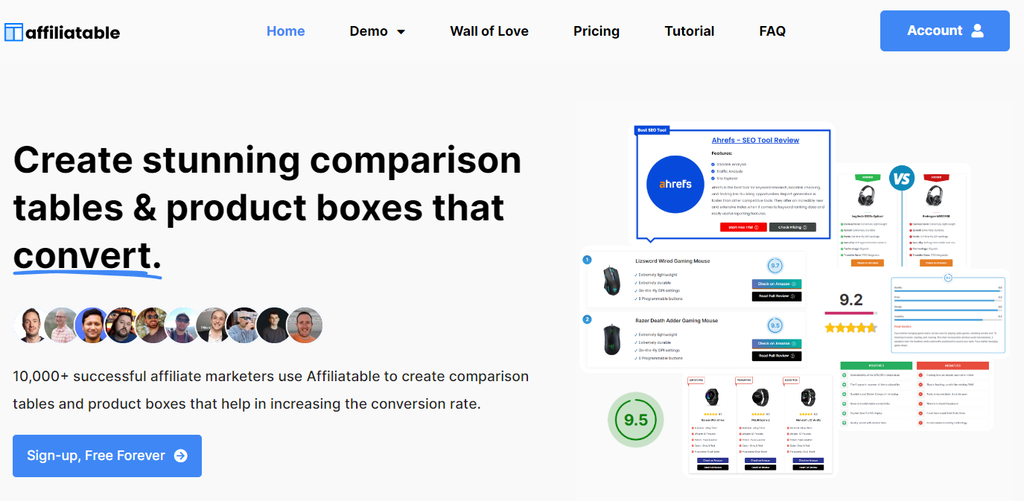
Affiliatable is an excellent plugin for Amazon associates looking for extensive support. Unlike other plugins, it uses a dedicated cloud-based panel to create and track affiliate links, ensuring compatibility with all content management systems (CMSs).
This plugin also supports Amazon API and offers design templates, allowing users to create product displays on their WordPress sites efficiently.
It uses shortcodes to insert Amazon affiliate links, ensuring the products display properly on different page builders. Plus, Affiliatable utilizes schema-optimized tables and serves the code via a content delivery network (CDN), providing optimal page load speed.
While convenient, you must connect the dedicated panel to your WordPress dashboard to begin the setup process. In addition, Affiliatable lacks automatic insertion or a link health checker.
Key features
- Vast compatibility – supports various content management systems and WordPress page builders, like Oxygen and Kadence Blocks.
- Duplicate tool – lets users clone an existing table or block, including their settings.
- Product catalog – stores all the product information in the dashboard to simplify management and updates.
- Schema-optimization – aggregates multiple database tables into one to reduce queries and improve loading speed.
How to pick the best WordPress Amazon Affiliate plugin
Due to the various options, choosing the best Amazon affiliate plugin for your WordPress site can be tricky. In this section, we will explore factors to consider during your research.
Assess your website’s requirements
The best WordPress plugins for Amazon associates depend on their website types and requirements. For example, WZone is suitable for online stores due to its WooCommerce integration and comprehensive marketing features.
If you are a seasoned blogger with many sponsored posts, choose Amazon affiliate WordPress plugins that automatically insert affiliate links. For example, Lasso automatically scans and replaces specific keywords with sponsored URLs.
Bloggers will also benefit from plugins with Amazon Associates API integration since they don’t need to update product information manually.
Feature prioritization
Since Amazon affiliate WordPress plugins offer different functionalities, choose one based on your prioritized feature. If you have many affiliate links, consider an extension with a centralized URL management panel to simplify administration.
For those prioritizing conversion optimization, ensure the Amazon affiliate WordPress plugin can display affiliate products visually to make them more enticing. Meanwhile, technical users might prefer a tool with custom code support to expand its functionality.
If your website has a global audience, the best Amazon affiliate plugins should offer geo-tagging to localize links and ensure users land on their local Amazon page. We recommend one with comprehensive tracking as it supports a more efficient affiliate strategy.
Determine your budget
Premium Amazon affiliate WordPress plugins might cost up to hundreds of dollars yearly. Since these tools are meant to help generate revenue, choose one according to your budget.
We recommend a WordPress plugin with license-based plans since you can calculate the total expense in advance. Also, choose one with a free version, demo, or full money-back guarantee to ensure the tool suits your needs before committing.
For new Amazon affiliates, a free plugin or plan might be sufficient. To further save costs, we recommend choosing a managed WordPress hosting plan with various built-in features. For example, Hostinger provides a malware scanner, staging tool, and free domain – perfect for protecting and optimizing your affiliate website.

Benefits of using a WordPress Amazon Affiliate plugin
When creating an affiliate website, you can add sponsored URLs or products manually. However, using an Amazon affiliate WordPress plugin can bring various benefits, including:
- Simpler link management – provides a centralized area to list and customize all affiliate links on your website. Some WordPress Amazon affiliate plugins also let you download the URLs for easier editing.
- Link cloaking and shortening – automatically hides the affiliate ID on your links to prevent hijacking. Amazon affiliate plugins also shorten your URL to improve trustworthiness since longer ones resemble phishing.
- Automatic product update – integrates the Amazon API into your affiliate links. It allows product information on your website to update automatically.
- Easy reporting – provides a comprehensive report of your link engagement, sales performance, and revenue. Without an Amazon affiliate WordPress plugin, you would need to summarize them manually.
- Time saver – lets you display affiliate links in multiple areas with a single click. Also, some plugins automatically detect keywords on your posts and replace them with the corresponding Amazon URLs.
- Visual appeal – creates enticing comparison tables or lists to effectively promote Amazon products on your website.
Remember that the benefits differ based on each plugin’s features, so finding the best Amazon affiliate plugin for WordPress depends on your specific needs.
Conclusion
WordPress Amazon affiliate plugins allow users to easily feature sponsored products and track link performance on their website. However, choosing one can take time since there are various options with different features.
To help you make an informed decision, we have explored the nine best WordPress Amazon affiliate plugins. Here are some of the most notable ones:
- Hostinger Amazon Affiliate Connector – best for displaying Amazon products and affiliate links in WordPress posts.
- AAWP – great for Amazon affiliates looking for a one-stop plugin with various templates, a tracking feature, and integrations.
- ThirstyAffiliates – suitable for affiliate marketers needing detailed link performance and revenue reports.
- WZone – best for WooCommerce Amazon affiliates looking for seamless integration and comprehensive selling features.
- Pretty Links – excellent affiliate link plugin for WordPress users wanting to easily manage and organize their sponsored URLs.
While you can insert Amazon affiliate links manually, a WordPress plugin helps track your sponsored content performance. They also simplify management and maintenance since plugins with API will automatically update your affiliate product information.
WordPress Amazon Affiliate Plugin FAQ
In this section, we will answer several common questions about using a WordPress Amazon Affiliate plugin.
What is an Amazon Affiliate WordPress plugin?
An Amazon affiliate WordPress plugin is an extension that lets you feature sponsored products from the marketplace on your website. You can display them in comparison tables, lists, or boxes.
Some Amazon affiliate plugins also offer features like click monitoring, localized links, and revenue reporting.
Why is it important to use an Amazon Affiliate plugin on my WordPress site?
A WordPress plugin helps you effectively promote Amazon products on your site. For example, it lets you automatically insert affiliate links on multiple posts and track the engagement rate.
In addition, some other Amazon affiliate plugins automatically update the product information, simplifying the maintenance process.
Are there free Amazon Affiliate WordPress plugins?
Yes. While a completely free plugin for Amazon affiliate links is uncommon, there are various freemium options like Pretty Links and ThirstyAffiliates.
Note that free WordPress plugins often have limited features and support. Moreover, they usually only support a single site.
How can I track the performance of my Amazon Affiliate links?
Amazon affiliate links contain a tracking ID that monitors how many times users click the URL.
For a WordPress website, you can use a plugin like ThirstyAffiliates or Affiliatable for built-in tracking functionality.
All of the tutorial content on this website is subject to Hostinger's rigorous editorial standards and values.

Aris is a Content Writer specializing in Linux and WordPress development. He has a passion for networking, front-end web development, and server administration. By combining his IT and writing experience, Aris creates content that helps people easily understand complex technical topics to start their online journey. Follow him on LinkedIn.

Marco Chiesi is the Head of WordPress at Hostinger, with over 20 years of experience as a software engineer in the web industry. He specializes in open-source technologies and the WordPress ecosystem, where he has contributed in different areas: Plugin Developer (with over 10 million downloads), WordCamp speaker and organizer, Meetup organizer, Translator, and Core Contributor. He is passionate about leading his team to create innovative solutions for Hostinger's web hosting product, which hosts over 5 million WordPress installations. Follow him on LinkedIn.