Agency Hosting uses Nginx web server architecture. The good news is Hostinger’s Agency Hosting now supports .htaccess files. You can create or edit .htaccess directly via File Manager or SSH, and your configurations will take effect on the server.
Everything you did with .htaccess can also be accomplished through our hPanel. You can manage common configurations through hPanel as an alternative to .htaccess.
Common .htaccess tasks & Agency hosting alternatives
1. URL Redirects
Old way (.htaccess):
Redirect 301 /old-page.html /new-page.html
RewriteRule ^old-category/(.*)$ /new-category/$1 [R=301,L]
Agency hosting way:
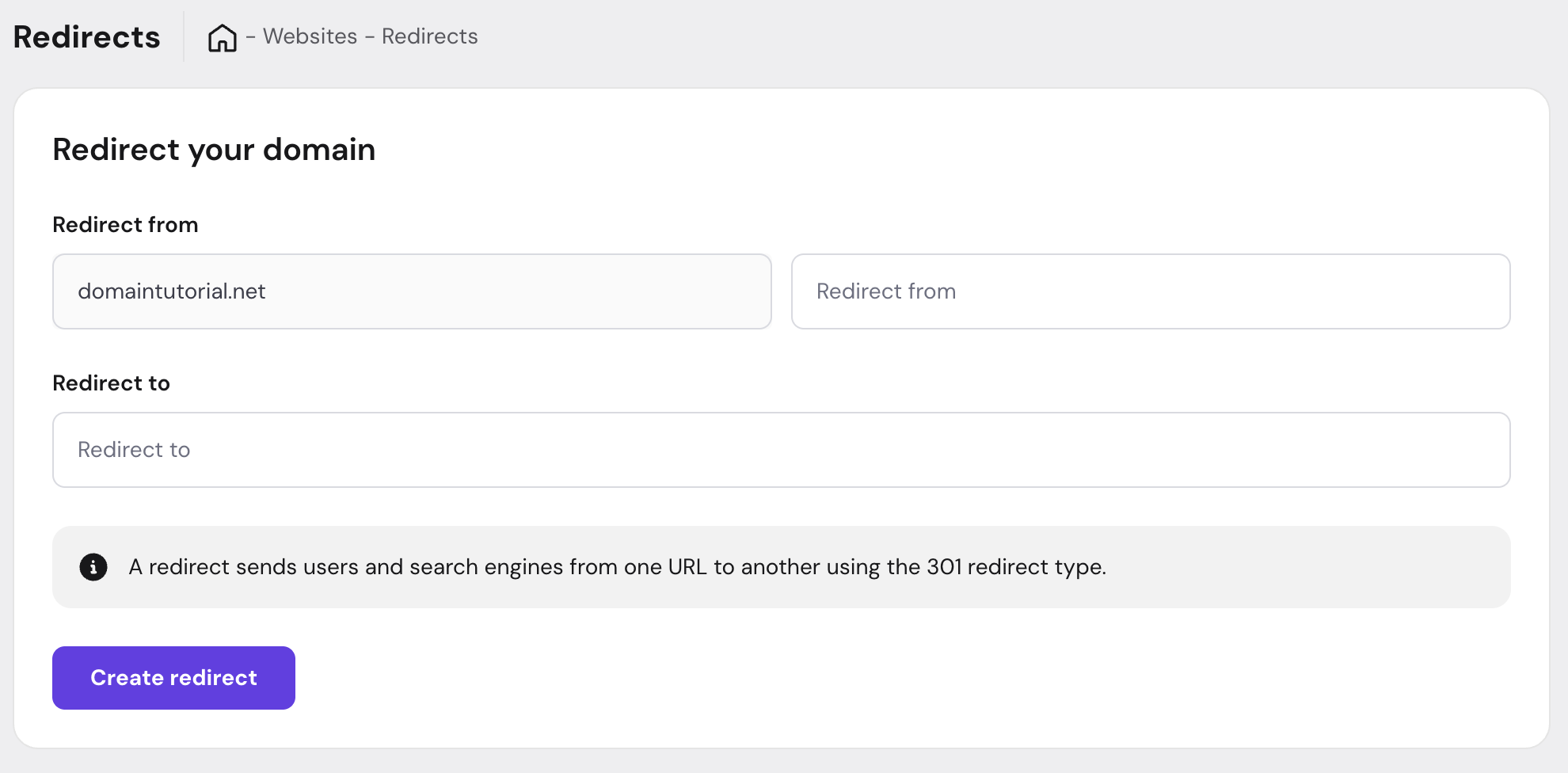
Use the Redirects feature in your control panel:
- Navigate to your website settings
- Go to Domains – Redirects section inside your website dashboard
- Select the URL path you want to redirect from and to:
2. IP Blocking & Access Control
Old way (.htaccess):
Order Deny,Allow
Deny from 192.168.1.100
Allow from all
Agency hosting way:
Use the IP Blacklist feature:
- Go to Security section in your website dashboard
- Select IP Blackslist
- Add IP addresses to block
- Save changes

3. Force HTTPS
Old way (.htaccess):
RewriteEngine On
RewriteCond %{HTTPS} off
RewriteRule ^(.*)$ https://%{HTTP_HOST}/$1 [R=301,L]
Agency hosting way:
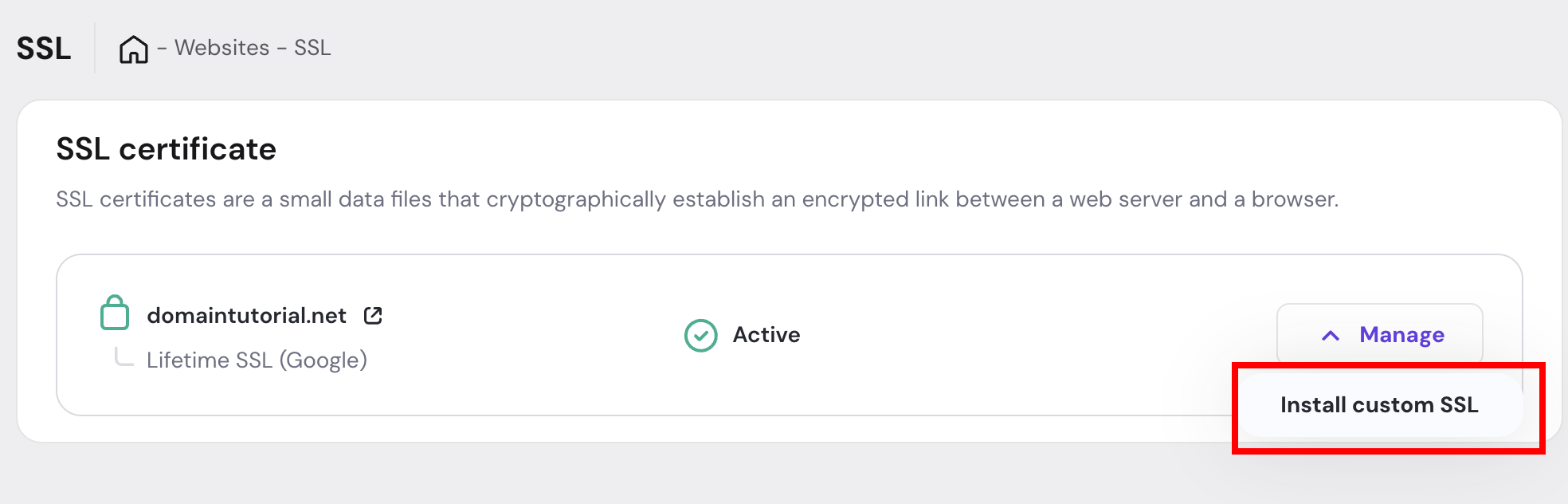
SSLs are installed automatically. But if you want to install a Custom SSL, you can do that by following these steps
- Go to Security section in your website dashboard
- Select SSL
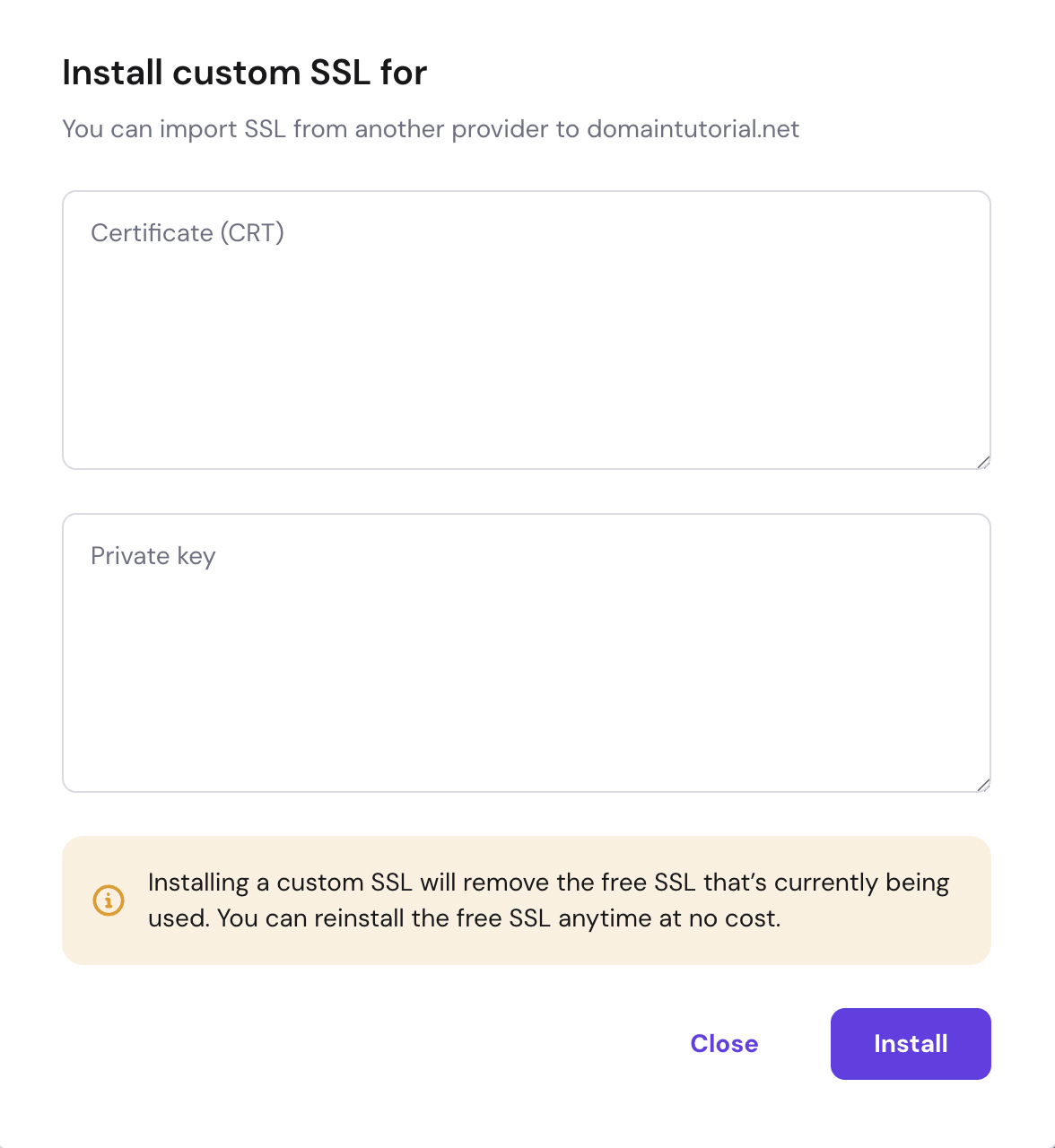
- Click “Manage” and “Install custom SSL”

- Follow instructions shown in the modal