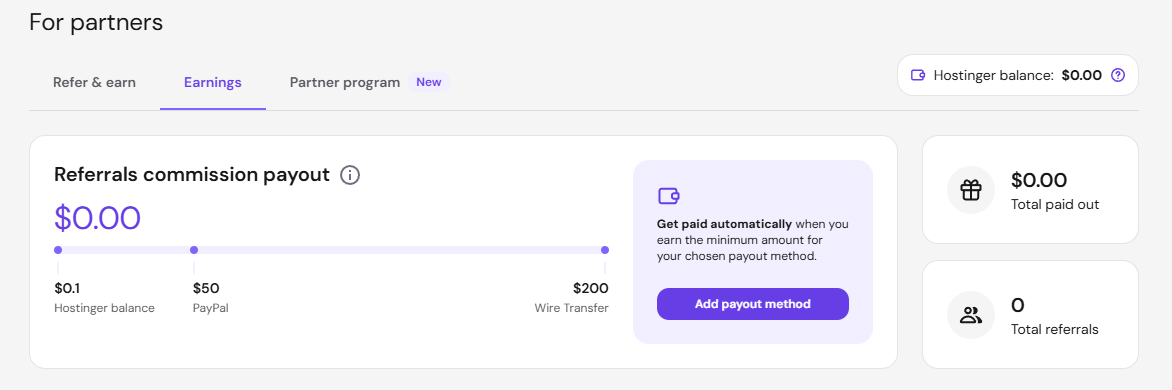
Manage referred clients and commissions in the Hostinger Partner Program from the Earnings page in the Hostinger dashboard. Approved partners can search their referred clients, open each client’s commission breakdown, and check which commissions are qualified or approved for payout. This view replaces the standard referral earnings table.
Before you start
- You must be an approved member of the Hostinger Partner Program.
- This interface is specific to Partner Program features and differs from standard referral dashboards.
Navigate to the Hostinger Partner dashboard
- Log in to your Hostinger dashboard account.
- Click Refer & earn in the sidebar, then navigate to Earnings. Your dedicated referral experience dashboard loads.
Manage the clients view
- Click Earnings
- Select the Clients. This view displays all of your referred clients, not just new sign-ups.
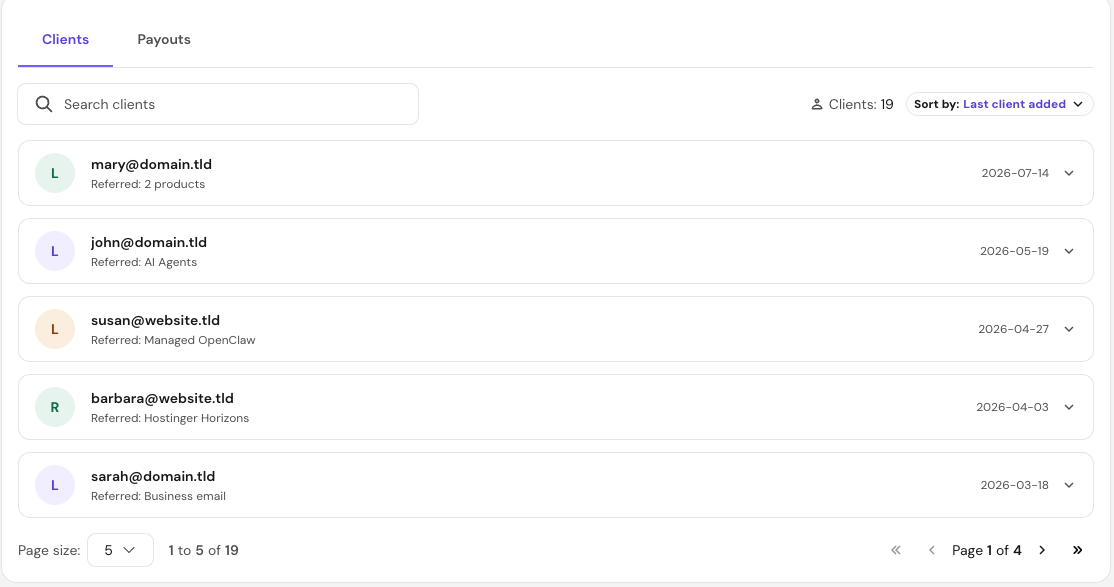
- To find a specific customer, use the search bar to search by email address.
- Use the pagination controls at the bottom of the table to navigate through large lists.
The total count of your referred clients is visible at the top of this view.

Manage commissions details
- Click on any row within the Clients list to expand the inline details panel.
- Review the following metrics at the top of the panel:

- Commissions qualified: Total rewards currently meeting standard program criteria.
- Commissions approved: Finalized earnings approved for payout. Approved commissions older than 2 years that haven’t been withdrawn are removed from your balance.
- Products referred: The specific Hostinger products purchased by the customer.
- Referral start date: The exact date the customer tracking began.
- Scroll down within the inline panel to view the complete event breakdown.
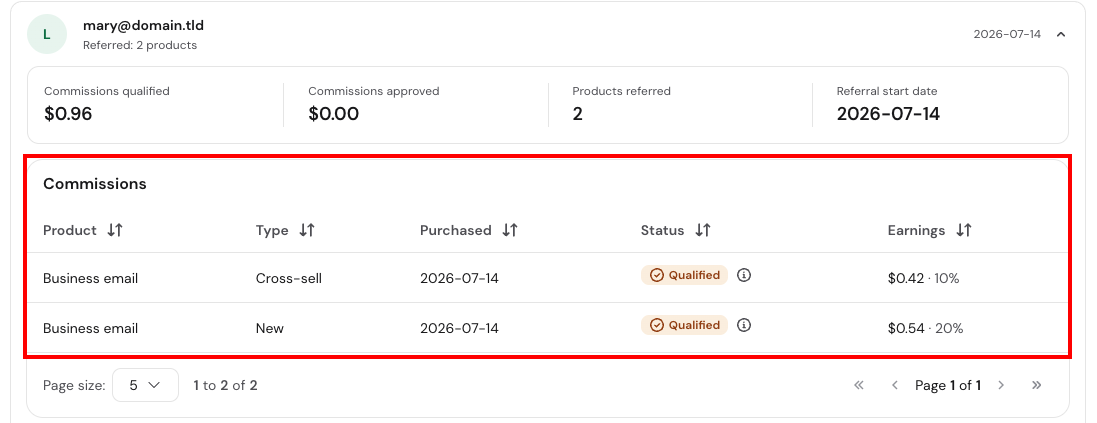
- A comprehensive log displays individual entries for every commission event, tracking the specific product, event type, date, current status, and individual earnings rate.
- Special promotional or campaign-based commissions are automatically highlighted for easier tracking.
An empty state message appears in this panel if the selected client has not generated any commission events yet.
The Hostinger Partner dashboard serves as your primary tool for monitoring referral growth. By regularly checking the clients list and expanding individual breakdowns, you can accurately track your active pipeline, verify qualified rewards, and analyze which referred products generate the highest earnings rate.