Hostinger AI Website Builder for WordPress generates a dark theme for your site based on your site’s mood, industry, and prompt description. This applies during the initial AI generation step, when you can guide the tone of your site before it’s built, or afterward, when you select a palette manually.
Before you start
- Set up your WordPress site with Hostinger AI Website Builder for WordPress if you haven’t created one yet, since dark theme generation happens as part of that setup flow.
Generate a dark theme during AI site creation
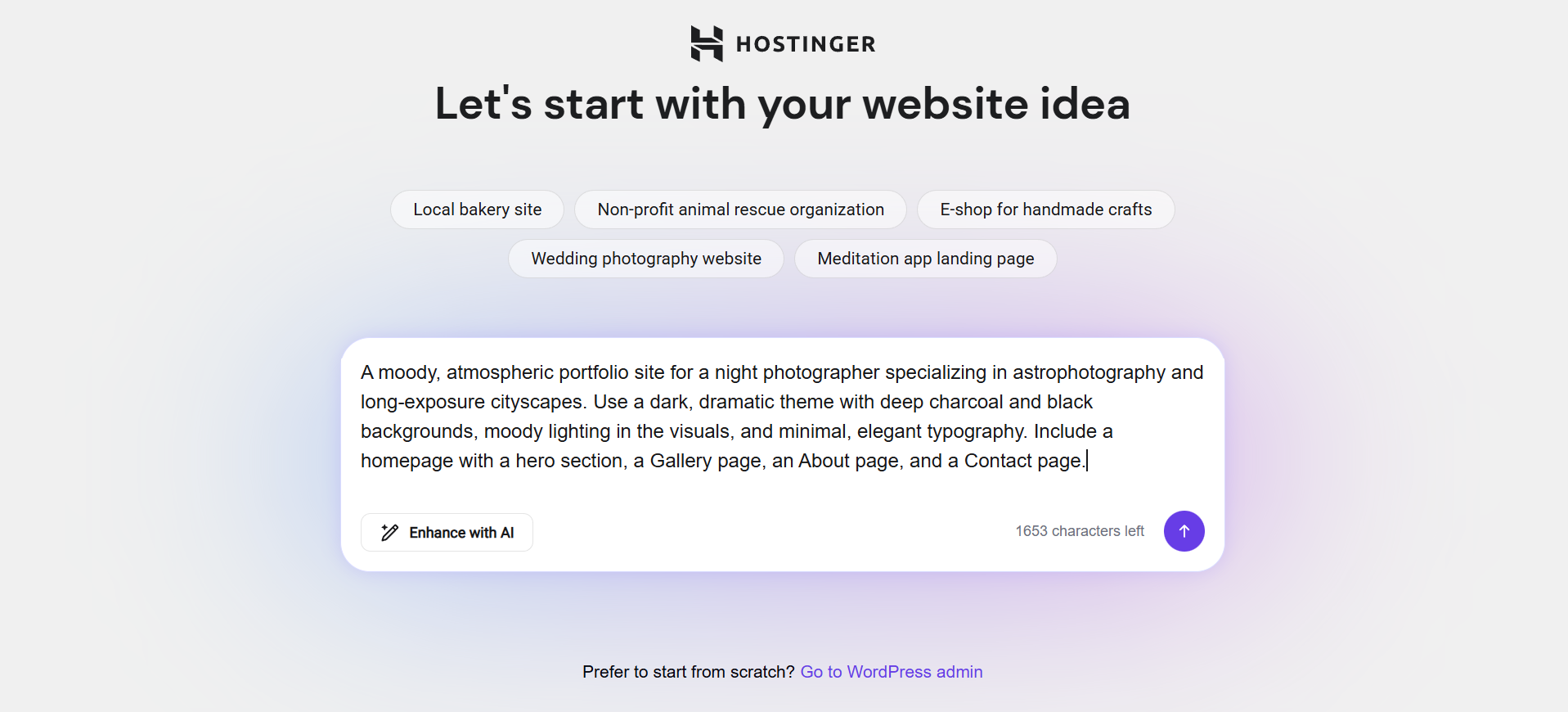
- Describe your website idea in the prompt field on the initial setup screen, including mood-related details such as “moody,” “dramatic,” or “dark aesthetic” if you want a dark-themed result.
- Click Enhance with AI if you want the AI website assistant to expand your description before generating the site.
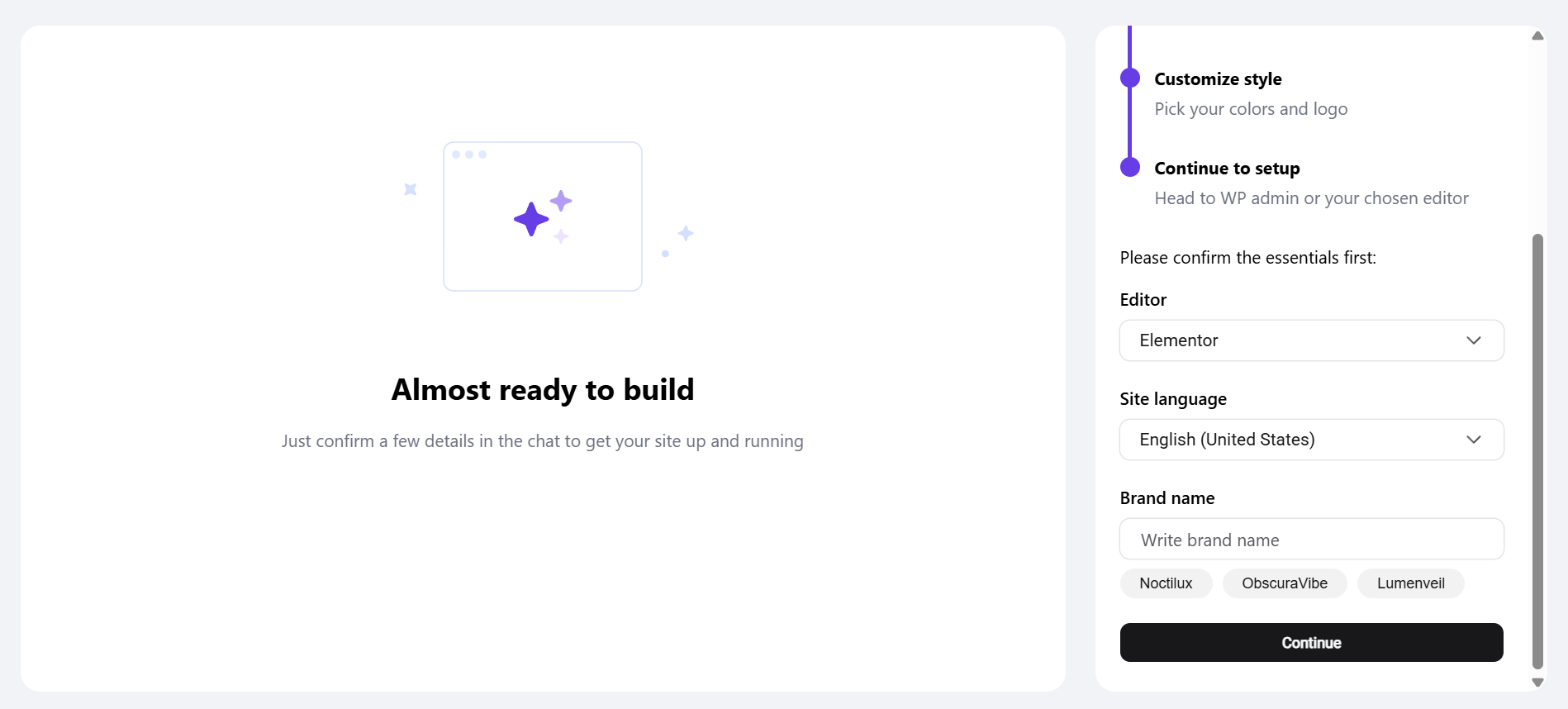
- Confirm your editor, site language, and brand name in the AI website assistant chat. The AI website assistant suggests brand names that match your site’s mood and industry.
- Confirm the pages you want included on your site, or remove and add pages as needed, when the AI website assistant suggests them.
- Choose whether to add your contact details when the AI website assistant asks, or click Continue to skip them.
- Choose whether to add your social media links when the AI website assistant asks, or click Continue to skip them.
- Wait for the AI website assistant to generate your site, based on your brand name, industry, and mood description.
The AI website assistant selects light or dark mode automatically based on your prompt and industry, and all generated palettes meet WCAG (Web Content Accessibility Guidelines) contrast standards.
Choose a dark color palette after generation
- Open the customization panel that appears after your site finishes generating.
- Click Colors in the customization panel.
- Select a dark-toned palette from the available options, such as a palette with a black or charcoal background.
- Click Finish customization to apply the selected palette to your site.
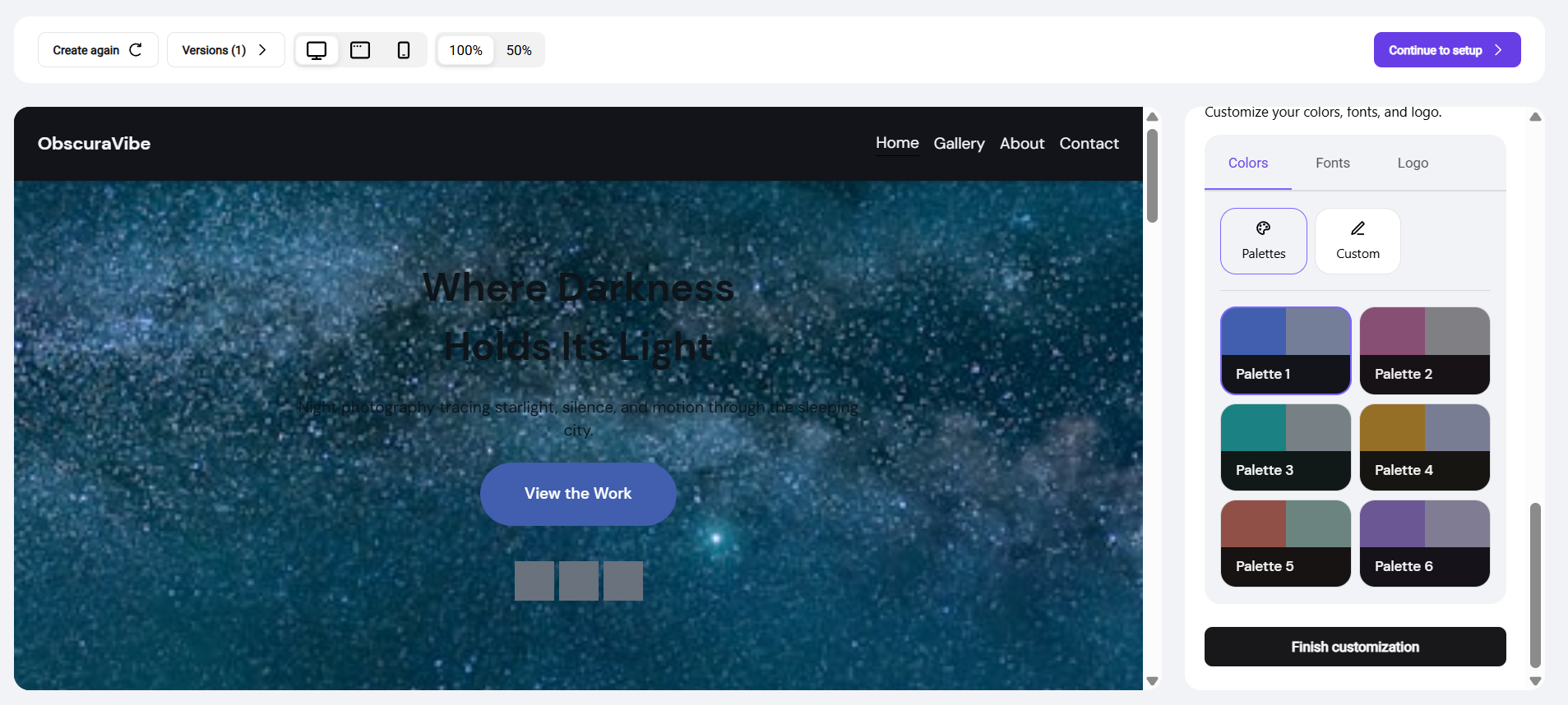
Hostinger AI Website Builder for WordPress automatically sets your text color to an accessible, contrasting shade whenever you select or adjust a background color, so text remains readable against dark backgrounds.
Your WordPress site now uses the dark theme you generated or selected, with accessible color contrast applied across all pages.
NOTE
- Palette options and mood-based generation may vary depending on your site’s industry and the description provided in the initial prompt.