Connect your Hostinger account to the ChatGPT app to generate a new website using Hostinger AI Builder agentic mode with AI prompts, providing a fast start for your web project before finalizing it in Hostinger AI Builder.
Before you start
You’ll need:
-
An active ChatGPT account.
-
An existing Hostinger hosting plan.
How to connect and use Hostinger AI Builder agentic mode on ChatGPT
Follow these steps to enable the integration and generate your first website:
-
Log in to your ChatGPT account.
-
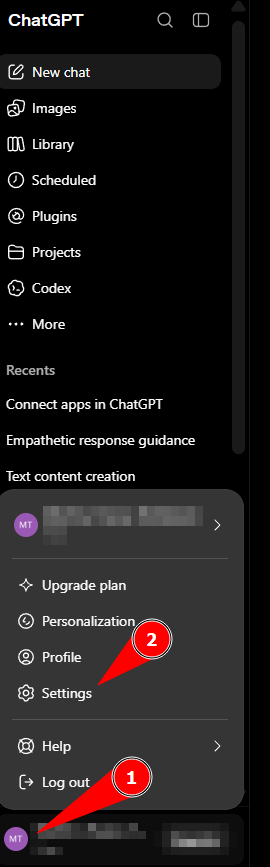
Click your account name at the bottom of the left sidebar and select Settings.

-
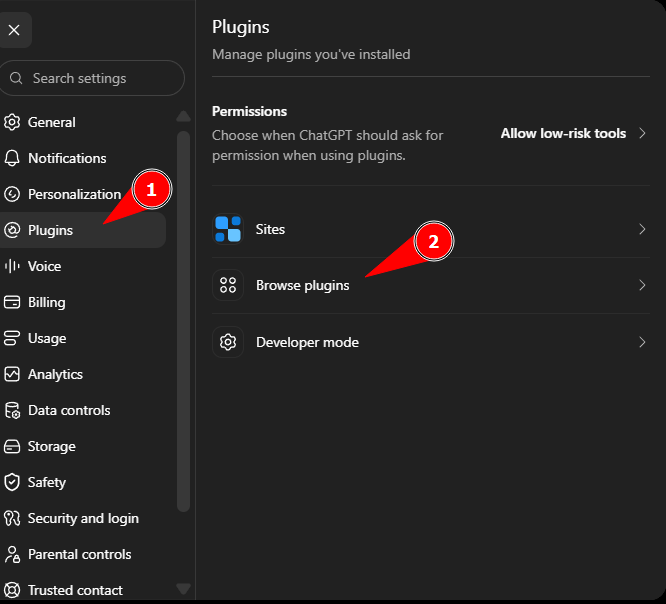
Select Plugins, then click Browse plugins.

-
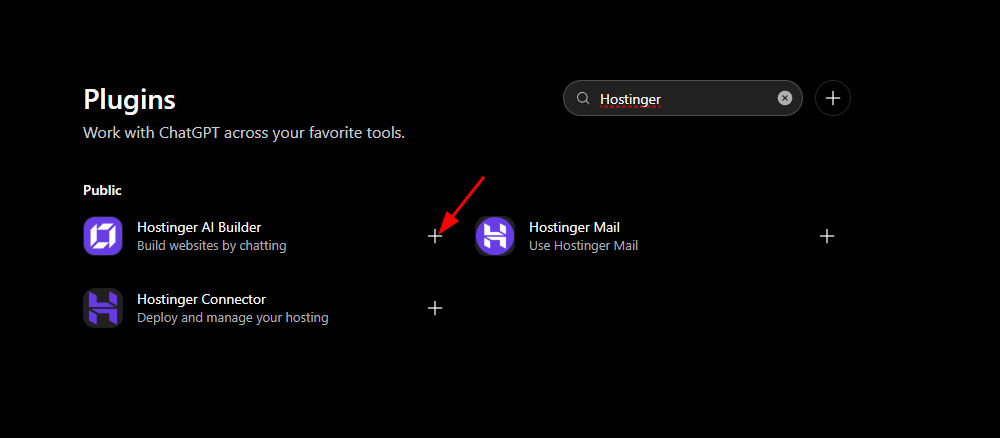
Search for Hostinger and click the + icon next to Hostinger AI Builder.

-
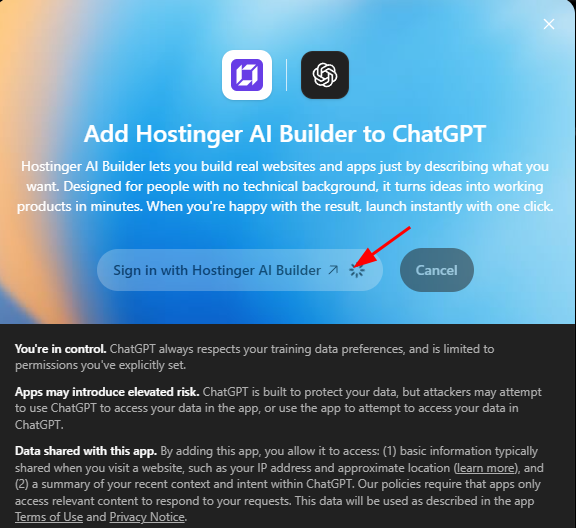
Click Sign in with Hostinger AI Builder.

-
Log in to your Hostinger account and authorize the connection.
-
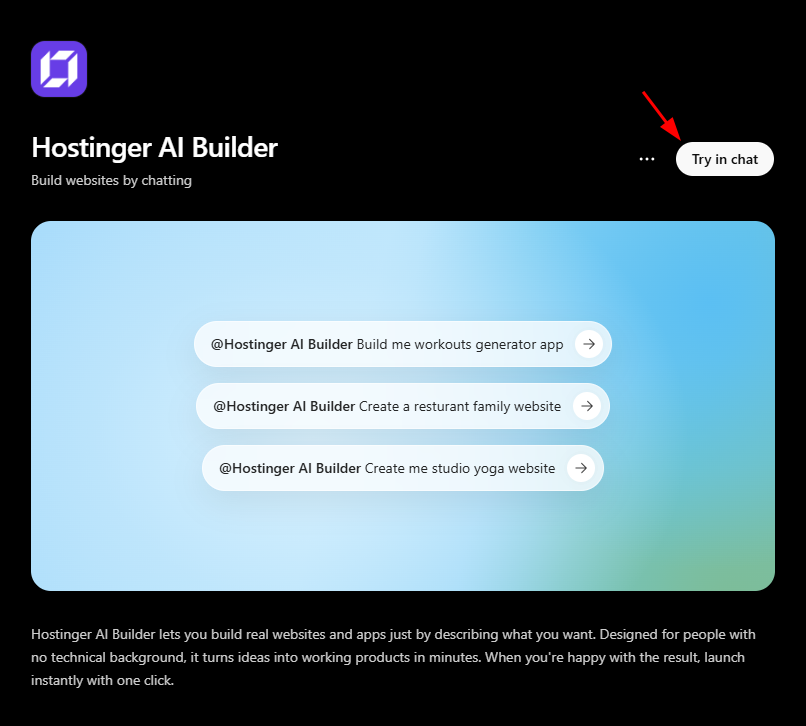
Once redirected back to ChatGPT, click Try in chat on the Hostinger AI Builder plugin page.

-
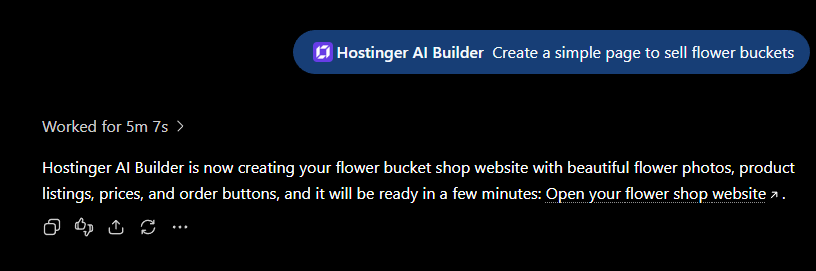
Enter a prompt describing the website you wish to create.
- Wait for Hostinger to process the content. The plugin provides a link to review your new website.

See how to build a fully functional website by connecting ChatGPT to Hostinger AI Builder:
After completing these steps, you will have a website draft generated by Hostinger AI Builder. You can then access the provided link to refine your site’s design and settings within the Hostinger interface.