When you deploy an application like n8n or OpenClaw from the Hostinger Docker Catalog, it is assigned a default temporary hostname (e.g., n8n-xxxx.srv123.hstgr.cloud). To use your own custom domain (e.g., n8n.example.com) with full HTTPS (SSL) support, you must update the project’s configuration and configure your DNS settings.
Step 1 – Prepare your DNS (Cloudflare or other providers)
Before changing the configuration in Hostinger dashboard, your domain must point to your server:
- Create an A record for your desired subdomain (e.g., n8n).
- Set the Content/Target to your VPS IP address.
- Important: If using Cloudflare, set the Proxy status to DNS-only (gray cloud) during the initial setup. You can reactivate the proxy (orange cloud) once the SSL certificate is successfully issued.
Step 2 – Update the Docker Compose configuration
You must tell the Docker container to listen for requests coming from your custom domain instead of the temporary one.
- Go to your Hostinger dashboard → VPS → Manage.
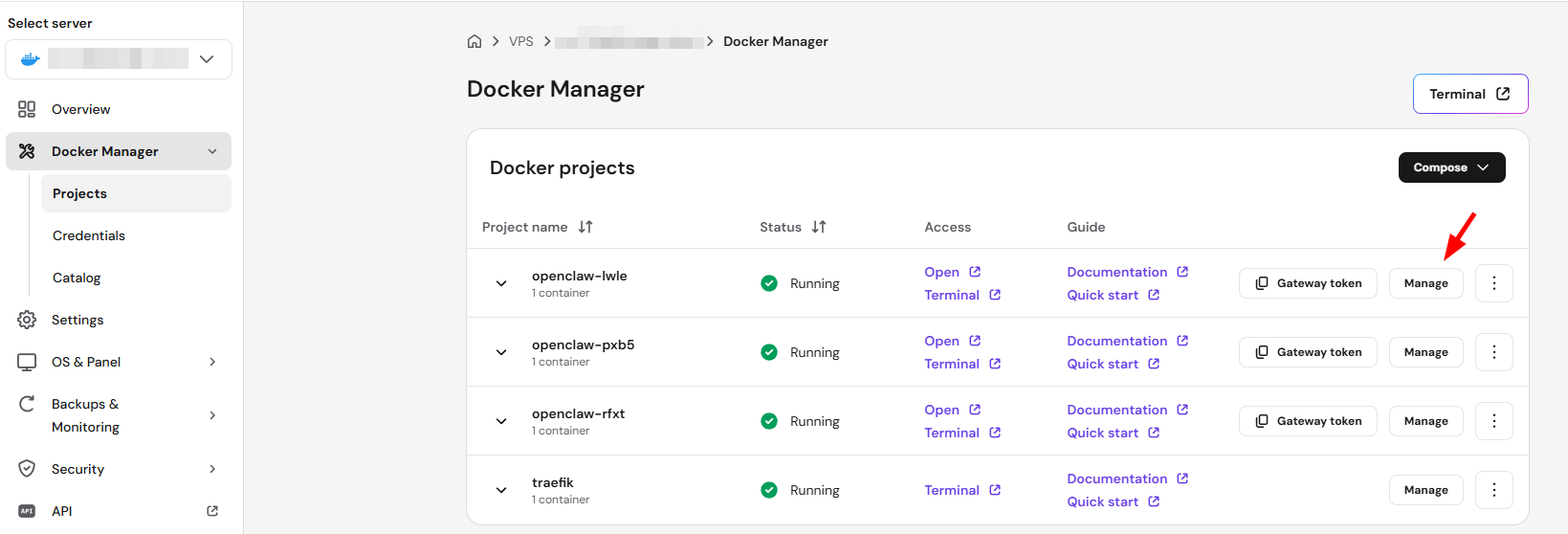
- Navigate to the Docker Manager section.
- Locate your active project (e.g., n8n) and click the Manage
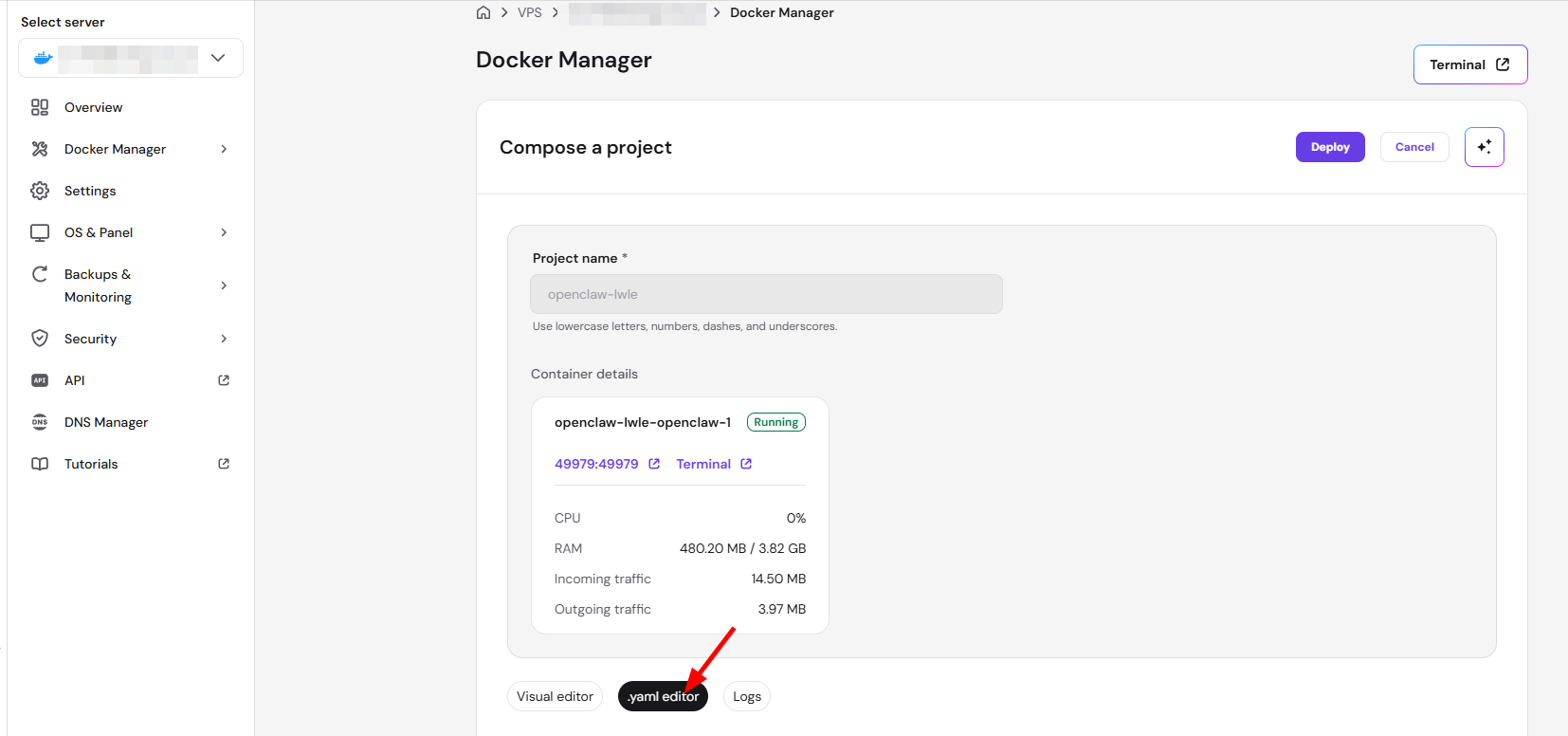
- Then access the .yaml editor.
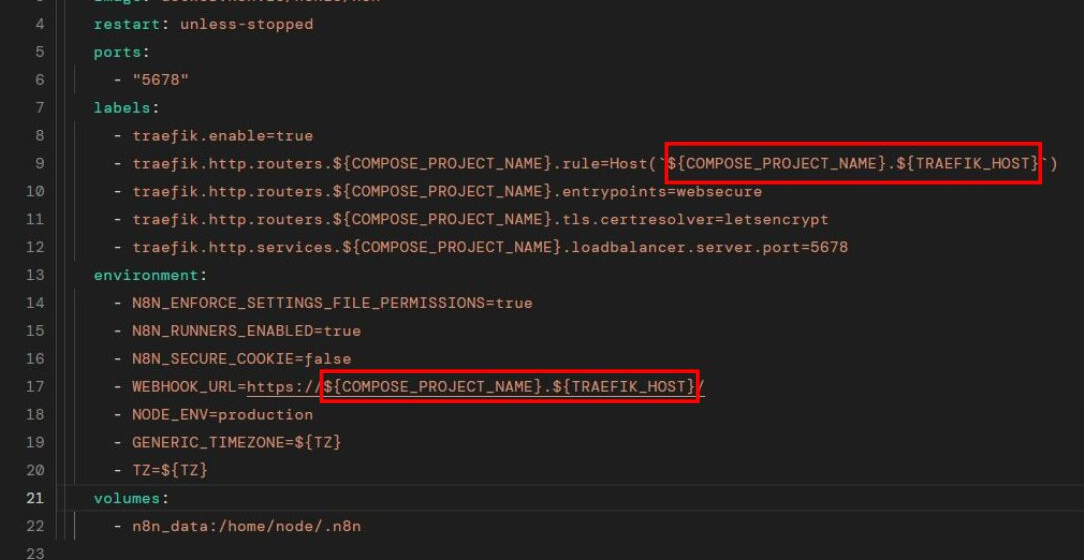
- Locate the labels section in the YAML file. Look for lines mentioning Host rules.
- Change the default hostname to your custom domain in the following places:
- traefik.http.routers.[project-name].rule=Host(‘yourdomain.com’)
- traefik.http.routers.[project-name]-secure.rule=Host(‘yourdomain.com’)
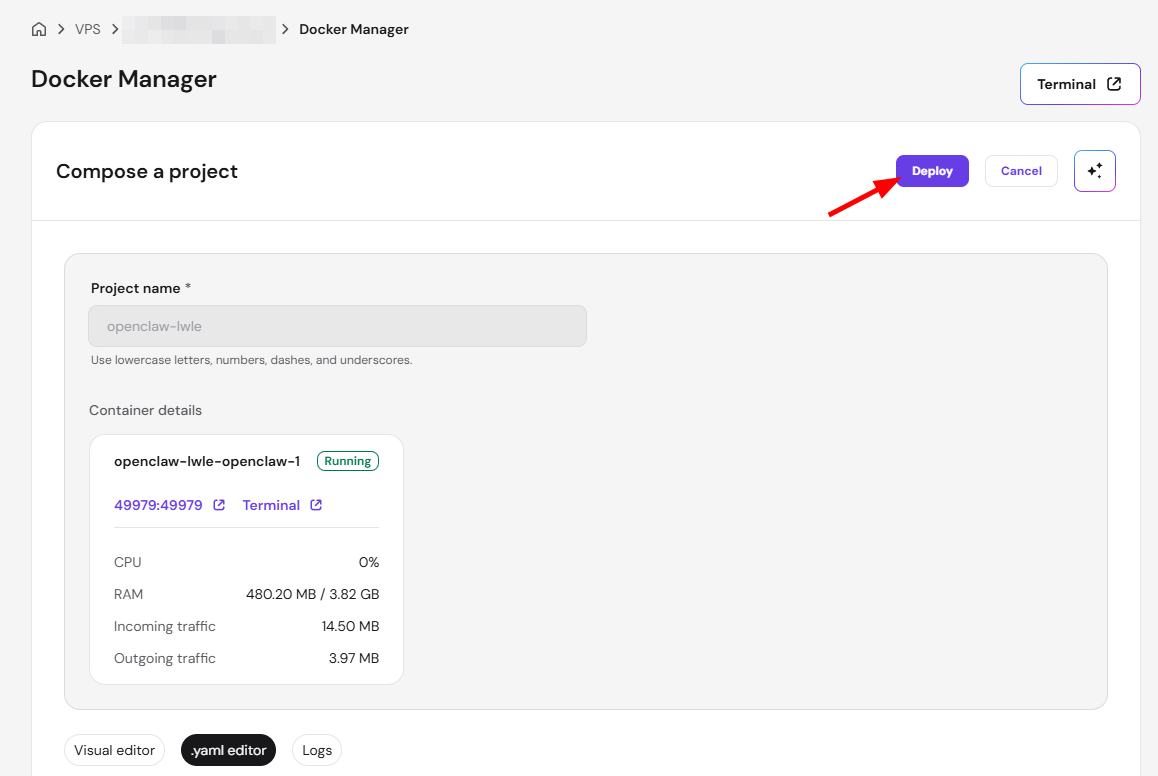
- Deploy the container to apply the changes.
Step 3 – Verify SSL and Connectivity
Once redeployed, Traefik will automatically attempt to issue a Let’s Encrypt SSL certificate for your new domain.
- Wait 1–3 minutes for the SSL handshake to complete.
- Open your site in an Incognito/Private window to avoid cached errors.
- If you encounter an ERR_TOO_MANY_REDIRECTS error, ensure your Cloudflare SSL/TLS encryption mode is set to Full (strict) or that the Cloudflare proxy is temporarily disabled.
By updating the Traefik Host labels in your Docker configuration, you can easily transition from a temporary development URL to a professional custom domain. This setup ensures that your Docker applications remain secure with automated HTTPS certificates.
NOTES
- SSL Renewal: If you use Cloudflare proxies, you may need to briefly disable them.
- Port Conflicts: Do not change the internal container ports unless you are an advanced user, as this can break the reverse proxy routing.
- Backups: Before making changes to your YAML configuration, it is highly recommended to create a VPS Snapshot as a recovery point.
- Project management: After changing the domain, see how to manage your Docker projects at Hostinger to monitor the container’s status and confirm the update deployed correctly.