Rewrite This in Hostinger Reach uses AI to improve selected text in email templates and sign-up forms, with seven options: Shorten, Lengthen, Rewrite, Fix Grammar, Professional, Friendly, and Persuasive. Select text in the visual editor, click Rewrite This, and pick an option or describe your own change.
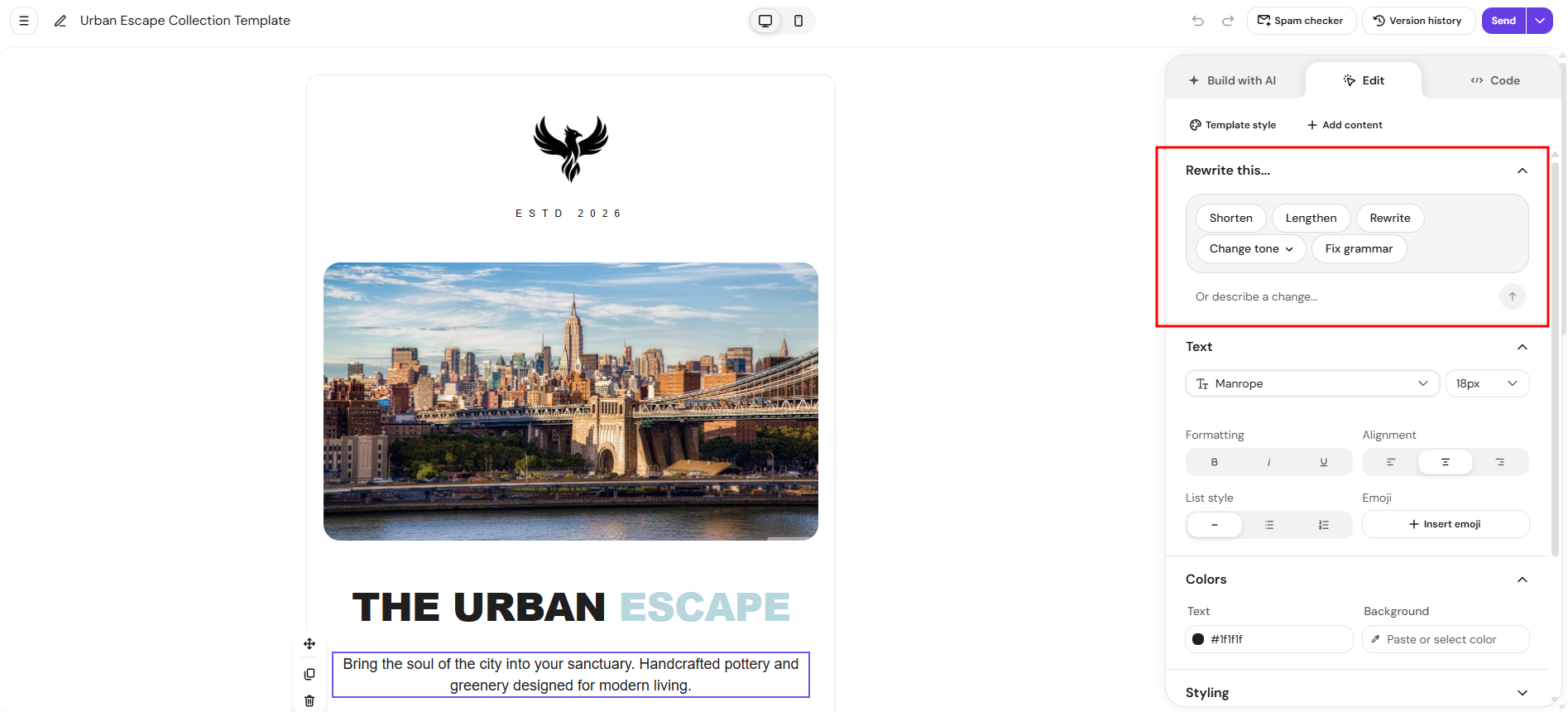
How to use Rewrite This
-
Open an email template or sign-up form in Hostinger Reach.
-
Select the text you would like to improve.
-
In the visual editor, click Rewrite This.
Select one of the available AI-powered options to transform your text:
-
Shorten – Make the text more concise.
-
Lengthen – Add more detail and context.
-
Rewrite – Rephrase the text while keeping the original meaning.
-
Fix Grammar – Correct grammar, spelling, and punctuation mistakes.
-
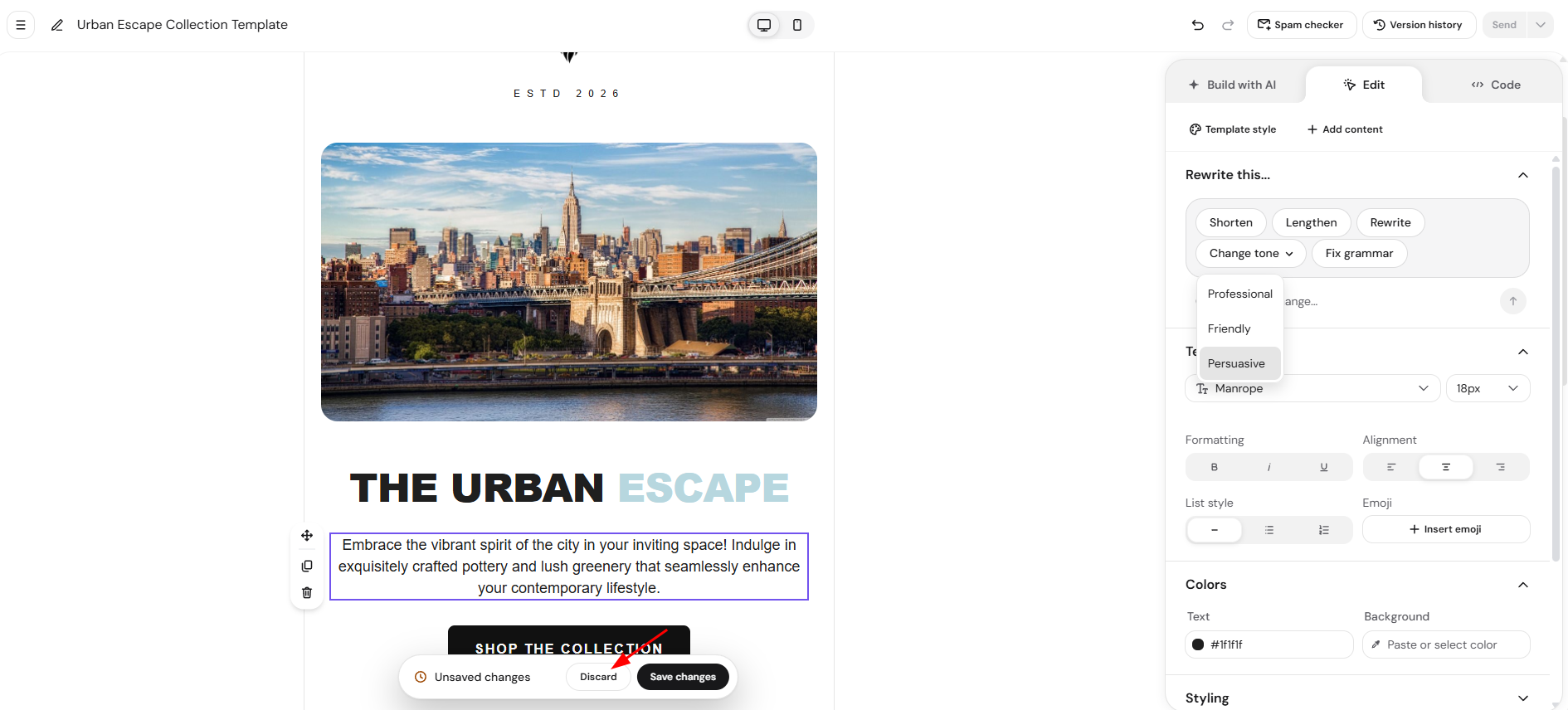
Professional – Adjust the tone to sound more professional.
-
Friendly – Make the text warmer and more approachable.
-
Persuasive – Make the message more compelling and action-oriented.
Hostinger Reach instantly generates an improved version of your text.
Undo changes
If you are not happy with the result, click Discard to restore the original text at any time.
Describe your own changes
If you need something more specific, you can provide custom instructions. Below the predefined options, a prompt field allows you to describe exactly how you want to change the text.
Examples:
-
“Make it sound more enthusiastic.”
-
“Simplify the language for beginners.”
The AI uses your instructions to generate a revised version of the selected text.
NOTES
- Rewrite This only changes the text content.
- The feature does not modify text styling, formatting, colors, fonts, or layout.
- You can continue editing the generated text manually after it has been rewritten.
- The Rewrite This feature is free to use.
With Rewrite This, you can polish any text in your Hostinger Reach email templates and sign-up forms in a few clicks, and click Undo on any change you don’t want.