You can reduce the total number of allowed mailboxes in your Hostinger email plan directly from your hpanel. This feature allows you to adjust your email plan capacity dynamically without needing to cancel or downgrade your entire email subscription.
Reduce the mailbox quantity
-
Log in to your Hostinger account to access Hostinger dashboard.
-
Navigate to the Emails section and click Mailboxes button to open the management dashboard for your specific email plan.
-
On the Manage mailboxes section, locate the Add mailboxes option.

-
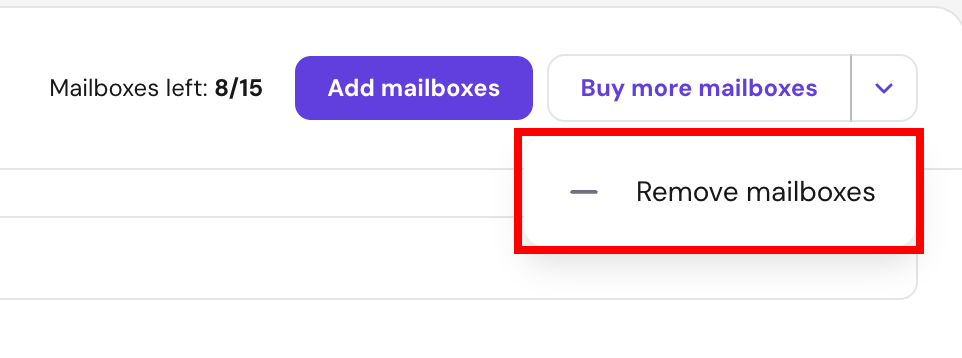
Click the dropdown arrow next to Add mailboxes and select Remove mailboxes.
-
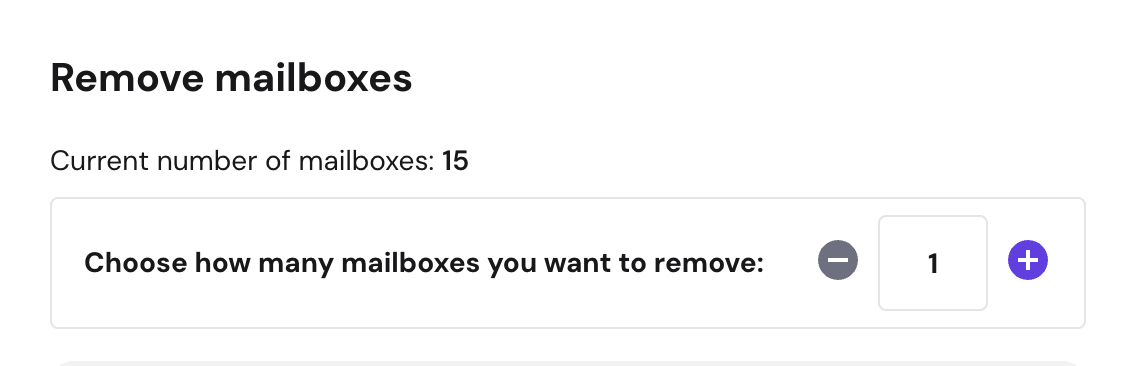
In the configuration modal that appears, specify the exact number of mailboxes to remove from your plan.
-
Select your preferred refund method for the removed capacity:
-
Credits to Hostinger balance: the calculated refund is added to your internal Hostinger account balance immediately.
-
Refund to original payment method: the refund is processed back to your original payment gateway within 3–10 business days.
-
-
Confirm the changes to complete the mailbox reduction.
The maximum mailbox limits for the Hostinger email plan update instantly in your dashboard, and the selected refund method initiates automatically.