Add text to your Hostinger AI Builder manual mode website using the text element.
Add text
- Open the AI builder.
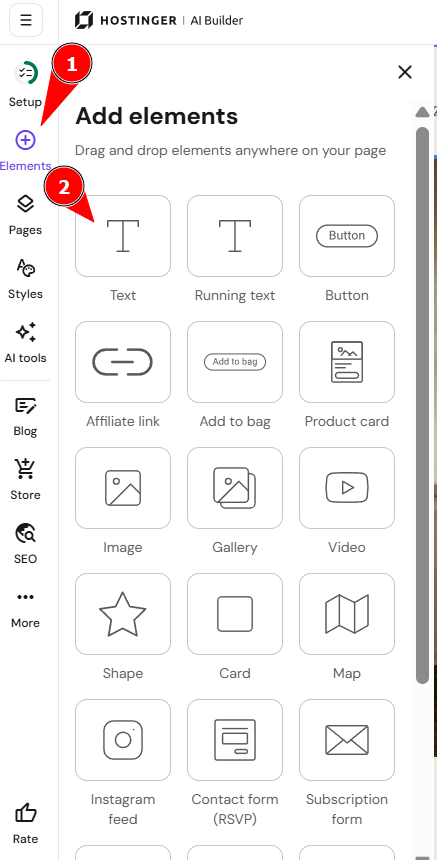
- Expand the Add element menu on the left.
- Then, drag and drop a text element onto the desired section on your page:
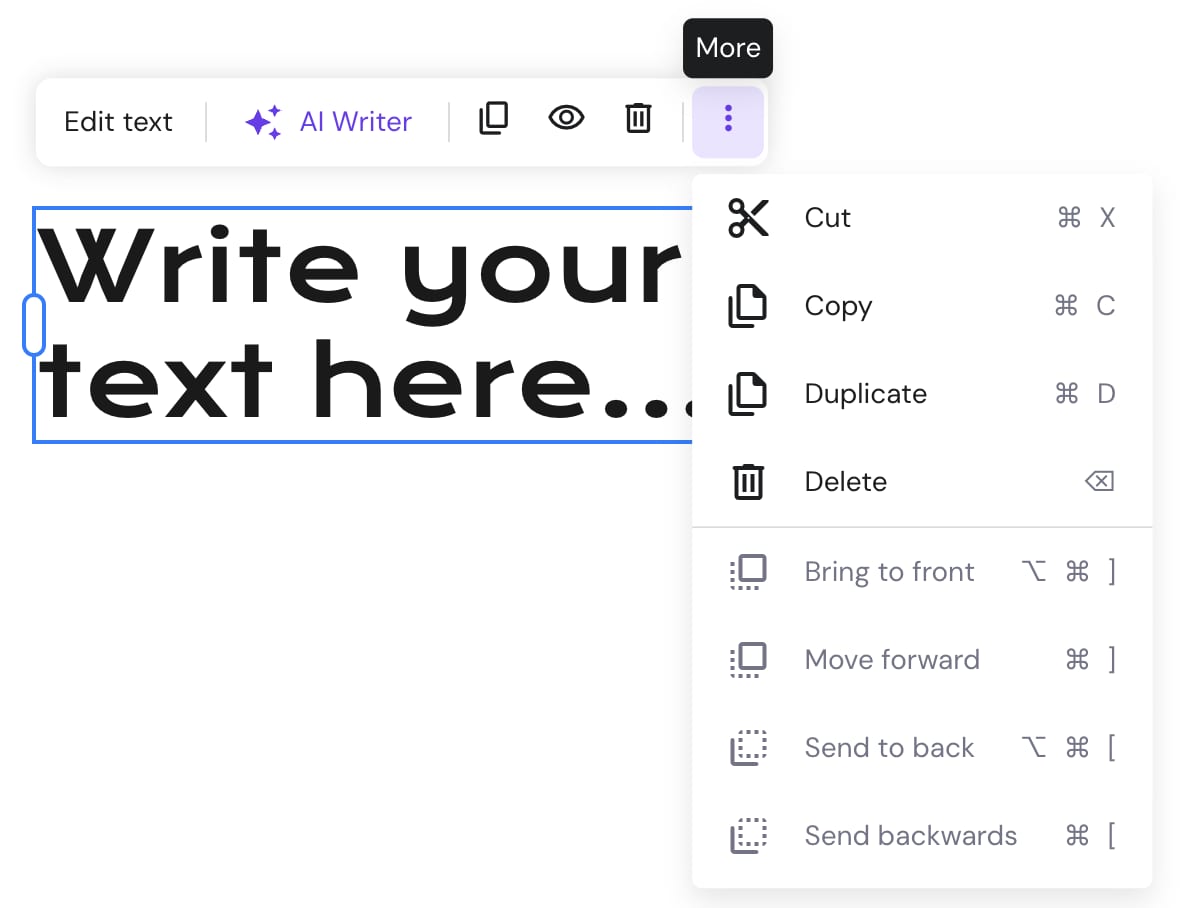
- Click on the text element to view more options (edit, duplicate, hide, delete, resize, etc.):
- You can use a variety of text editing tools by clicking on Edit text:
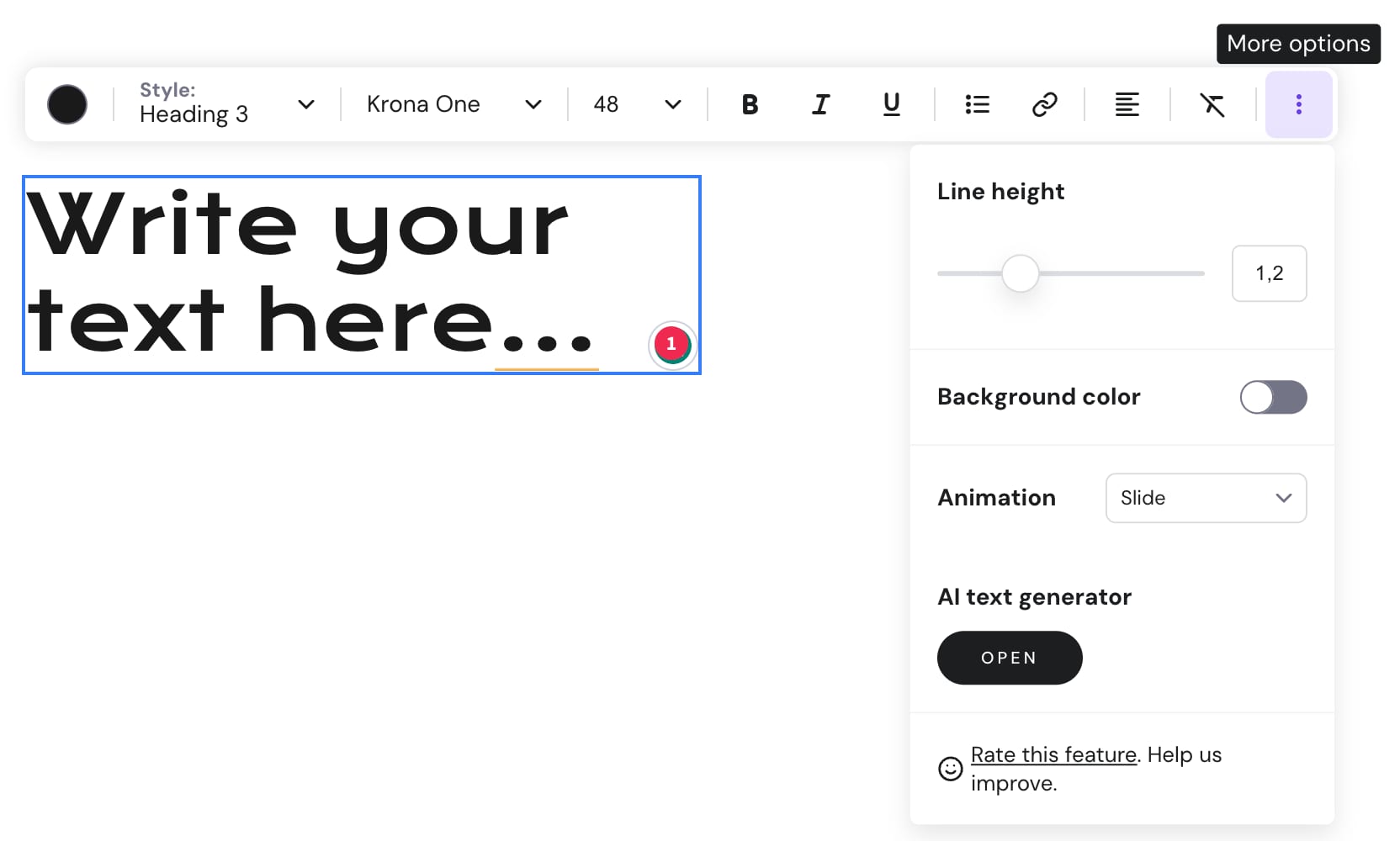
Your text is now added and ready to customize.
NOTES
-
There are two ways to change the text style:
-
Globally – affects all the text of a particular style
-
Locally – affects a particular text element
-
-
Learn how to upload a custom font