Turn a published blog post into a draft in Hostinger AI Builder manual mode at any time, so it’s no longer available online until you publish it again.
Unpublish from the blog management panel
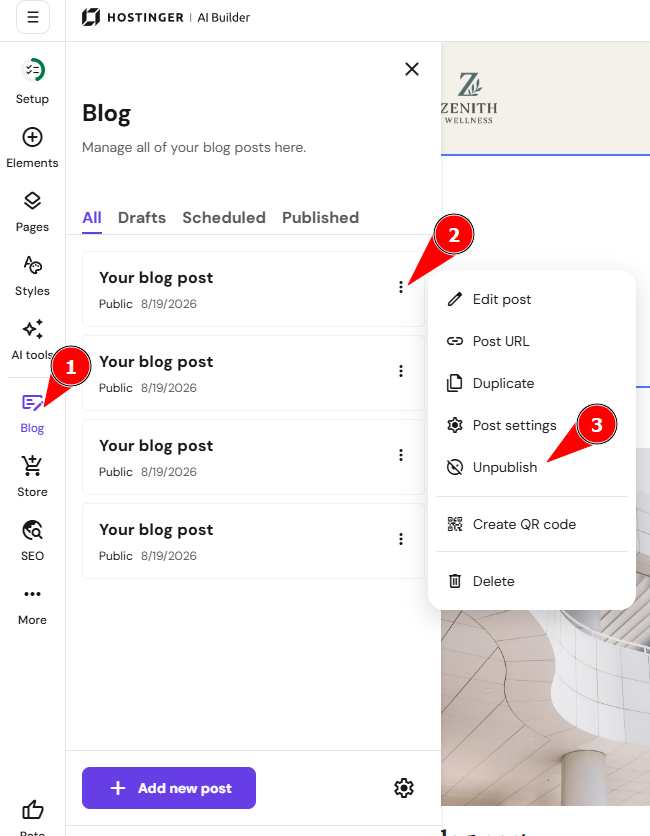
- Within the editor, open the blog management panel on the left and find a post that you want to unpublish.
- Click on the ellipsis button ⋮ near the blog post title, click Unpublish, and your article will become a draft:

Unpublish from the blog post editor
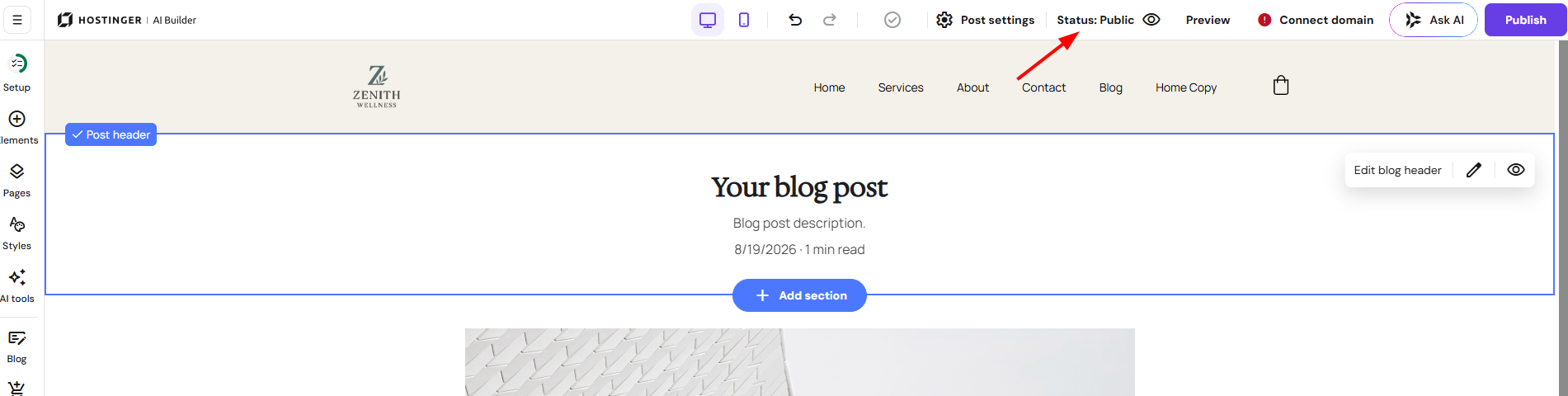
You can also unpublish it within the blog post editor. In the top toolbar, click on the Status:Public, and it will turn into a draft:
After making the changes, remember to update your website. Your blog post is now unpublished and saved as a draft.