Delete a blog post in Hostinger AI Builder manual mode at any time from the blog management panel.
Delete a blog post
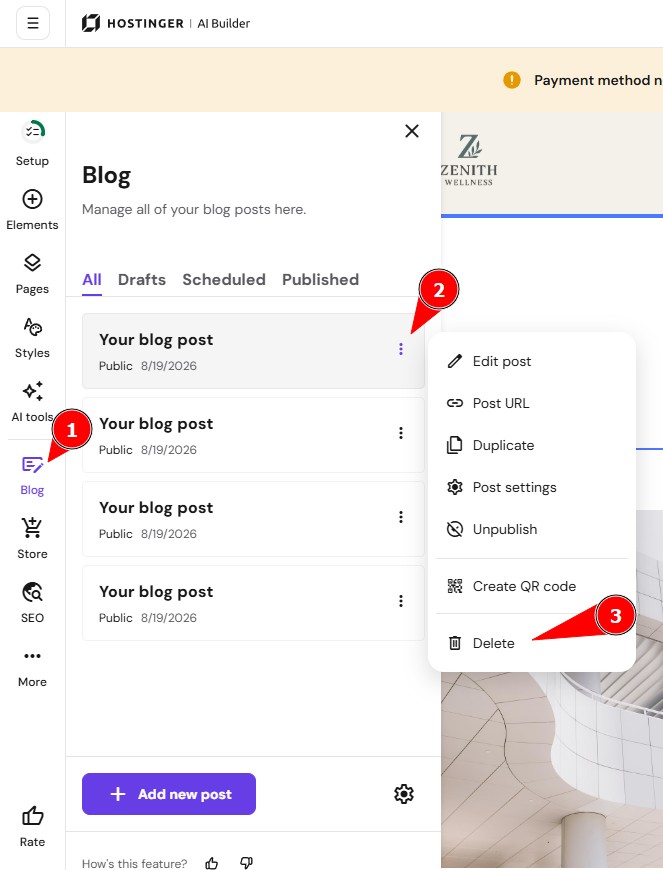
Within the editor, open the blog management panel on the left and find a blog post that you want to delete. Click on the ellipsis button ⋮ next to its title and click Delete:
Finally, update your website for the changes to reflect online.