Integrate Stripe with your Hostinger AI Builder agentic mode web application to start accepting online payments.
Before you start
- See Hostinger AI Builder: online payment gateways for an overview of the payment options available.
Set up the Stripe integration
You are able to fully accomplish the integration with Stripe and start accepting online payments inside your web application by following the steps in the video below:
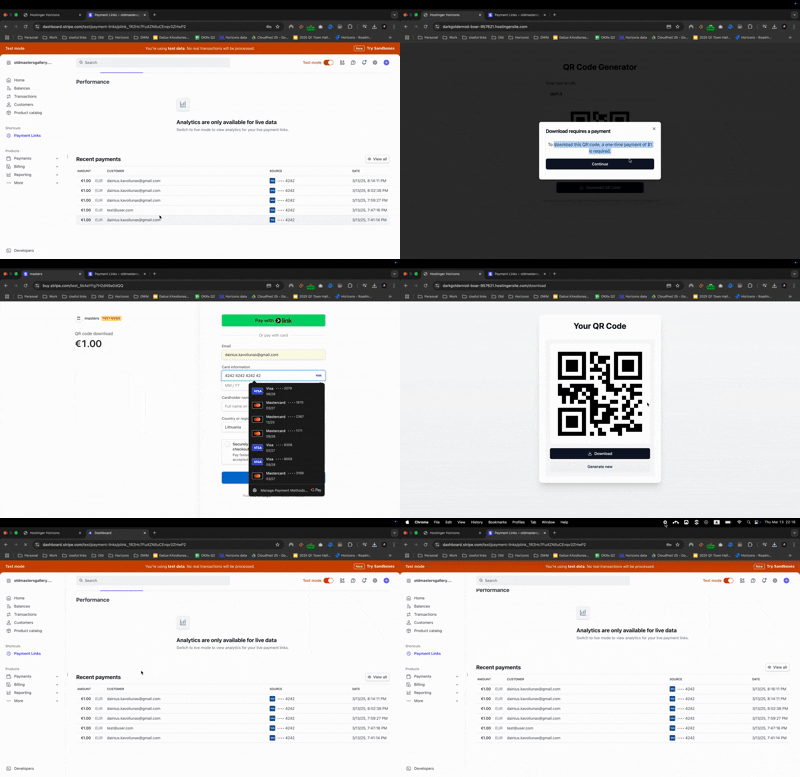
Have in mind that a key factor for making Stripe integration is it’s flexibility, as users can integrate any other provider that supports payment links.
Current Stripe integration limitations
-
After payments, you are redirected to a designated page in the web app. That page will handle the logic of what to do on successful payments.
-
There is currently no backend validation for payments. If a hacker discovers the redirect link, they could bypass the payment step.
-
This approach is suitable for selling low-cost digital products but not great for high-value items (e.g., cars).
-
Besides one-time payments, subscriptions can also be sold using payment links. However, without backend tracking, there is no way to detect if a client cancels their subscription and revoke access accordingly.
With that said, subscribers are unlikely to realize that canceling their subscription will not immediately revoke their access. As a result, this approach may work for most low-cost subscription cases, such as a subscription to play games, generate QR codes or PDFs. See Hostinger AI Builder: how to sell subscriptions with Stripe for more detail on this specific use case.