Upgrade Hostinger Reach to unlock more emails, subscribers, and AI messages beyond the free plan’s limits. If your Hostinger Reach plan has expired, renew it or upgrade to Grow or Pro from the expiration banner in Hostinger dashboard.
Free plan limits
When you start using Hostinger Reach, all subscriptions are under the free plans, which include the following features:
-
200 emails per month
-
100 unique subscribers per month
-
20 welcome AI messages
Upgrade to a paid plan
You can upgrade your plan if you would like to have more AI messages or to reach more than 100 unique subscribers per month.
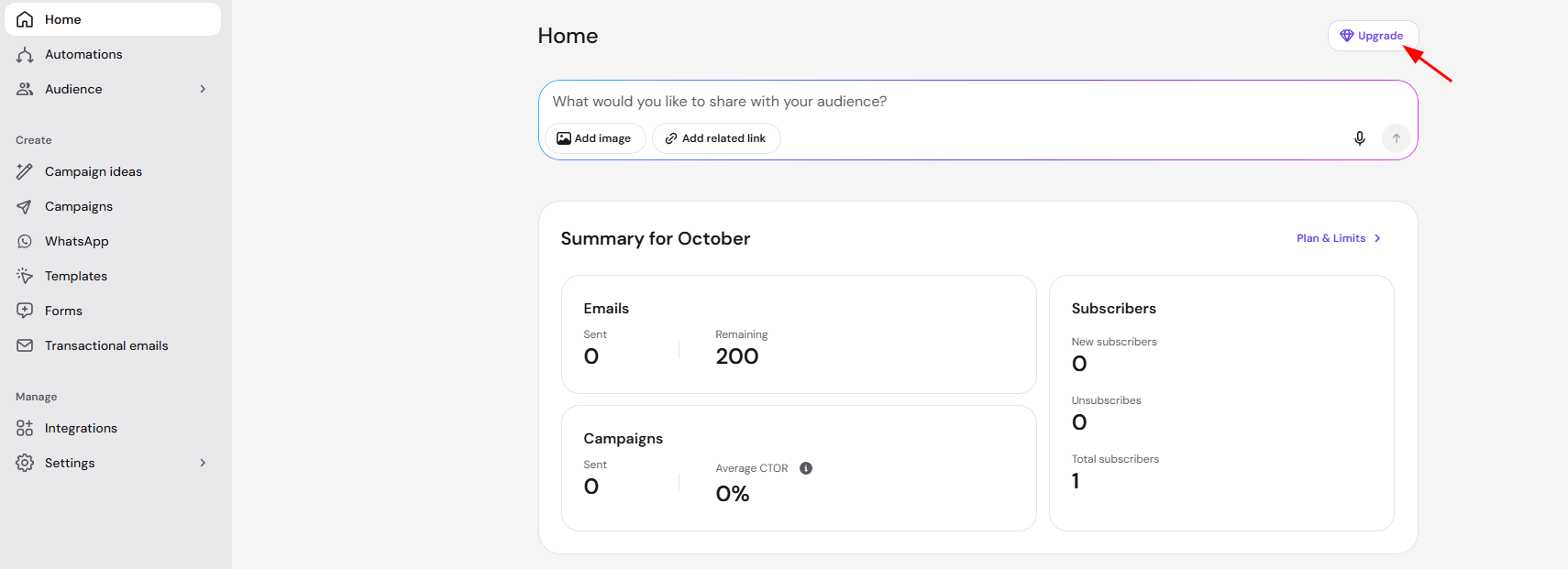
To upgrade your plan to a paid version, you would need to click on the top-right corner inside your Reach dashboard on your profile name, as shown below:
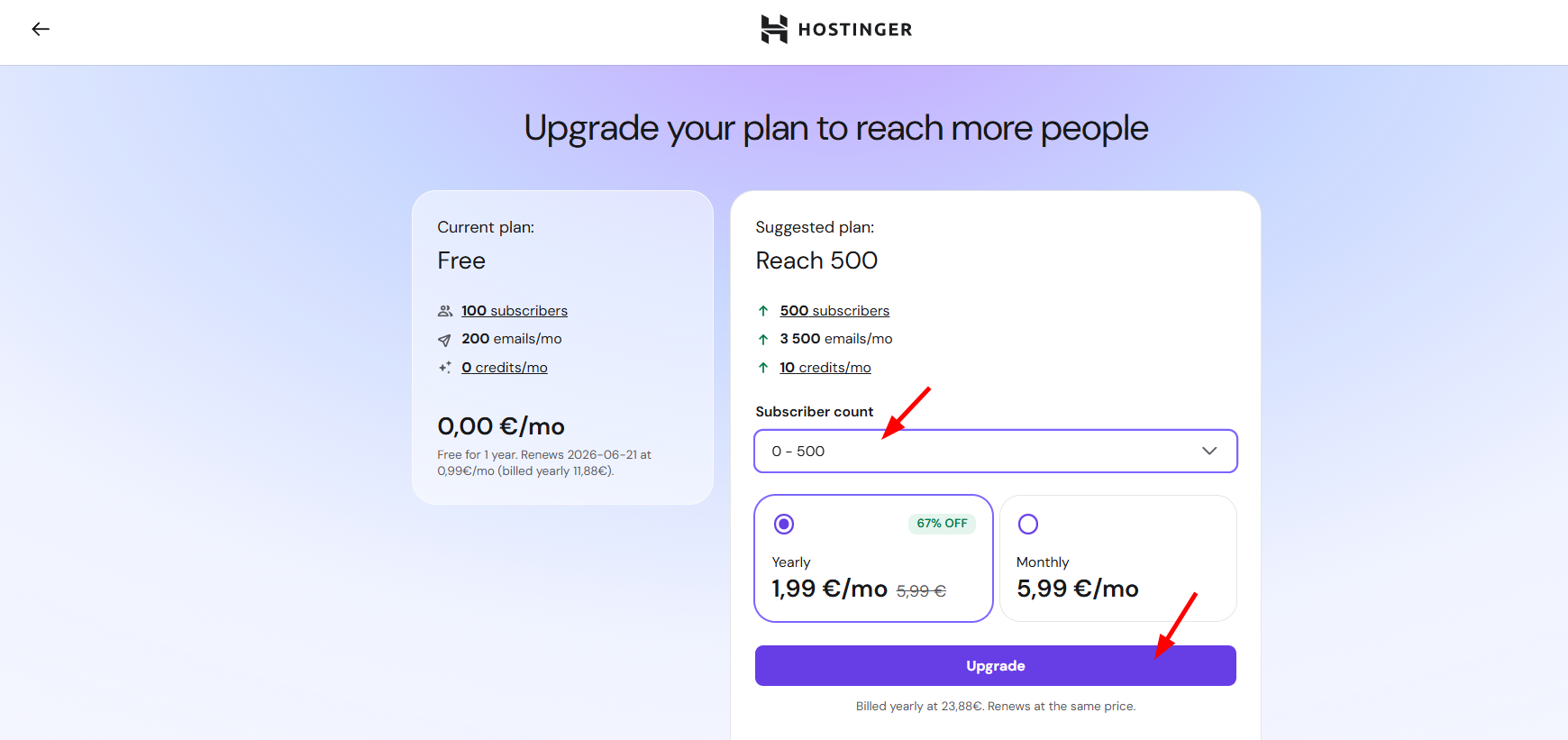
You will be redirected to the paid plans page, and there you will need to insert how many subscribers you’d like to reach per month:
Renew or upgrade an expired Hostinger Reach plan
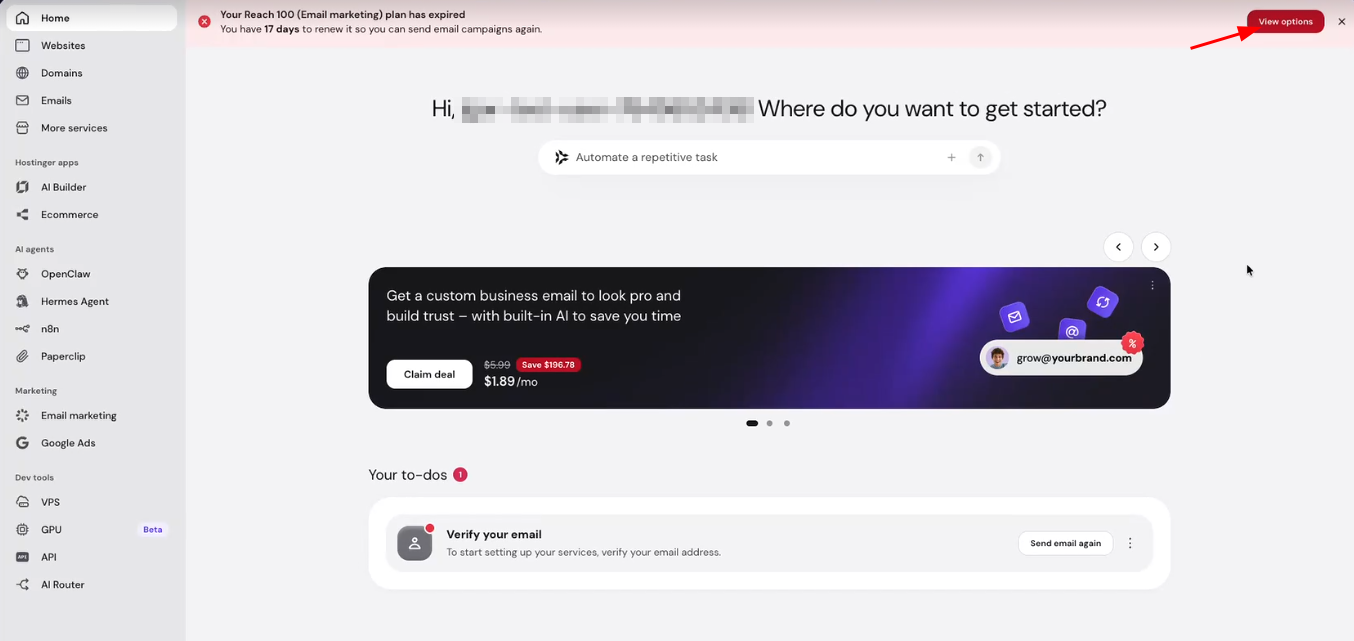
Renew an expired Hostinger Reach plan, or upgrade it to Grow or Pro, from the expiration banner in Hostinger dashboard. You can’t send email campaigns until you renew or upgrade.
- Log in to Hostinger dashboard. A banner at the top of the page shows that your Reach plan has expired and how many days you have left to renew it.
- Click View options.

- Select a billing period: 1 month, 12 months, or 24 months.
- Choose one of two options:
- Renew – keep your current plan by clicking the renew button, for example Renew Starter.
- Upgrade – select Grow or Pro, select the number of recipients if you chose Pro, then click Upgrade to Grow or Upgrade to Pro.
- Review the order summary and click Choose payment method to complete the payment.
Both options keep your contacts, campaigns, and forms exactly as they are.
See Hostinger Reach: subscription details for the full difference between free and paid plans.