The Hostinger AI Builder manual mode integration sends contact form submissions from your website to Hostinger Reach, so you can use them in your email marketing campaigns. Connect individual forms in the Hostinger AI Builder form settings, or connect your whole site from the Reach Integrations page to sync all contacts automatically. Forms can be linked and unlinked freely without losing any submissions.
How to integrate Reach with contact form
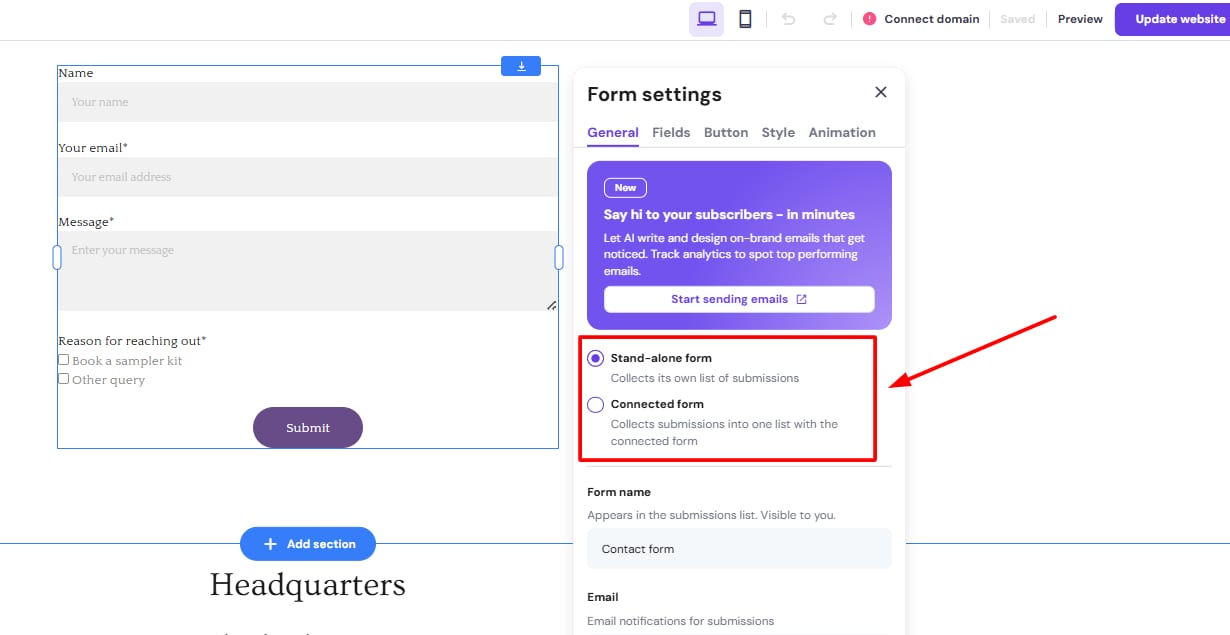
To achieve this, inside your AI Builder website, you would need to enable the contact form option or subscriber form option, as shown below:
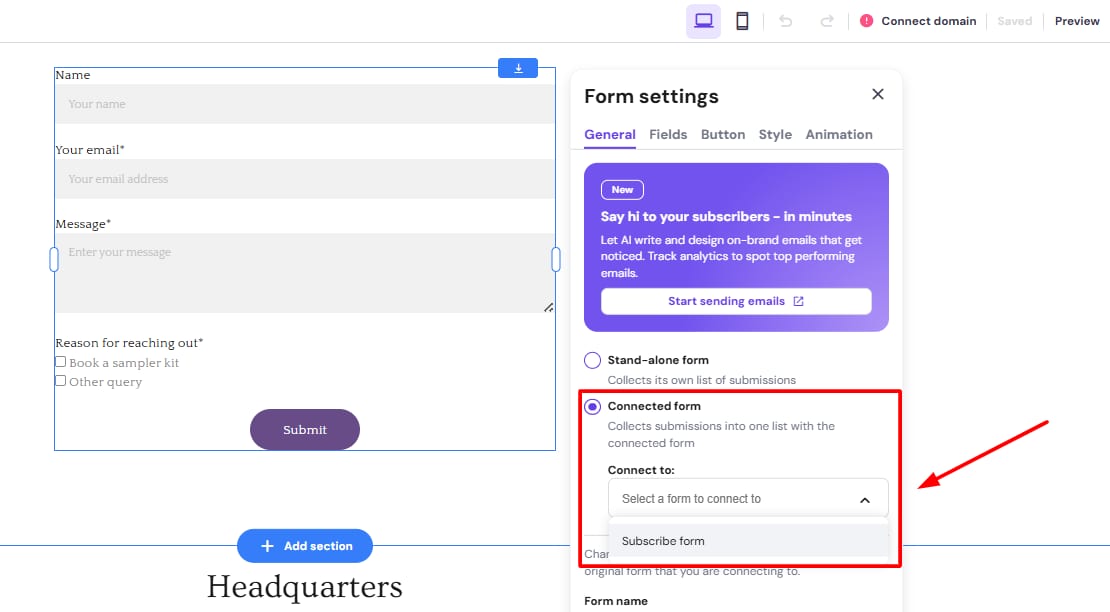
Within the dropdown, select the form to be connected to:
If you click on View Submissions Lists, you will be redirected to the submissions page:
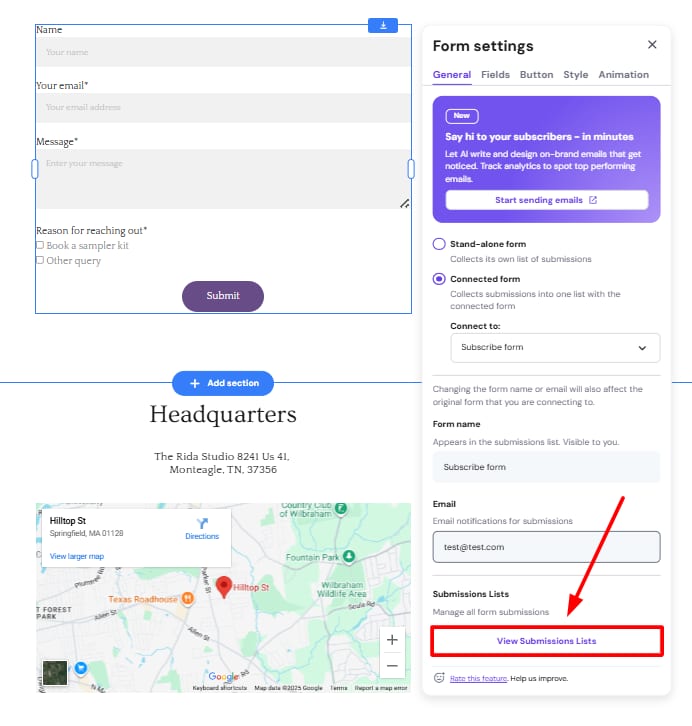
Subscription forms were completely separated from contact forms, specifically for email marketing consent.
Auto-sync contacts with Hostinger AI Builder manual mode
If your website is built with Hostinger AI Builder manual mode, you can click go to Integrations page and connect your site in once-click. Then, all collected contacts are synced to Reach, and every new contact syncs automatically. You can double-check if Hostinger Reach has been connected from Integration page in Reach dashboard.
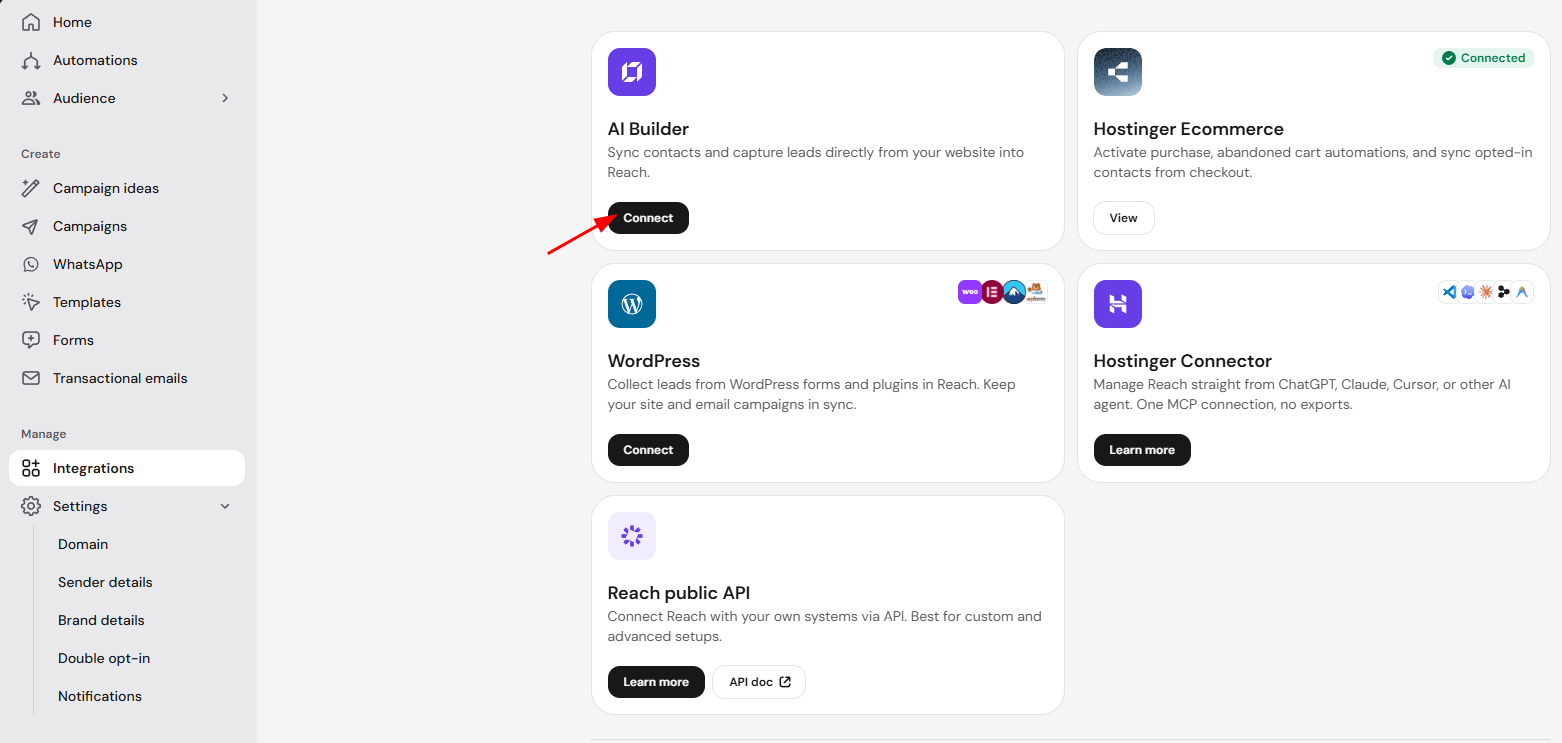
All submissions from your forms (if submissions exist) will also automatically appear as separate Segments with pre-defined Tags applied for each form, making is easy to organize and filter your submissions.
Once your Hostinger AI Builder manual mode site is connected, every new form submission reaches Hostinger Reach automatically, ready for your next email campaign.