An IPS tag is a unique identifier required by the Nominet registry to authorize and route domain transfers for .uk extensions (including .co.uk, .org.uk, and others). Previously, changing this tag required a support agent’s manual intervention. You can now change it yourself, directly from hPanel.
Before you start
- This action is available only for domains in active status.
- Only the domain’s actual owner can change the IPS tag — Access Manager users cannot perform this action.
- The domain’s Domain lock toggle must be switched off before changing the IPS tag.
Change your .uk domain’s IPS tag
Changing the IPS tag immediately authorizes the transfer — this action cannot be undone once confirmed.
- Log in to hPanel.
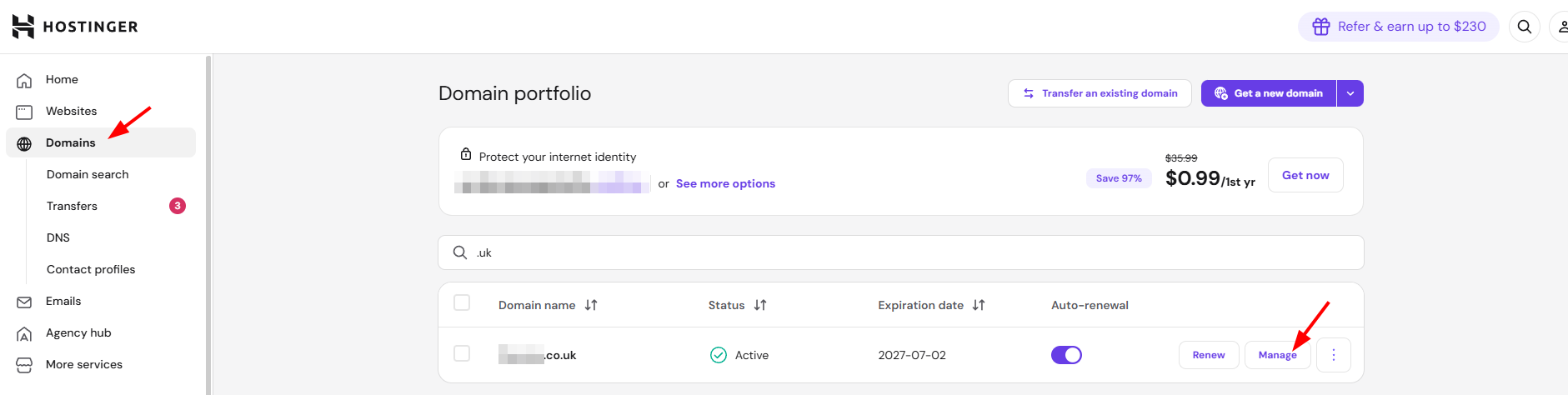
- Navigate to Domains in the left sidebar.
- Find your .uk domain in the list and click Manage next to it. This opens the Domain Overview page.
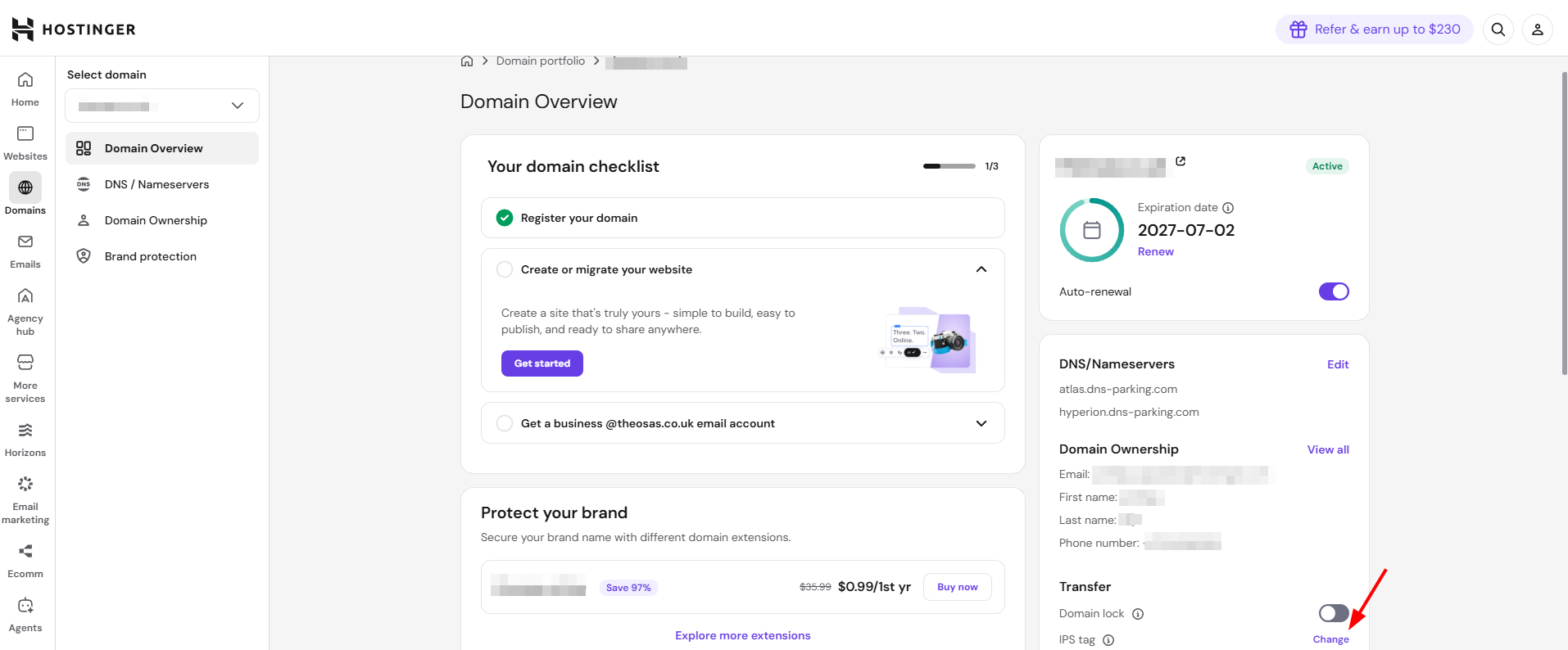
- In the right-hand panel, scroll to the Transfer section.
- Next to IPS tag, click Change.
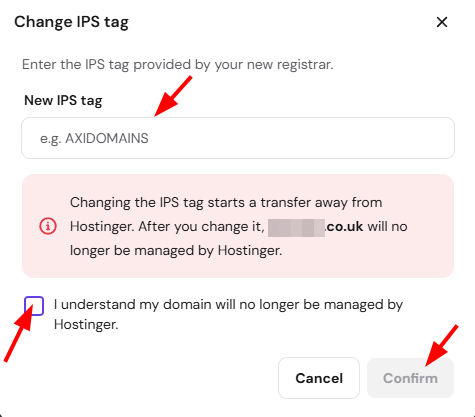
- Enter the exact IPS tag provided by your new registrar in the New IPS tag field.
- Check the box confirming you understand the domain will no longer be managed by Hostinger.
- Click Confirm.
Once confirmed, the domain transfer begins immediately, and management of the domain moves to your new registrar. No further action is needed in hPanel.
Note: Confirm the exact IPS tag with your new registrar before entering it. An incorrect tag can disrupt the transfer.