When registering a .br domain (such as .com.br or .org.br) with Hostinger, you might encounter an error stating that your CPF or CNPJ is already in use or configured for another service provider. This occurs because Registro.br links each tax ID to a single provider at a time.
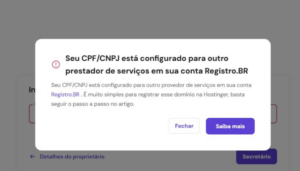
To complete your pending domain registration, you must update your provider settings to Hostinger’s official vendor code.
Before you start
- Ensure you have access to the Registro.br account associated with your CPF or CNPJ.
- This change affects the entire CPF or CNPJ identity, meaning all .br domains under this ID will temporarily share the same provider. This action does not impact your current nameservers or DNS settings.
Step 1 – Access your Registro.br account
- Go to the official Registro.br login page
- Enter your credentials. You can use your CPF or CNPJ as the username.
If you do not recall your credentials, click I don’t remember to locate your account using your registered email address.
The pending domain will not appear in your Registro.br account until the provider configuration is resolved.
Step 2 – Change the service provider to Hostinger
- Navigate to the service provider settings section within your account dashboard.
- If your current provider is set to anything other than None, change the selection to Nenhum (0).
- Wait a few hours for the system to process the change.
- Update the service provider (provedor) selection to HSTDOMAINS (127), which is the official code for Hostinger.
NOTE
- If you own other .br domains under the same CPF or CNPJ, they must also temporarily use HSTDOMAINS (127) to complete the registration. Once your new domain is active, you can revert the other domains to their original providers if necessary.
Your new .br domain will be successfully registered once Registro.br syncs the updated provider information.