Magento 2 is a powerful, open-source eCommerce platform that offers extensive features for online merchants with the flexibility to customize their online store.
With Hostinger’s Ubuntu 24.04 64bit With Magento 2 VPS template, launching an eCommerce site is more straightforward, as Magento 2 comes pre-installed on the server.
To explore the tailored hosting solutions, visit our Magento VPS page.
This guide will walk you through the basic steps to get your Magento 2 store up and running.
Accessing your Magento 2 Store
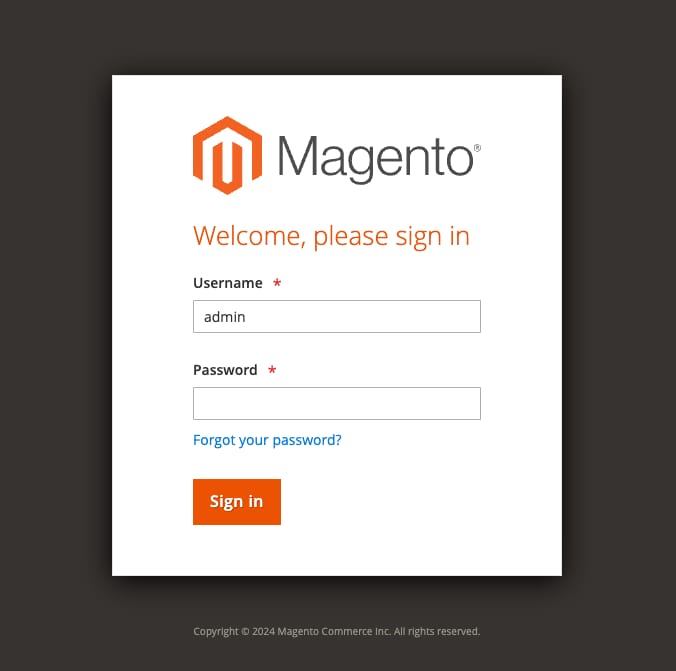
Open a web browser and visit https://[your-VPS-hostname]/admin/ — make sure to replace [your-VPS-hostname] with the actual hostname of your VPS.
You’ll be directed to the Magento 2 admin page:
-
In the Ursername field, insert
admin -
In the Password field, insert the password you entered when installing the template:
Configuring your store
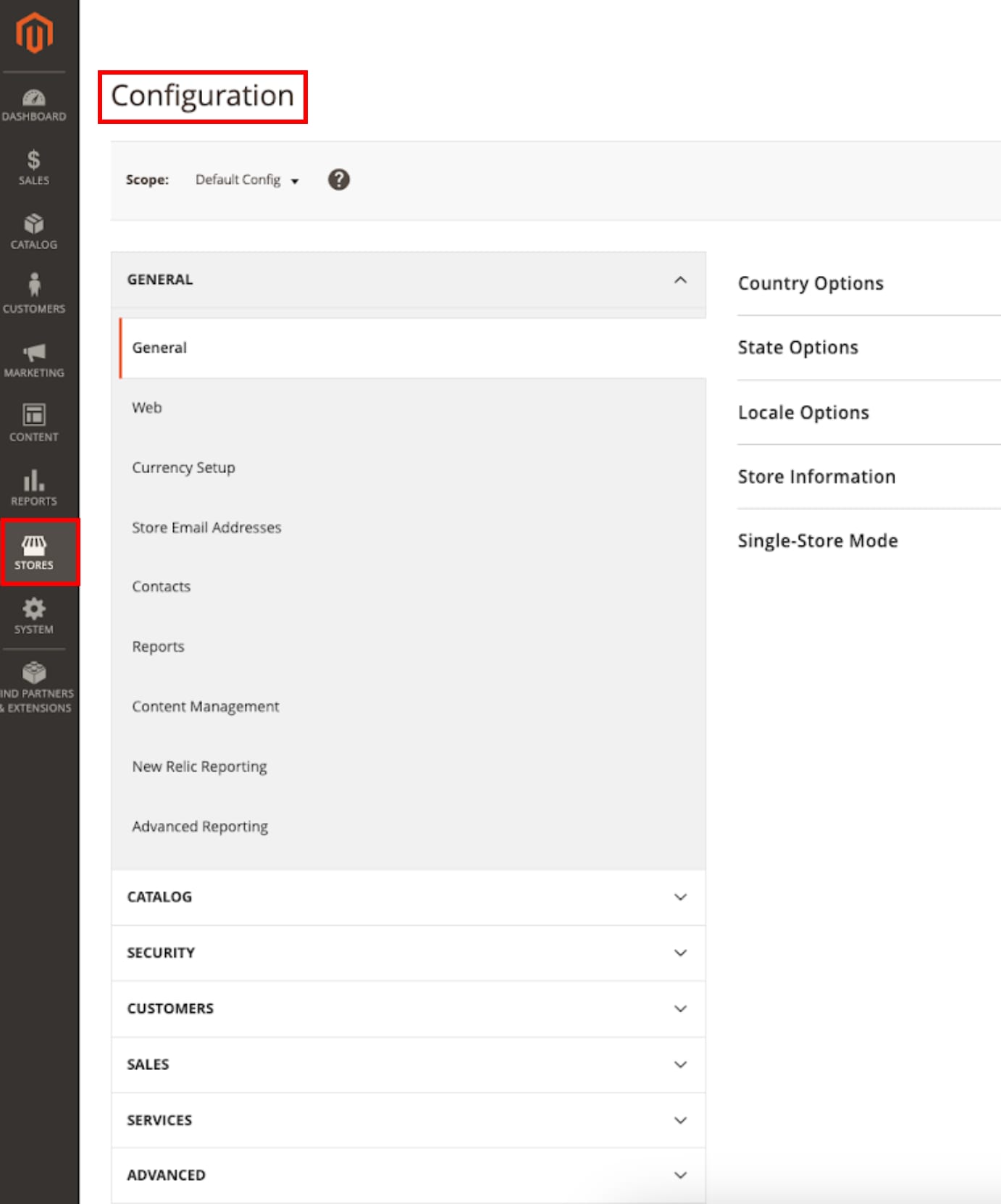
In the Magento admin panel, navigate to Stores → Configuration to customize your store details, such as name, address, and default language:
Customizing your store’s design
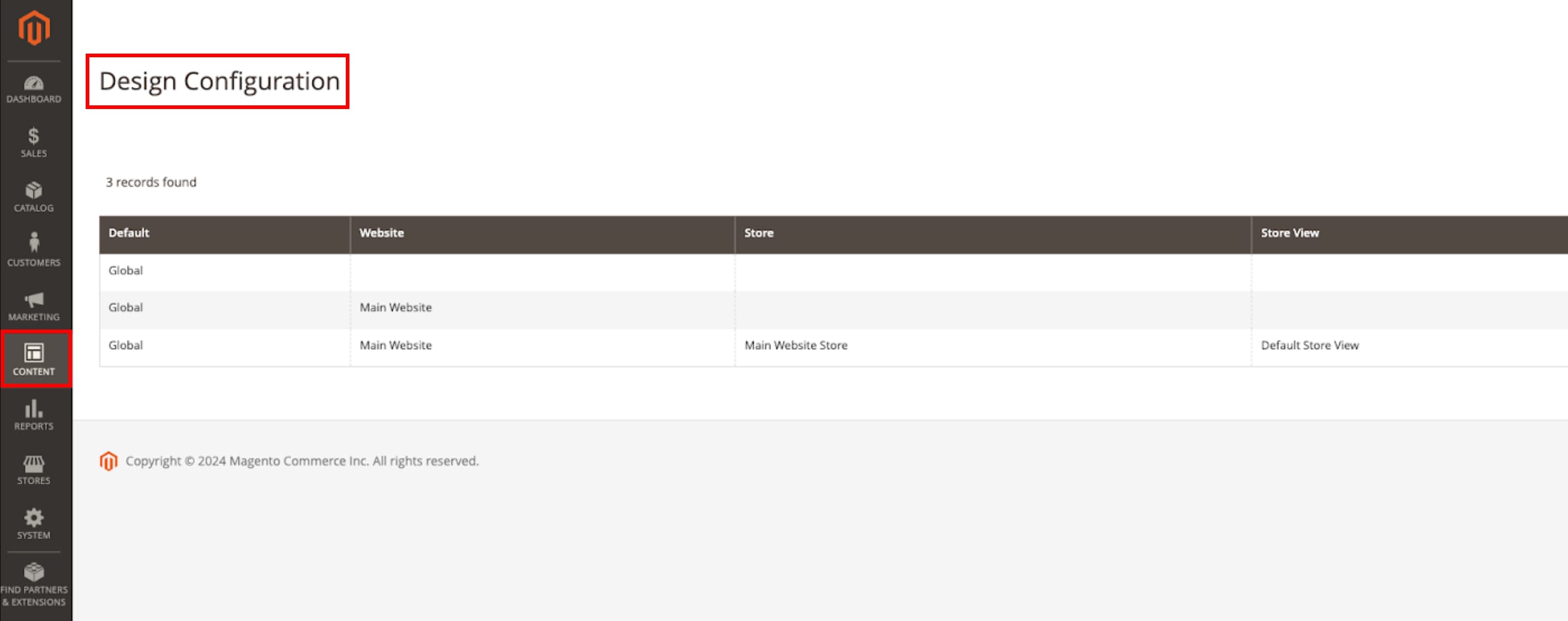
Magento 2 offers several themes to choose from. You can select and customize a theme by navigating to Content → Design Configuration:
For more in-depth customization, Magento allows you to add custom CSS and JavaScript.
Adding products
Navigate to Catalog → Products in the admin panel. Here, you can add new products, their descriptions, images, pricing, and other details.
Organize your products into categories for easier navigation by going to Catalog → Categories.
Setting up payment and shipping
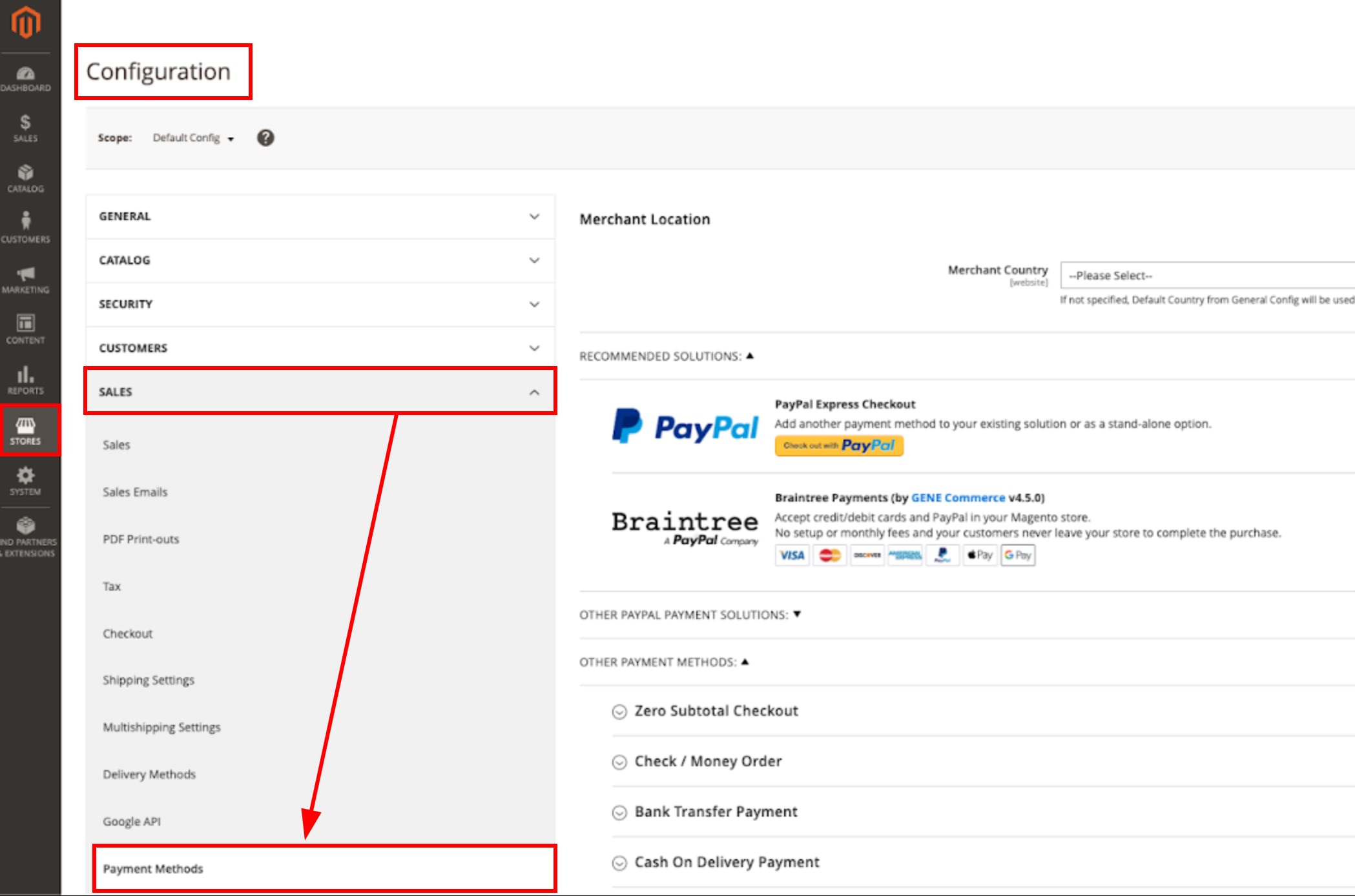
Magento supports a variety of payment methods. Set these up under Stores → Configuration → Sales → Payment Methods:
Configure your shipping methods and rates under Stores → Configuration → Sales → Shipping Settings.
Customizing Magento with extensions
Visit the Magento Marketplace to find extensions that add functionality or integrate third-party services with your store. Extensions can be installed via Web Setup Wizard in your Magento admin panel, or manually using Composer:
php8.2 ~/htdocs/YOUR-DOMAIN/bin/magentoNOTE
-
This template uses CloudPanel, which runs an NGINX web server. For specific plugins, you might need to edit vhost files
For further information and troubleshooting, refer to the official Magento 2 User Guide