Transferring your .br domain (such as .com.br or .org.br) to Hostinger allows you to manage your website and domain registration under a single dashboard. Due to registry regulations for .br domains, the transfer process requires changing your service provider directly within your Registro.br account before completing the setup in Hostinger dashboard.
Before you start
Ensure you have access to the Registro.br account associated with your domain. Only the domain owner or administrative contact can authorize service provider changes.
- Purchase a domain transfer request through Hostinger Transfer Domain page (or Transfer Domain if you already have a Hostinger account).
- If you have recently changed service providers on Registro.br, the registry may restrict further changes for up to 72 hours.
Step 1 – Update the provider in Registro.br
- Log in to the Registro.br portal.
- Navigate to your domain or organization ownership settings.
- Locate the service provider section and change the provider to HSTDOMAINS (127).
- Save your changes.
For visual instructions, refer to the video guide on How to Change Registro.br Provider (in Portuguese).
Step 2 – Set up the transfer in Hostinger dashboard
- Log in to your Hostinger dashboard.
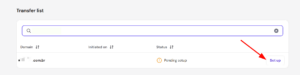
- On the Home page, locate the pending transfer task and click Set up.

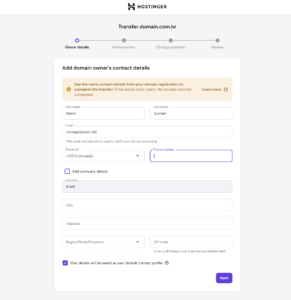
- Fill in the domain owner’s contact details.

NOTE
- The contact details entered in Hostinger dashboard must be identical to the information registered in your Registro.br account.
- Ensure you provide the correct CPF or CNPJ information in the designated field before proceeding.
-
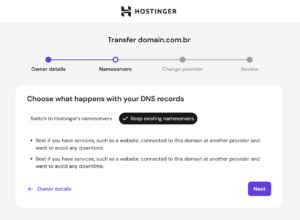
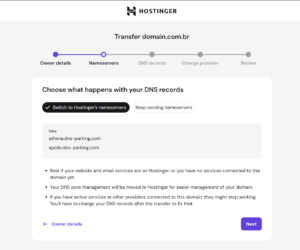
Choose your nameserver preference:
-
Keep existing nameservers – Retains your current DNS records.

-
Switch to Hostinger’s nameservers – Points your domain to Hostinger immediately.

-
-
Click Next and provide the correct CPF or CNPJ information in the designated field before proceeding.

- Click Submit to initiate the transfer process.
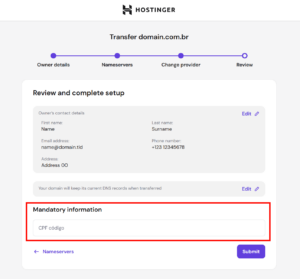
Once completed, the transfer initializes. The domain status updates to active in the Domains section of your Hostinger dashboard as soon as the registry processes the change.
How to Fix Transfer Errors
If you get an error message during the transfer process, follow these steps:
-
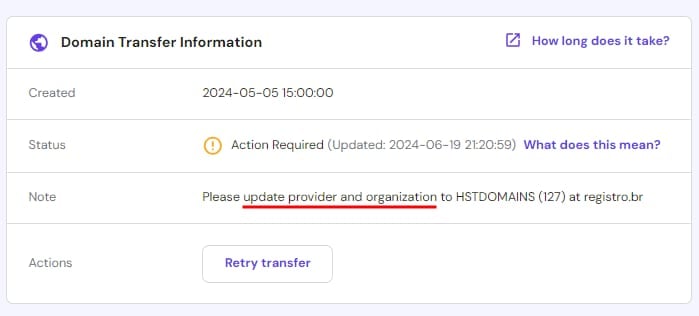
If you are not already using our service provider ( HSTDOMAINS 127 ), the transfer will not be completed and you will see a warning. To fix it, follow the steps in the video above.
-
If you see the message “Update the provider / organization for HSTDOMAINS(127) a Registro.br” on your dashboard, simply check whether the provider, ownership or both are configured correctly on Registro.br:

-
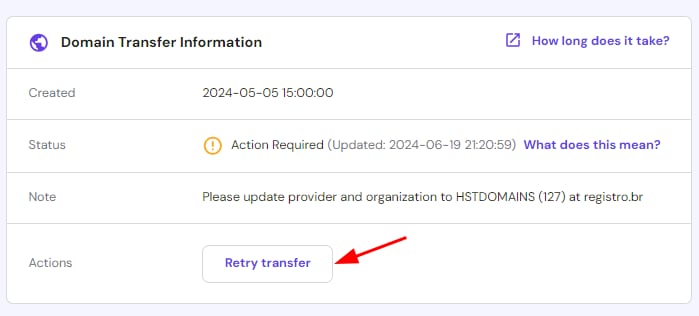
After changing the provider, click on “Retry transfer”
-
If the provider is configured correctly, the domain will be active in the dashboard
NOTES
-
Only the account holder can make changes
-
According to our Refund Policy, unsuccessful .br domain transfers are refundable within 7 days of payment