Change the language on a PrestaShop website at Hostinger by downloading and applying a localization pack.
Import a localization pack
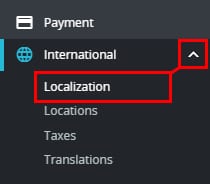
You can set up the language of your PrestaShop online store by downloading and applying the corresponding localization pack. Go to your Prestashop Administrator Panel, scroll down on the sidebar and click on International → Localization:
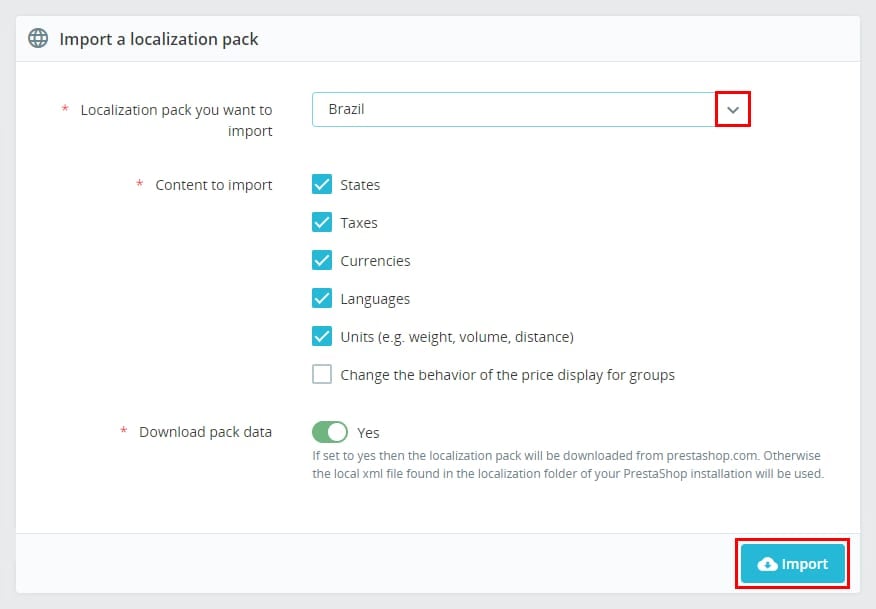
Next, select your country from the list and check the boxes of the information you want your store to use, such as states, taxes, currency, and language. Once it’s good to go, click on Import:
Set your store’s language
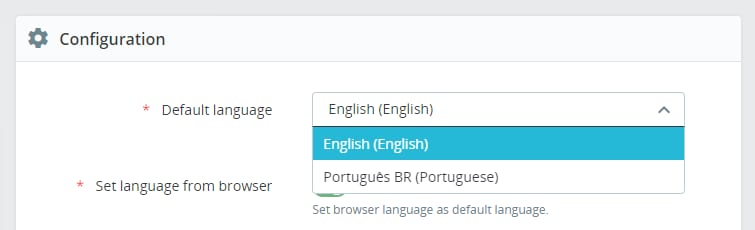
After a few moments, the pack will be ready. Now you can change the language by scrolling down to the Configuration section and selecting the Default language from the list:
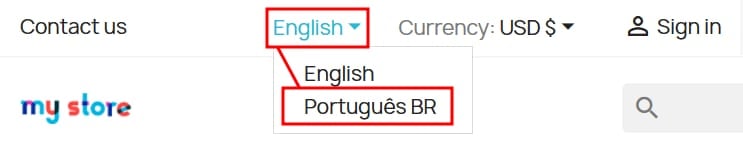
To finish, click on Save to apply the changes. The language will now be available in your store in the language selector area:
If you want to use only the new language, you will need to disable all others on the Languages tab:
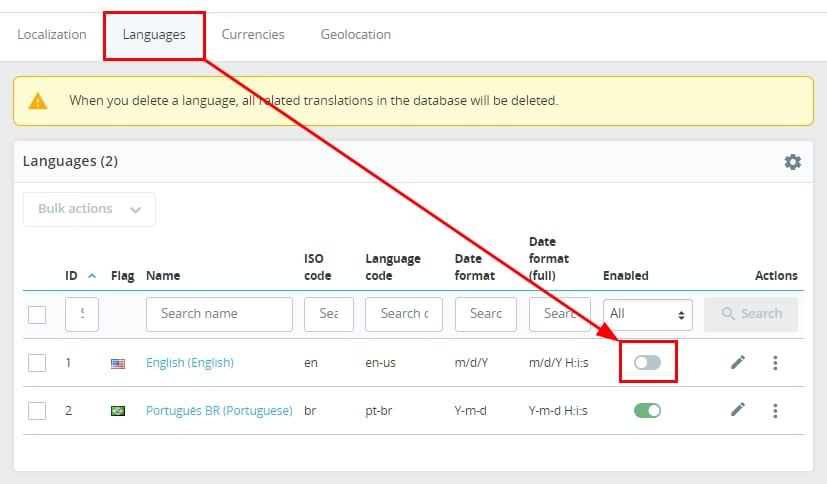
After all other languages are disabled, your shop will load only in the preferred language.
NOTE:
-
This configuration will change the language of your online store – if you need to change the Prestashop Administrator Panel language as well, click on the avatar icon → Your profile, select the language and click Save
Once configured, see how to set up PrestaShop with LiteSpeed cache at Hostinger to also optimize your store’s performance.