Sort navigational items, such as pages, links, and dropdown menus, in your Hostinger AI Builder manual mode website to change their display order in your navigation menu.
Sort navigation menu items
You may easily sort navigational items – pages, links, dropdown menus – to change their display order in your website’s header section, also known as the navigation menu:
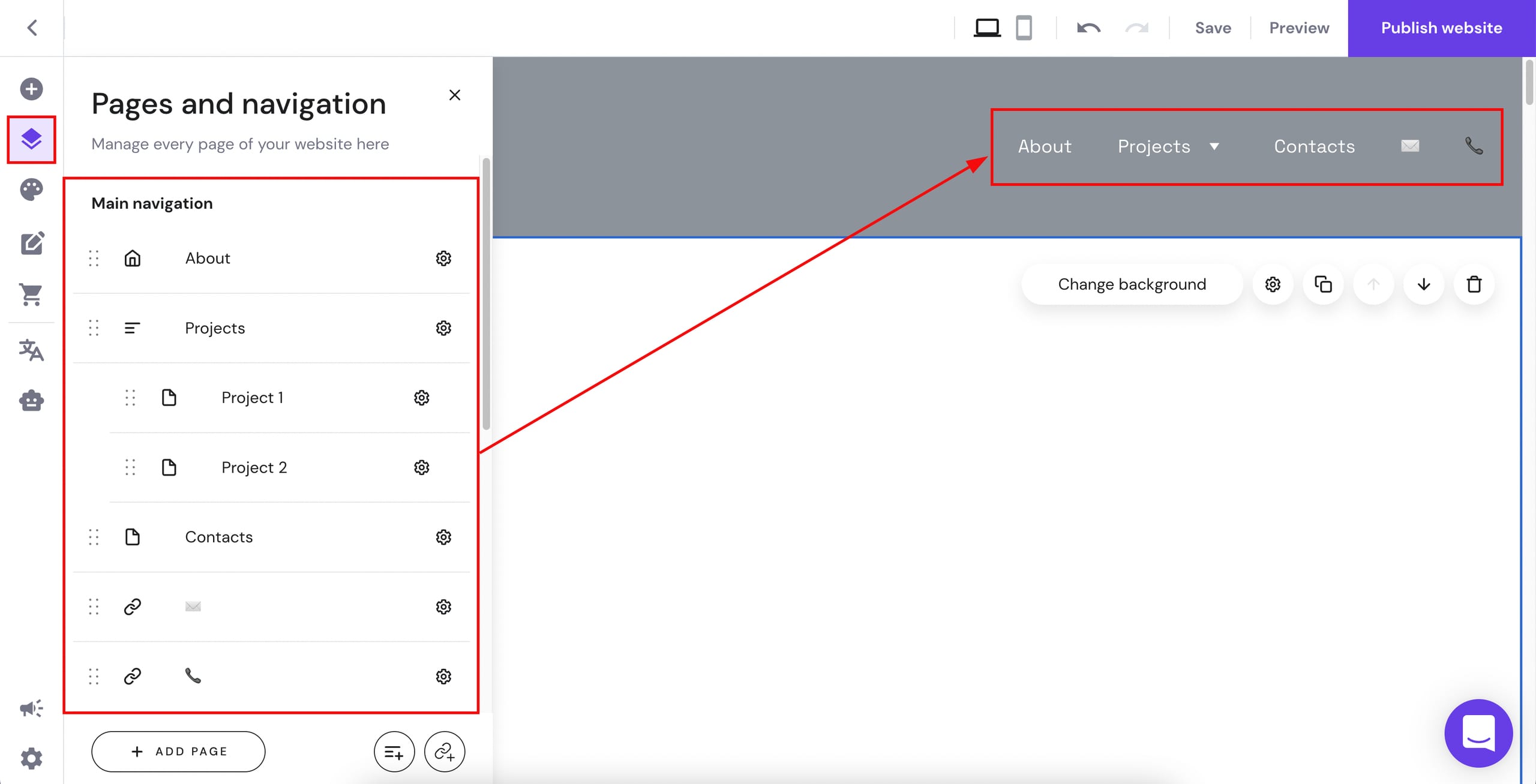
Within the editor, expand the Pages and navigation panel on the left to view all your navigational items. Next to each item (page, link, dropdown menu), you’ll see a handle resembling six dots:
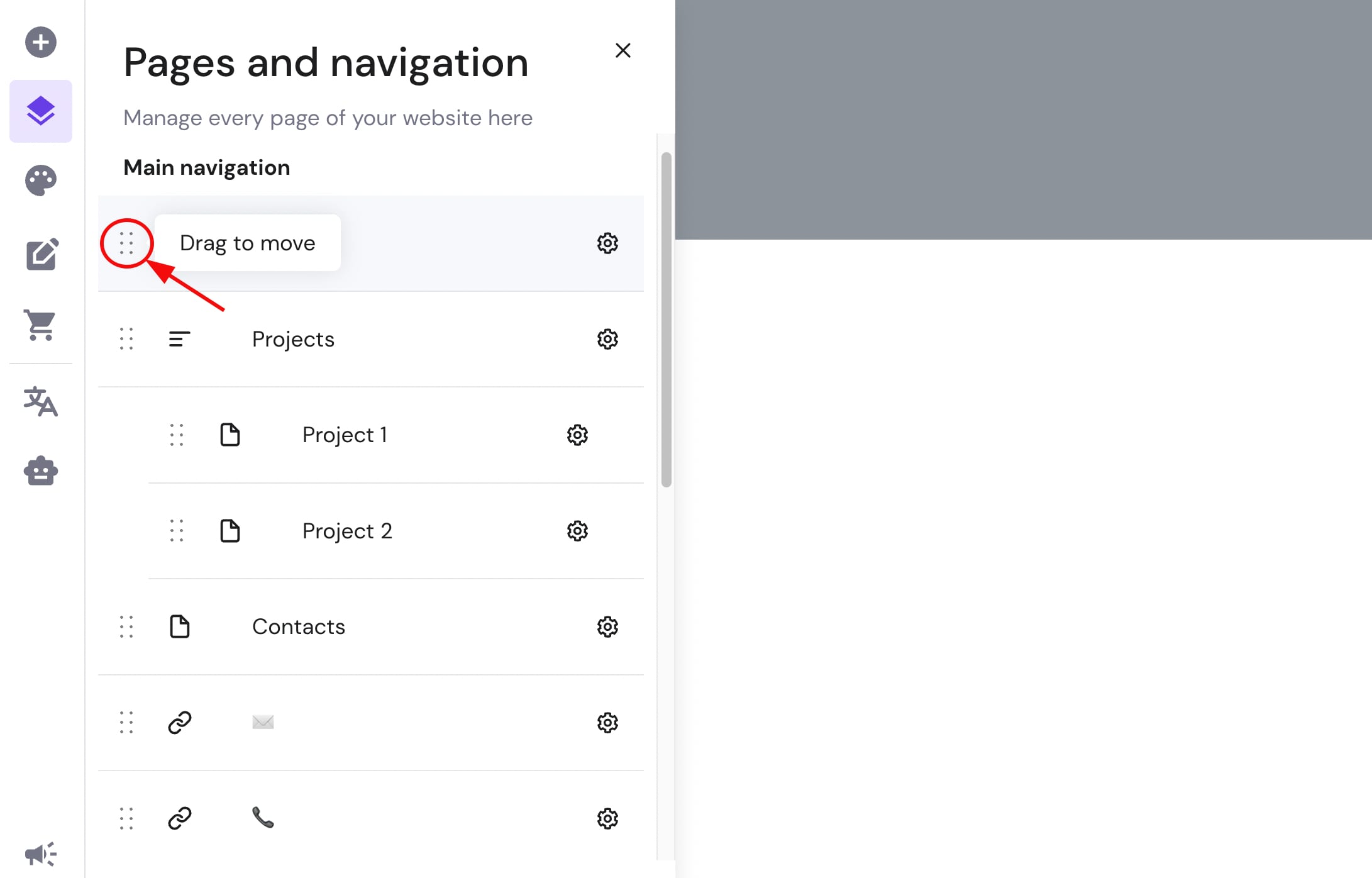
Use this handle to drag the item up or down:
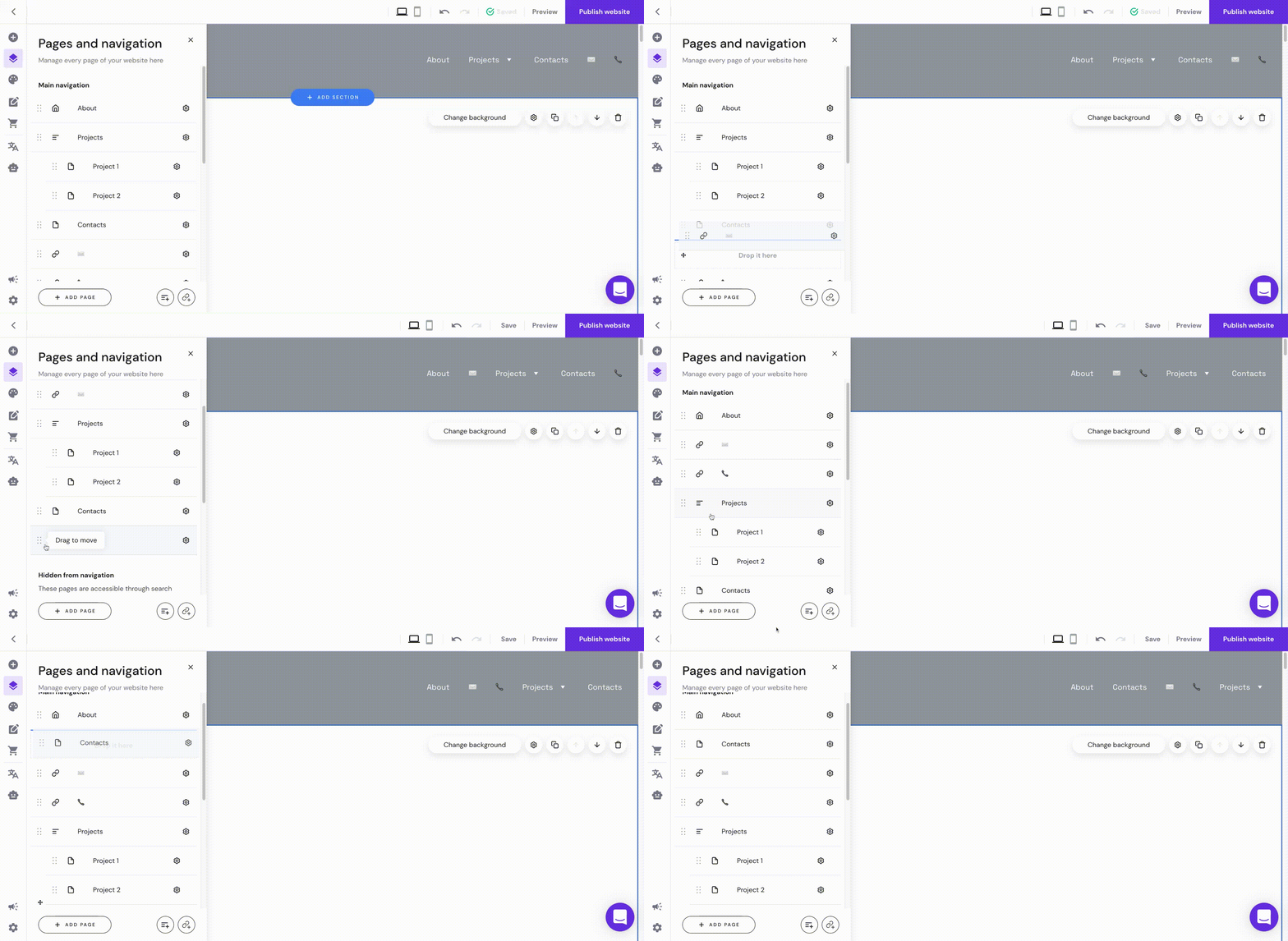
And that’s it! Your navigation menu now displays your items in the new order.