Assign a specific image to each product option in your Hostinger AI Builder online store, once you’ve created product options.
Assign images to product options
Once you create product options, you can easily assign an individual image to each of them.
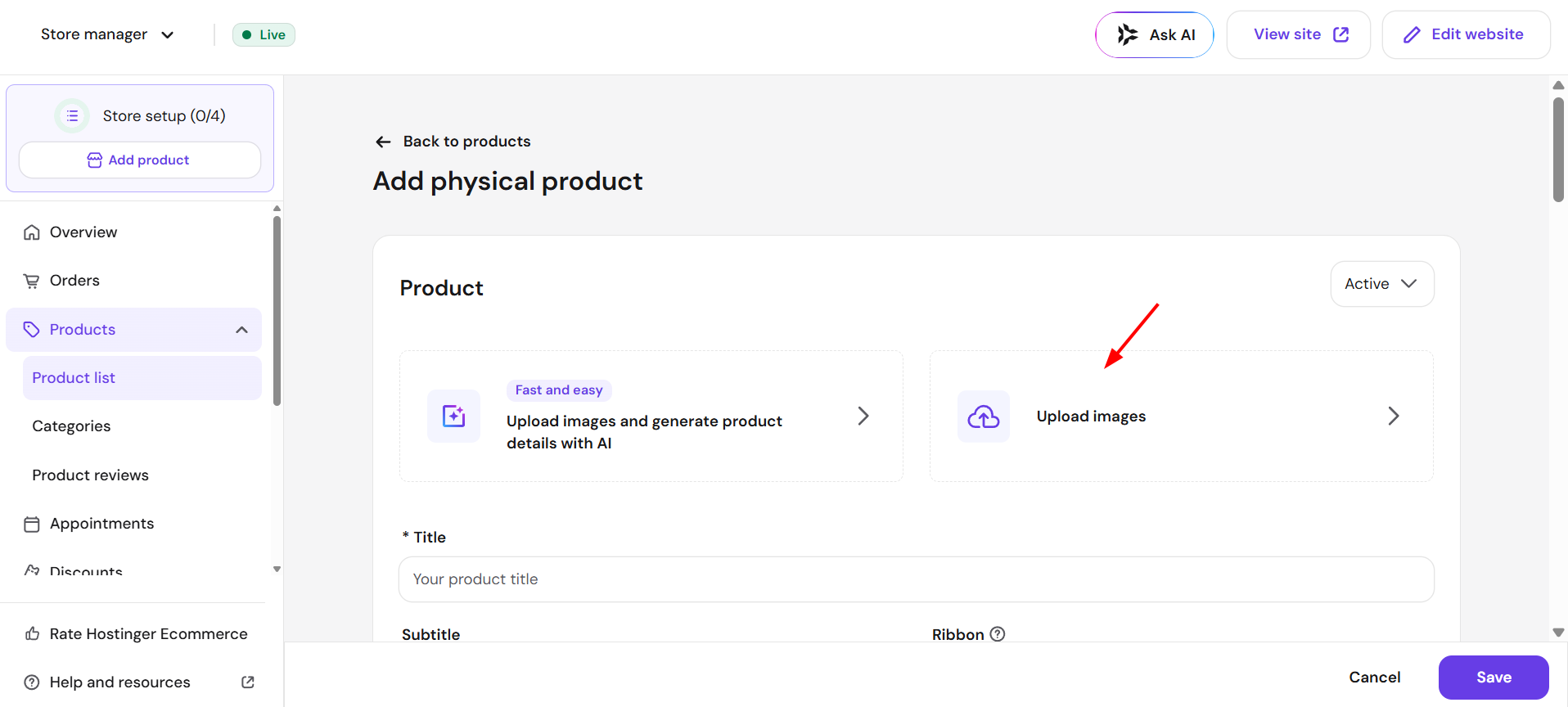
- In your store management area → Products, click the ellipsis, then Edit.
- Upload all your images here:

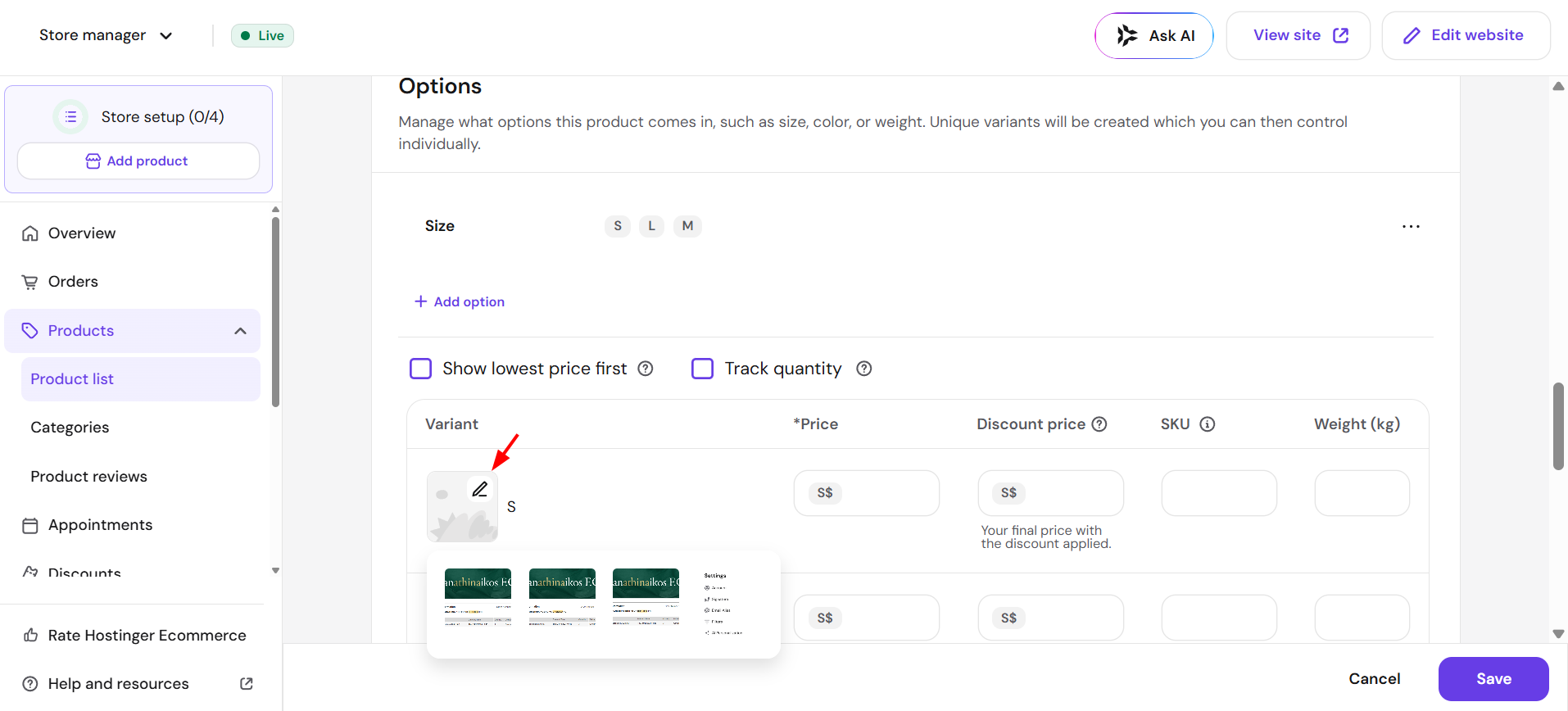
- Scroll down to the Options section
- Click on the image placeholder and select a particular image for a particular product option:

Finally, save the changes and update your website.