Create and schedule discount codes in your Hostinger AI Builder online store from the store management area. Discount codes apply to the whole cart, excluding shipping costs.
Create a discount code
To create a discount code, follow these steps:
-
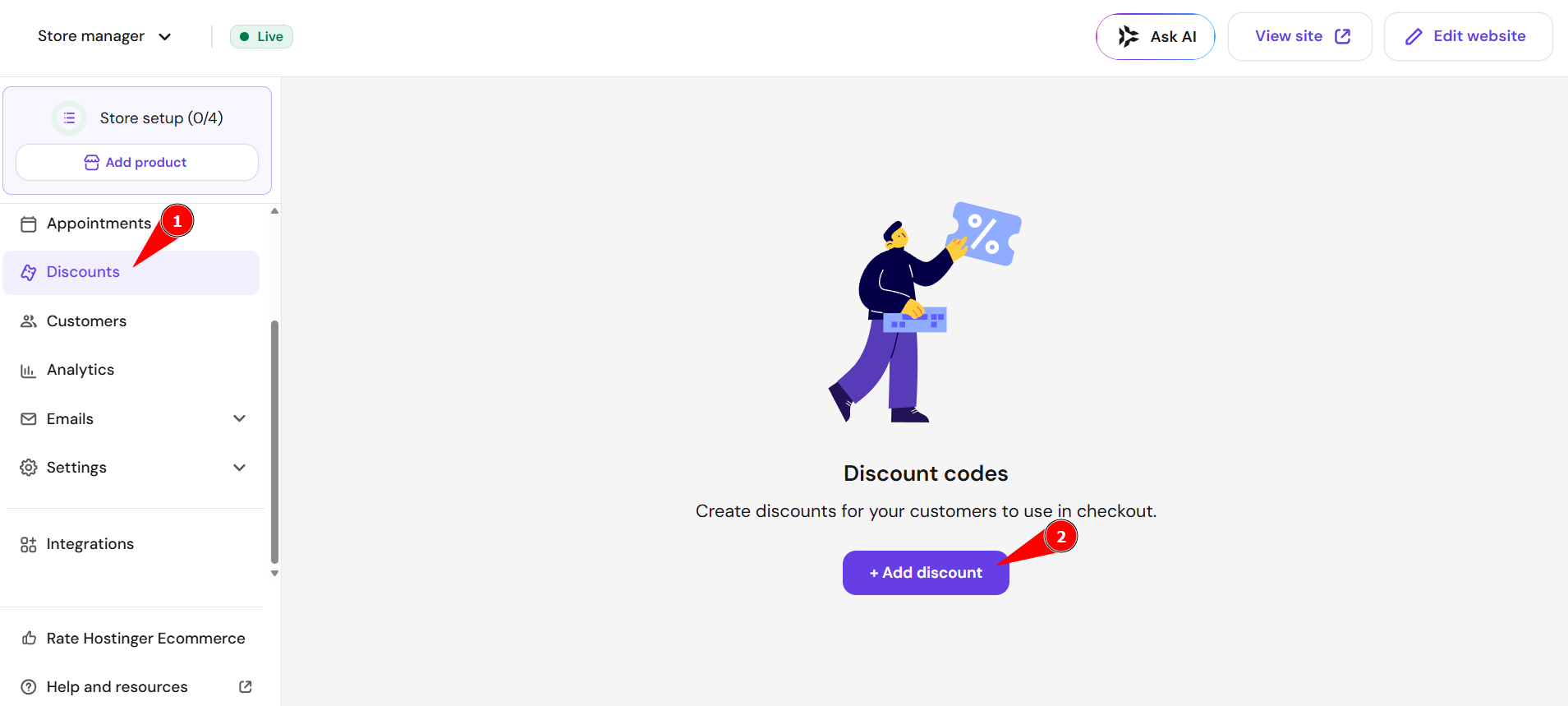
In the store management area, go to Discounts and click Add discount
-
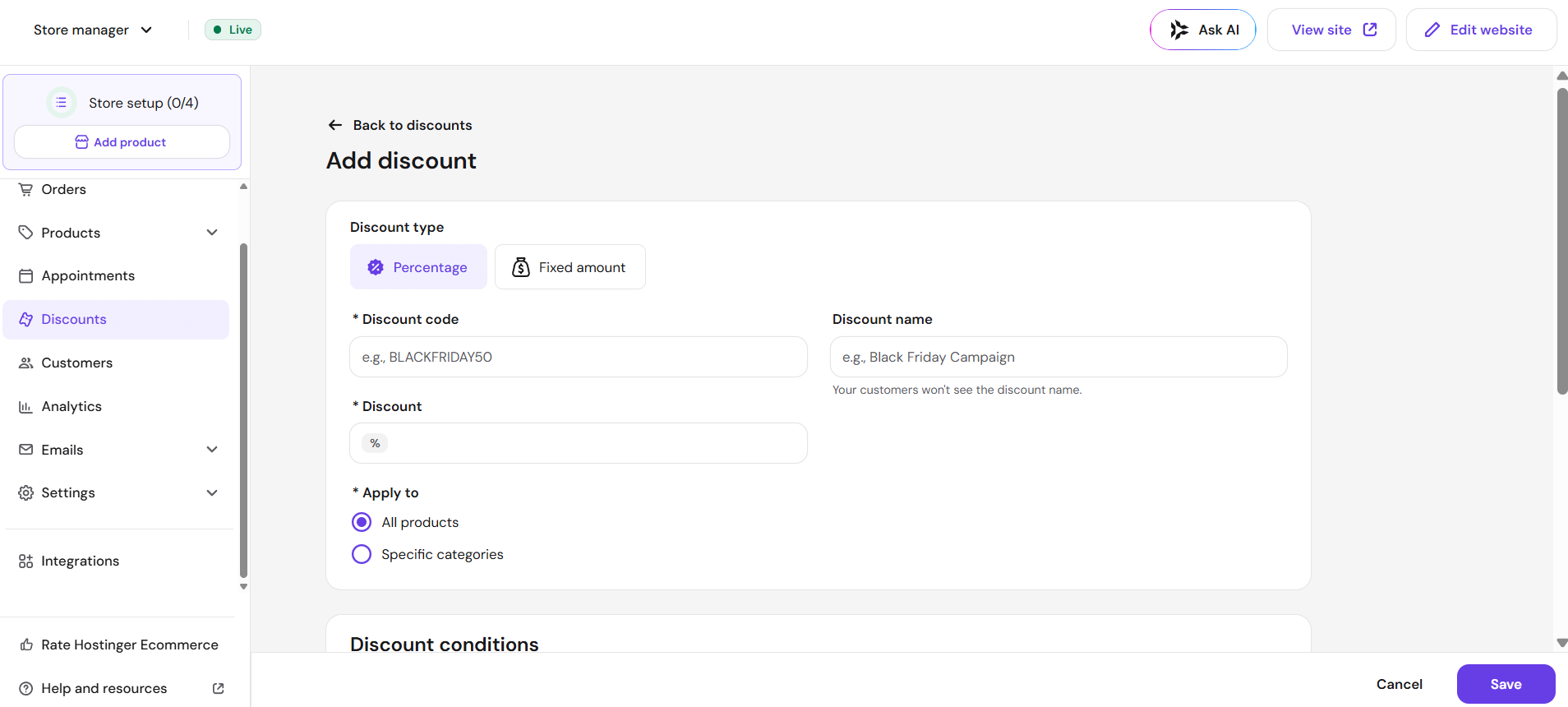
Specify the discount code
-
(Optional) Specify the discount name; it’s for your personal use – clients won’t see this name
-
Specify the discount amount in percent
-
Specify whether the discount applies to all products or specific product categories
-
(Optional) Set up discount conditions:
-
Limit the total amount of uses, i.e., how many times the discount code can be used in your e-store in general
-
Set the minimum order value
-
-
(Optional) Specify the period of time during which the coupon is active
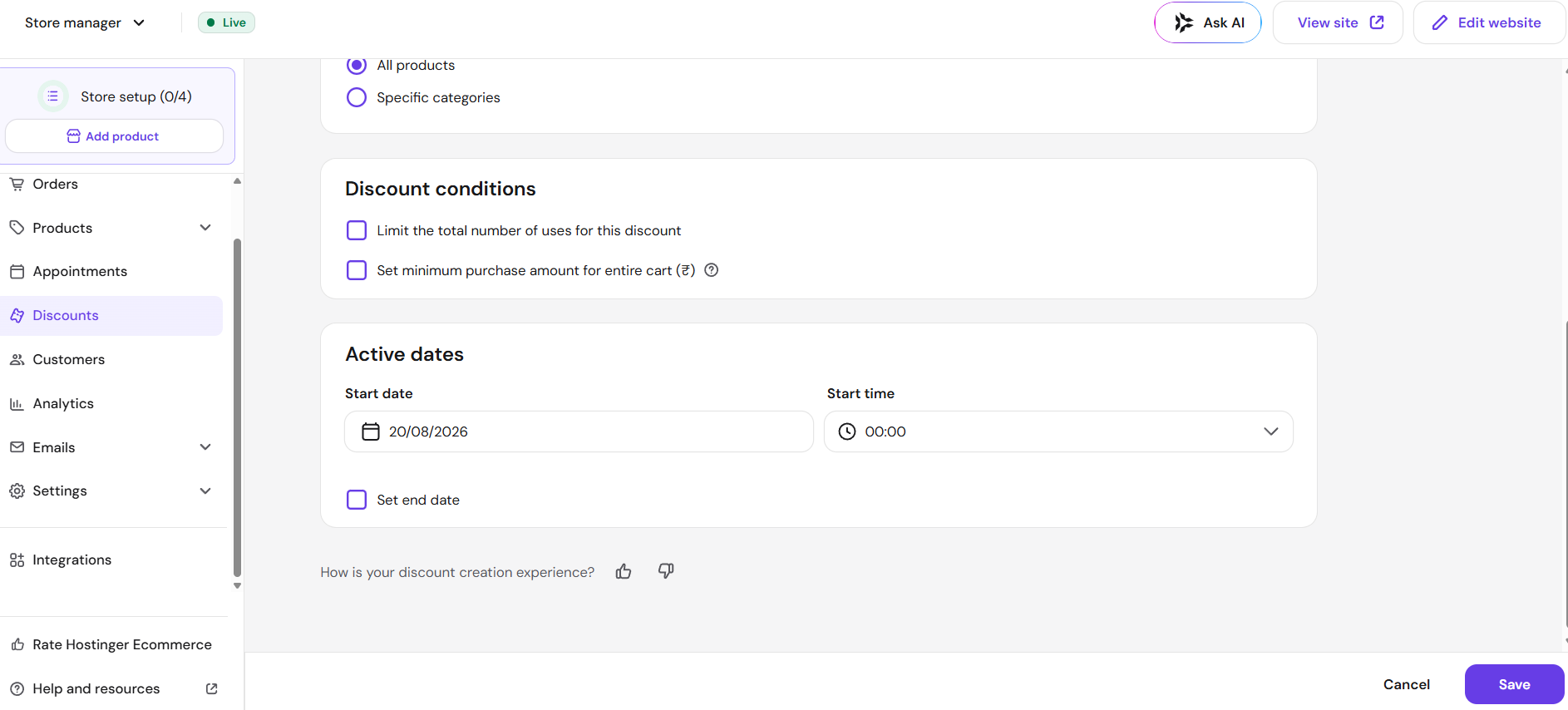
You’ll see all your discount codes (expired, active, and scheduled) in the Discounts section of your store management area.
Learn how to specify a discounted price for each product individually