Update your store name and regional settings in Hostinger Ecommerce from the unified Store settings page in Store Manager.
Default store name in agentic mode
When Hostinger AI Builder agentic mode connects a new Hostinger Ecommerce store to a website, it assigns a store name based on the website’s AI-generated brand name, rather than a generic placeholder. Follow the steps below if you want to use a different name.
Update store settings
In your Store Manager, go to Settings → Store settings, and customize the following:
-
Store name – it will appear on invoices, emails, and at checkout
-
Regional settings:
-
Currency – the currency that’s used in your store; the currency cannot be changed after enabling payment methods
-
Measurement system: metric (kg, cm) or imperial (oz, in)
-
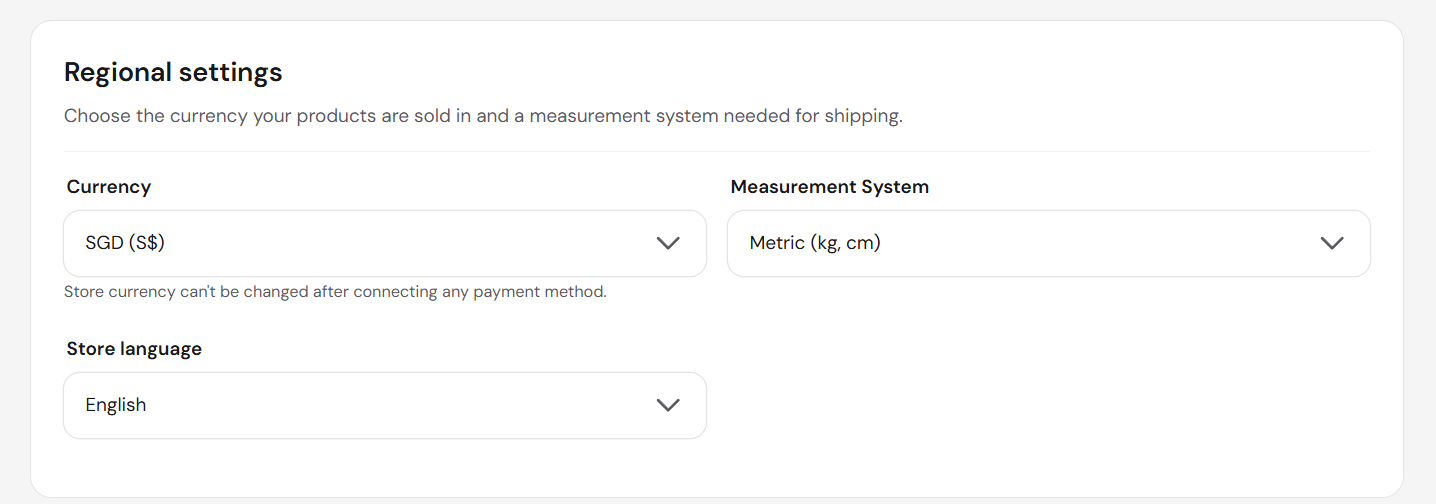
Your store now displays the updated name and regional settings.