Rearrange the display order of products in your Hostinger AI Builder online store.
Reorder products
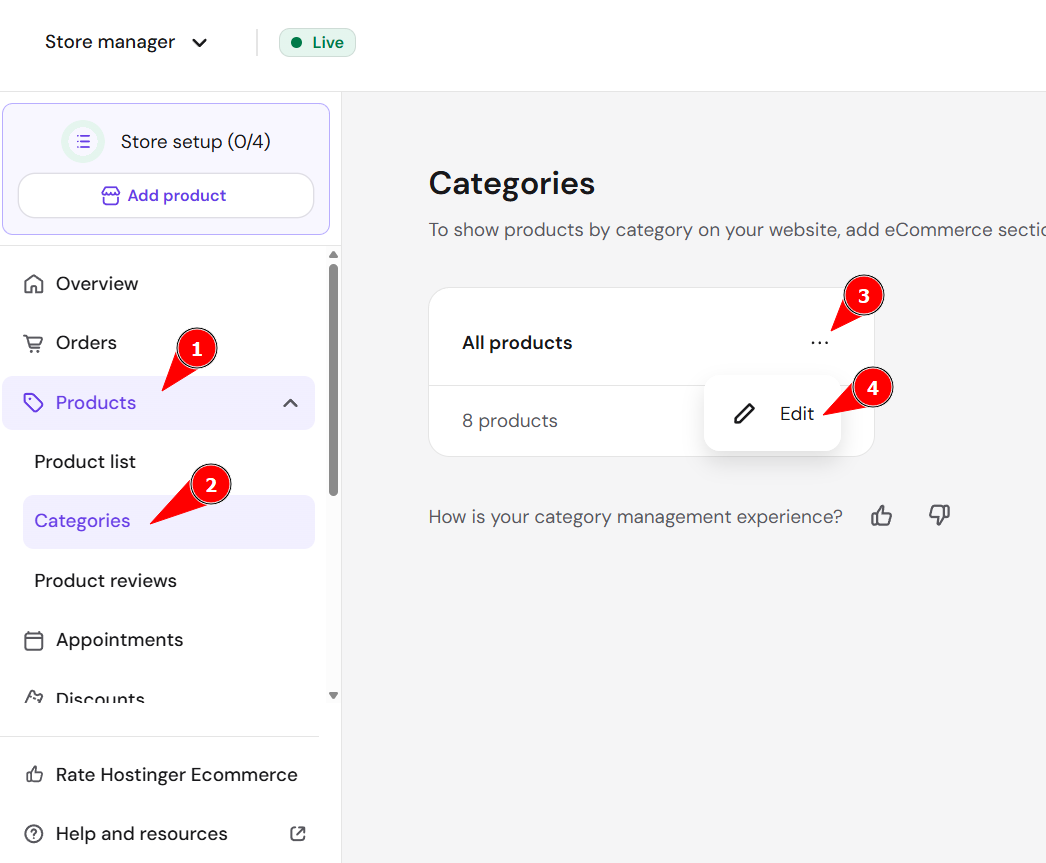
To sort your products, go to the store management area → Products → Categories → All products → Edit:
Drag and drop products to reorder them:
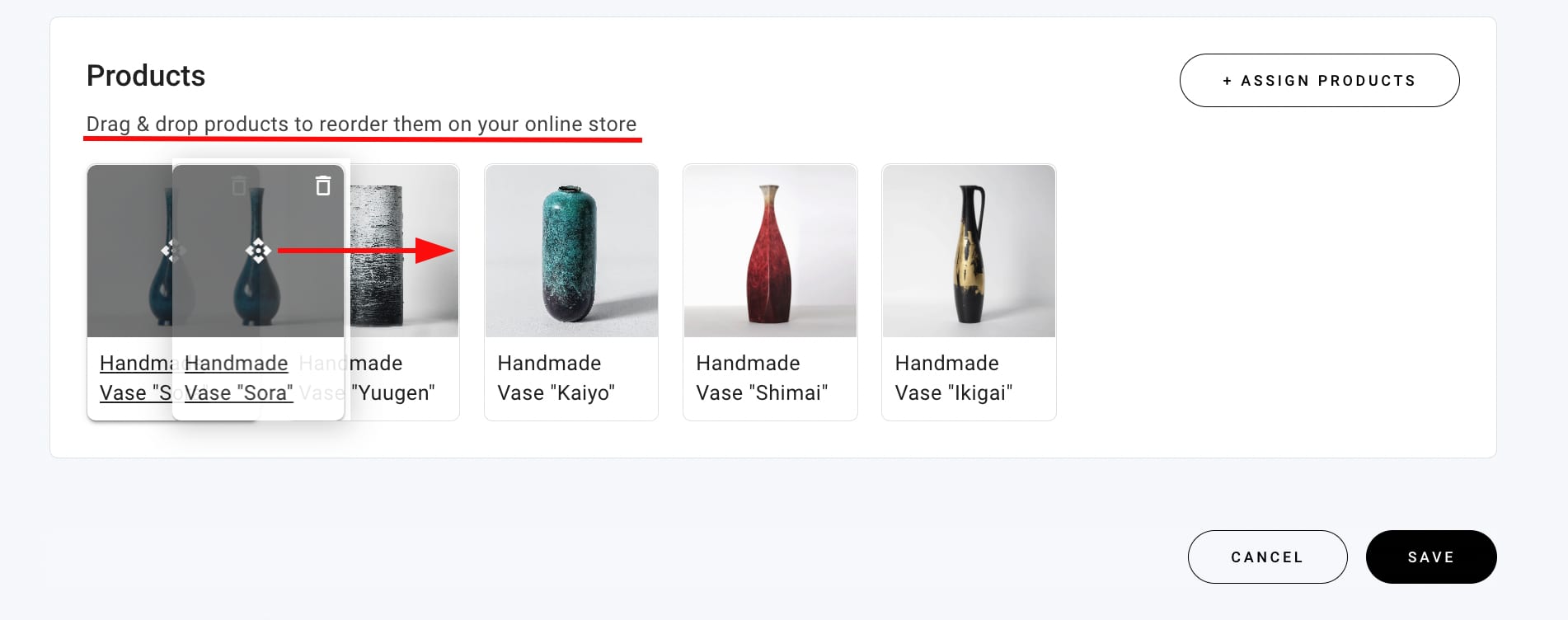
Once you save the changes, the products will be displayed accordingly in the product sections on your website.
You can sort products the same way in all your product categories
Your products now display in the new order in the product sections on your website.