Duplicate a page in Hostinger AI Builder manual mode to save time when building your website, since customizing a duplicated page is often faster than starting from scratch.
Duplicate a page
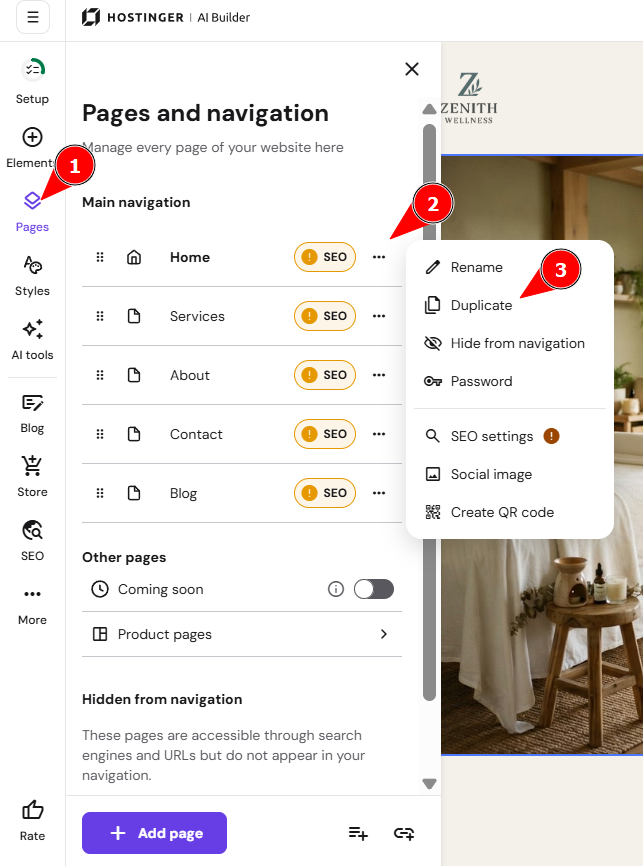
To duplicate a page, within the builder, open the Pages and navigation menu on the left. Find the page in question, open its settings, and click on Duplicate:
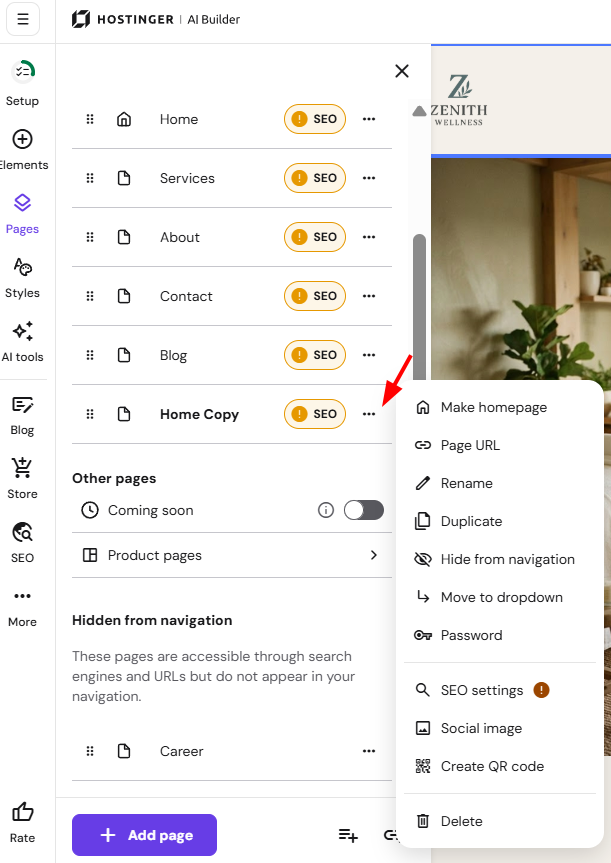
Customize your new page and its settings:
Finally, update your website for the changes to reflect online.