Add a Facebook share button to your Hostinger AI Builder manual mode website using Facebook’s Share Button Configurator and the embed code element.
Create the share button
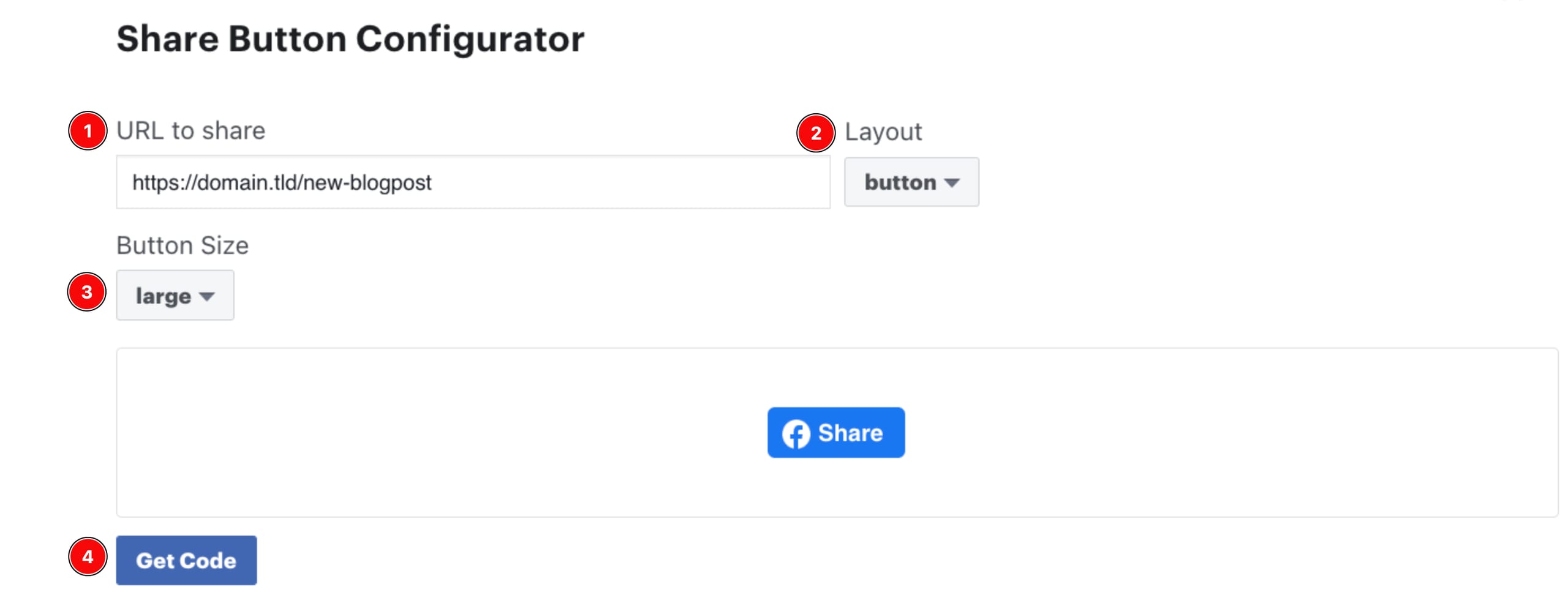
Open Share Button Configurator and create the button:
-
Enter the URL that you’d like to share on Facebook
-
Select the button layout
-
Choose the button size
-
When you’re done, click Get Code:
-
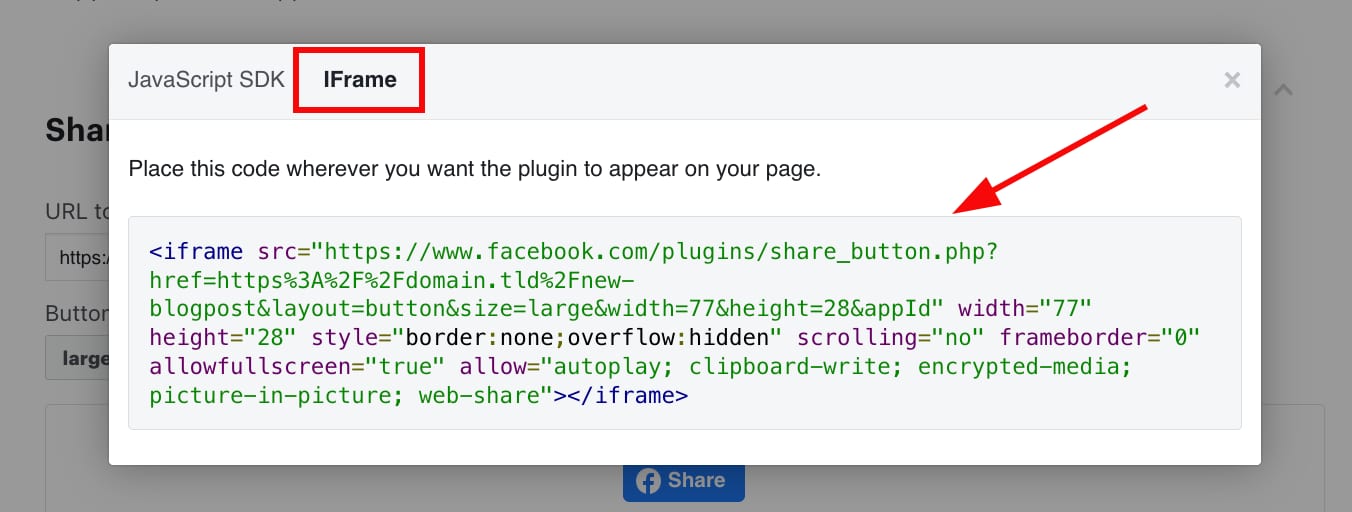
Then, open the IFrame tab and copy the code:
Embed the share button
- Paste the code anywhere on your website using the embed code element:
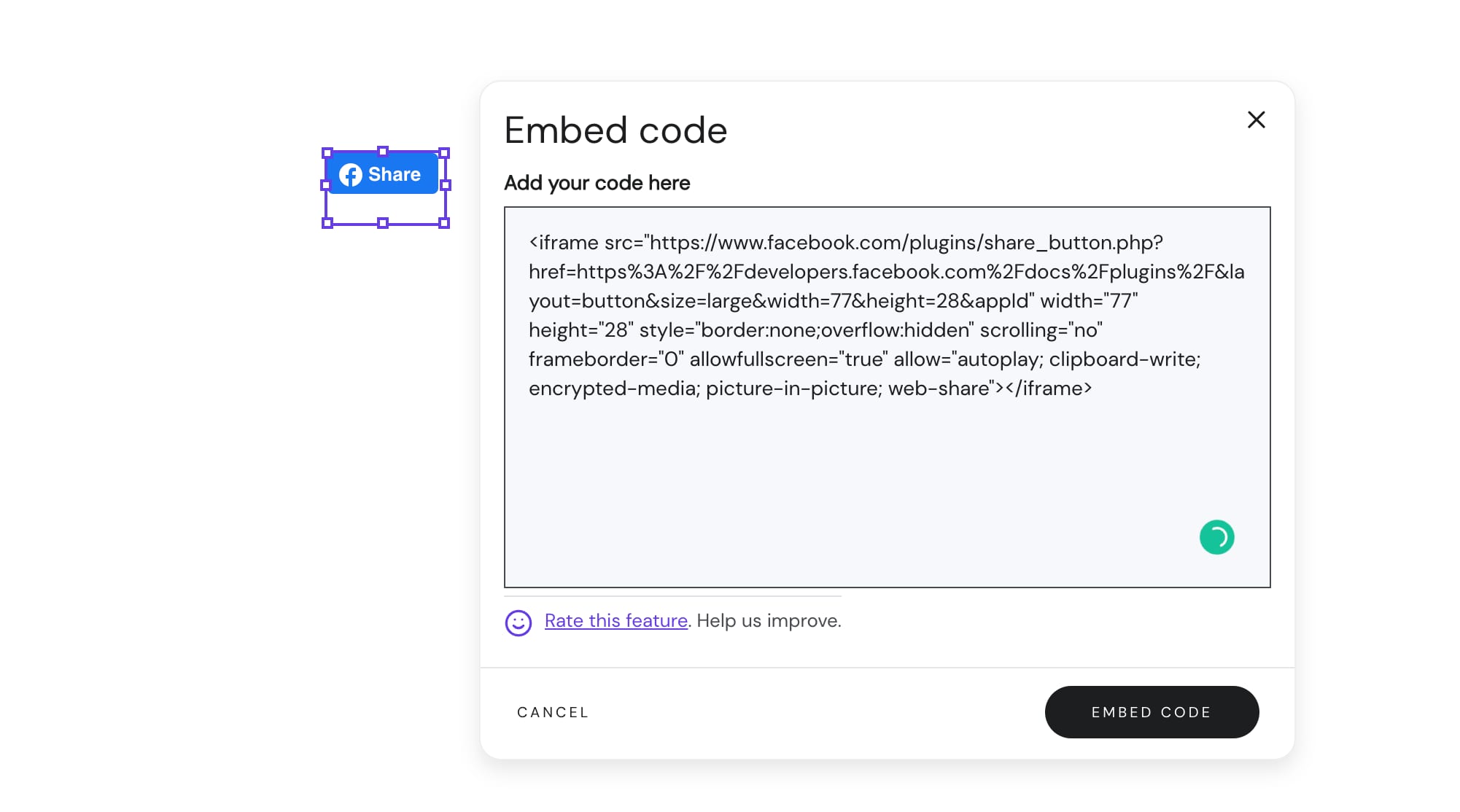
- If necessary, resize the embed code element
- Update your website.
Your Facebook share button is now live on your website.